
Inspiring
July 7, 2022
Question

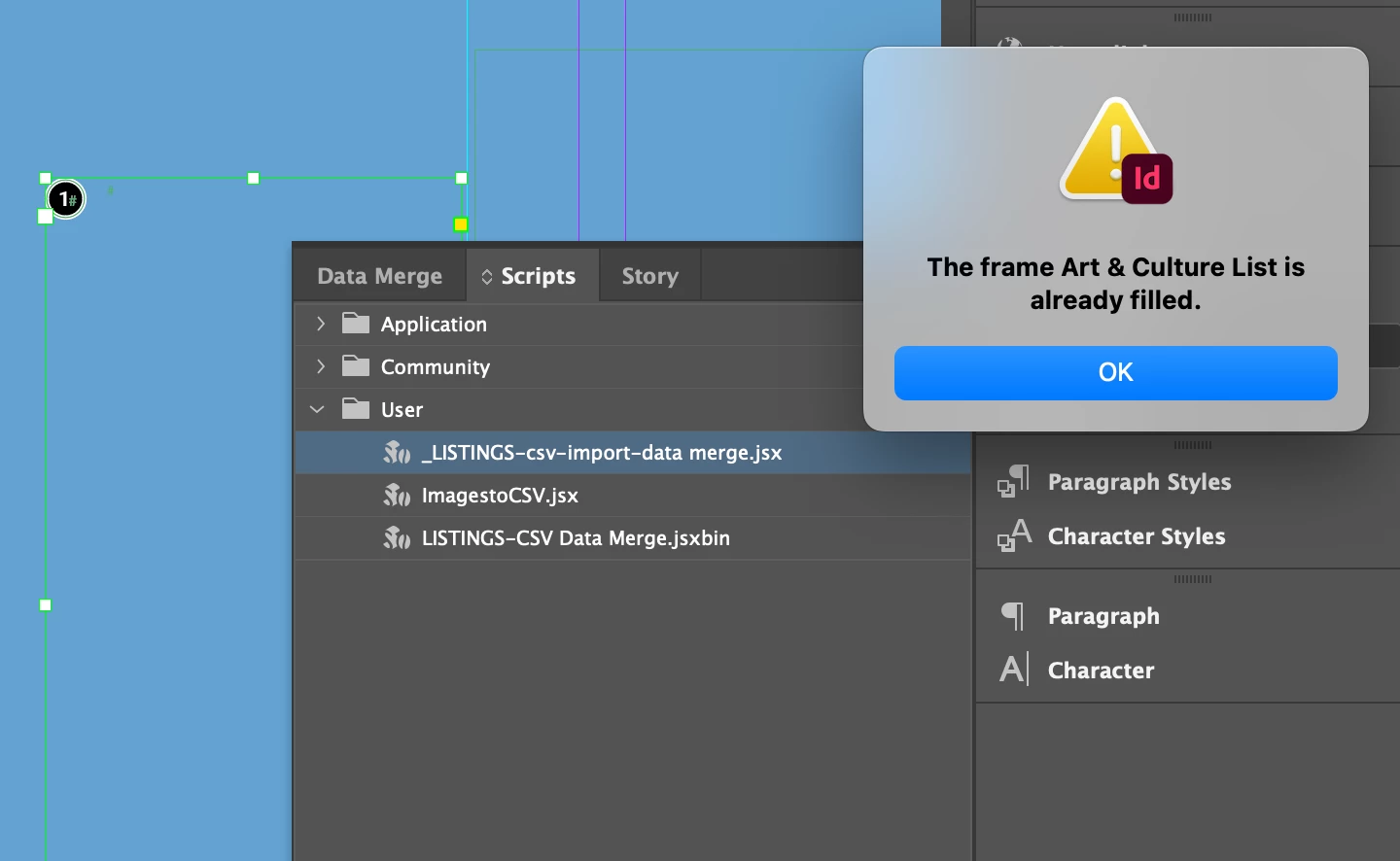
Data merge script error "frame is already filled"

  • July 7, 2022
  • 3 replies
  • 379 views

Hi-
I am trying to update a styled text frame with new content running a custom data merge script. The error I'm getting is "frame is already filled" even though I've deleted the old content.
This topic has been closed for replies.

3 replies

Community Expert
July 8, 2022

Hi @jeannehilary ,

do you still have the data merge template document that is not occupied with data?

The one where all the data fields are empty? I'd start over with that and do the merge again.


Regards,
Uwe Laubender
( Adobe Community Professional )

brian_p_dts
Community Expert
Community Expert
July 8, 2022

Yeah, I looked at the docs and couldn't identify what the raw merge documents were. I suspect this is a custom merge thing, and as Uwe said, you'd have to dig into the script to identify the problem. In your initial screen grab, I show an anchored object in the frame; maybe try deleting that? 

Community Expert
July 8, 2022

@jeannehilary said: "As you can see by the highlighting, I'm not running the jsxbin script."


Well, it's very likely, that _LISTING-csv-import-data merge.jsx has only one single purpose, and that is to start up the LISTINGS-CSV Data Merge.jsxbin file.


Regards,
Uwe Laubender
( Adobe Community Professional )

Community Expert
July 7, 2022

Hi @jeannehilary ,

best ask this question the maker of the script. Who is it?

We cannot know what the script does in detail.

And we cannot see into the code; it's a jsxbin file.


Regards,
Uwe Laubender
( Adobe Community Professional )


Inspiring
July 7, 2022

As you can see by the highlighting, I'm not running the jsxbin script.

I hired someone to set up this styling automation for me; he used a template that is widely available I seem to recall.
I believe this is a beginner error--I'm missing a step, not a problem with the script itself.

I would share the script with you so you can see for yourself, but its filetype is not allowed.


Inspiring
July 7, 2022

This is not actually a scripting error, as it turns out. The script not running is partly a datamerge and a filepath error.

To avoid the error in the screenshot, the workaround I found is to copy the original text frame with the styled objects from the original template.

If anyone would care to help me understand how to update the content in a text frame from a csv without starting over, I would be most appreciative.