JonathanArias
Legend
October 27, 2017
Answered

data merge text wrangler

  • October 27, 2017
  • 3 replies
  • 1034 views

Hi,

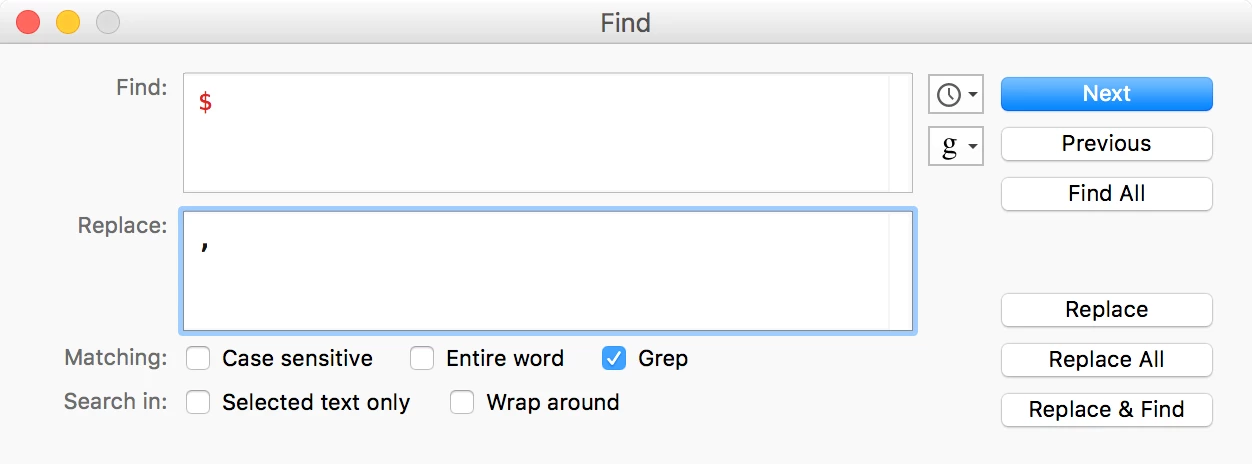
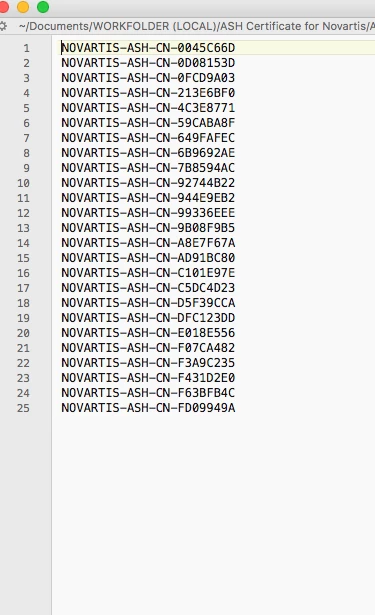
i have a data merge i am doing, i saved my  excel file as a .csv, but none of the commas show.  I am using textwrangler and i was wondering if anybody knew how to do a grep search to add a "," after each line break? i added a screenshot below so you can see what i see. i have lots of lists and i am looking for a fast way to add the commas from text wrangler.

Thanks
    This topic has been closed for replies.
    Correct answer Colin Flashman

    This GREP code will add a comma to the end of every line without having to do a two-step procedure:

    However, I agree with Jongware, why would you want to do this? If the database has one field, it doesn't need commas, the end of line tells ID's Data Merge that the record has ended and to begin another one.

    3 replies

    Jongware
    Community Expert
    Community Expert
    October 27, 2017

    I don't get it. If you replace every line break with a comma, then you have everything on a single long line. How is that better?

    JonathanArias
    Legend
    October 27, 2017

    i watched video how the guy had a data merge and he has a .csv file with commas at the end of the entry. that was last year and ever since i had done it that way.

    Colin Flashman
    Community Expert
    Community Expert
    October 27, 2017

    if there is more than one field in a database, then there needs to be a separator between the fields. For the data that InDesign can import, CSV will use a comma while TXT will use a tab. The latter is my preference as it allows me to keep commas within a record without a sea of quotation marks to indicate where a field should/should not start.

    The header row also dictates how many fields will appear. Take the following example:

    title

    john,joseph,

    joanne,mary,leanne,sarah,

    cat,bird,

    dad,budgie,

    champ,is,a,dog

    colin,,

    If I save this as a csv or txt file and select it as a data source to InDesign, note how only the first field is imported, despite data being present in other fields:

    If the answer wasn't in my post, perhaps it might be on my blog at colecandoo!
    Community Expert
    October 27, 2017

    The text file saved from Text Wrangler can be used in a data merge.

    winterm
    Legend
    October 27, 2017

    What if copy/paste everything in a fresh indd doc, do a grep here, and paste the resulting text back?

    JonathanArias
    Legend
    October 27, 2017

    hmm. i was hoping to knock it all out from text wrangler at one shot.

    i am doing this first:

    regex - How to replace line-breaks with commas using grep in TextWrangler? - Stack Overflow

    that removes teh breaks, so i do next:

    Google Groups

    and than i get to where i want to be. and move on to the next list. was just curious as to been able to do it all in one shot so i can work my way down all of the .csv files first, get them prep, and move on to indesign and data merge next.

    Colin Flashman
    Community Expert
    Colin FlashmanCommunity ExpertCorrect answer
    Community Expert
    October 27, 2017

    This GREP code will add a comma to the end of every line without having to do a two-step procedure:

    However, I agree with Jongware, why would you want to do this? If the database has one field, it doesn't need commas, the end of line tells ID's Data Merge that the record has ended and to begin another one.

    If the answer wasn't in my post, perhaps it might be on my blog at colecandoo!