Known Participant
January 8, 2018
Answered

Delete Extra Page

  • January 8, 2018
  • 2 replies
  • 1292 views

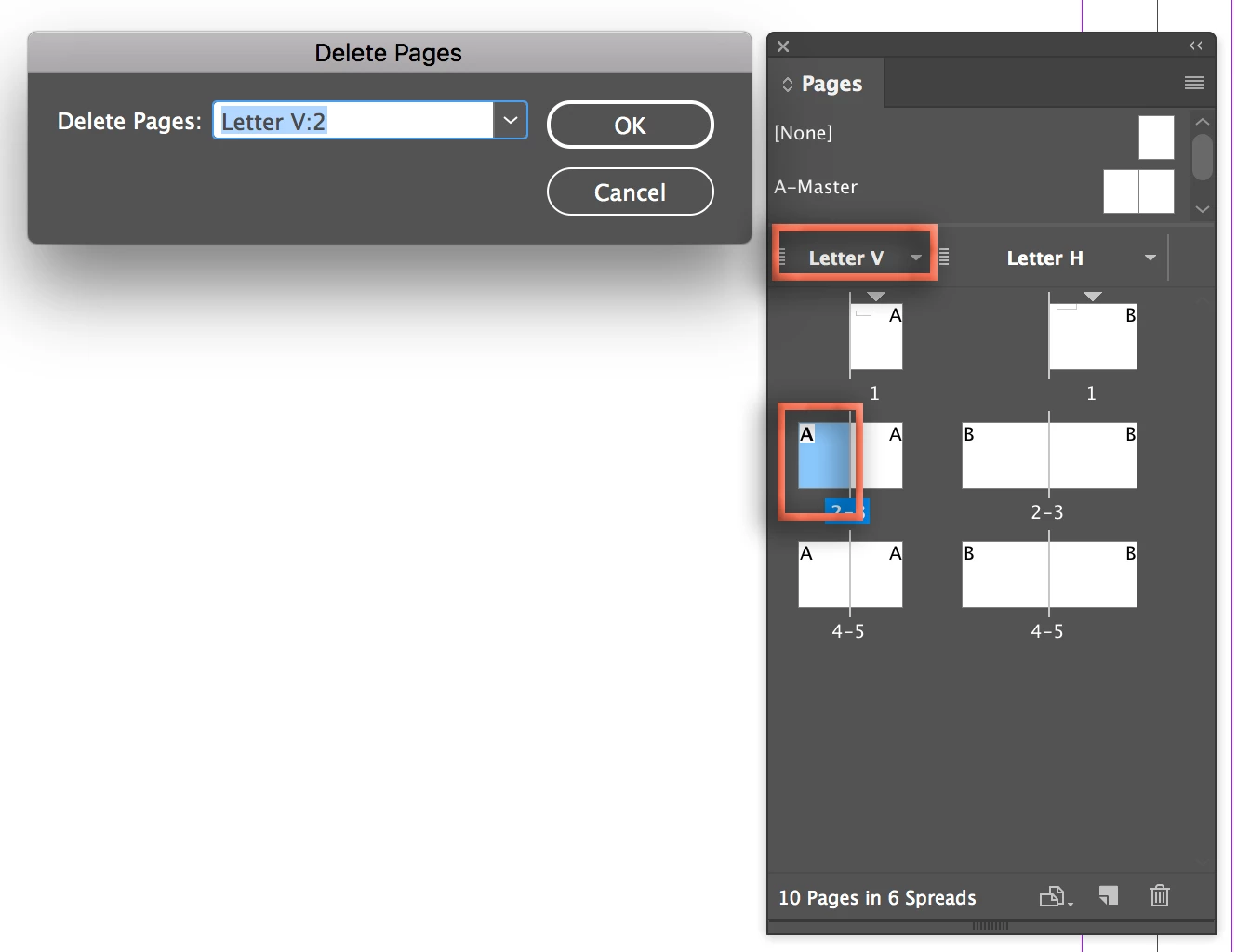
I recently upgraded to InDesign CC 2018.   I'm trying to Delete an unwanted page (Page 2).  I go to Layout - Go to page 2.  Then I go to Layout - Pages - Delete Pages and the choice comes up as Letter V:2.  Is that the 2nd page?  I don't want to delete the wrong page.

Thank you for your help
    This topic has been closed for replies.
    Correct answer Barb Binder

    Sounds like your document is using alternate layouts: meaning you have a portrait version (Letter V) and a landscape version (Letter H) in the same file. You are about to delete the portrait page 2, the Pages panel helps you see that. If this is surprising to you, I'm guessing you didn't set up the file yourself, but are perhaps using a template that someone else created? Do you need both layouts in the file? Getting rid of the other one would simply things.

    ~Barb

    2 replies

    Barb Binder
    Community Expert
    Barb BinderCommunity ExpertCorrect answer
    Community Expert
    January 8, 2018

    Sounds like your document is using alternate layouts: meaning you have a portrait version (Letter V) and a landscape version (Letter H) in the same file. You are about to delete the portrait page 2, the Pages panel helps you see that. If this is surprising to you, I'm guessing you didn't set up the file yourself, but are perhaps using a template that someone else created? Do you need both layouts in the file? Getting rid of the other one would simply things.

    ~Barb

    ~Barb at Rocky Mountain Training
    amaarora
    Community Manager
    Community Manager
    January 8, 2018

    Hi,

    If you are confused, use the pages panel.

    Click the below shown button to delete the selected pages.

    -Aman