



Delete Nested style text from TOC
Hello good people,
I have a project in InDesign. The agency that created the documents worked quite professional. However, I am not impressed the way that created the styles for Headings level 2 to 6. They’ve created a heading style using Nested Styles. The heading continues with the text paragraph. Once I separate the heading from the main text using EM SPACE, the InDesign recognize the text before Em SPACE as being the header. See below. 1.4 Definition of requirements is the heading while the rest of the text is body text.

Here is how they defined the style.
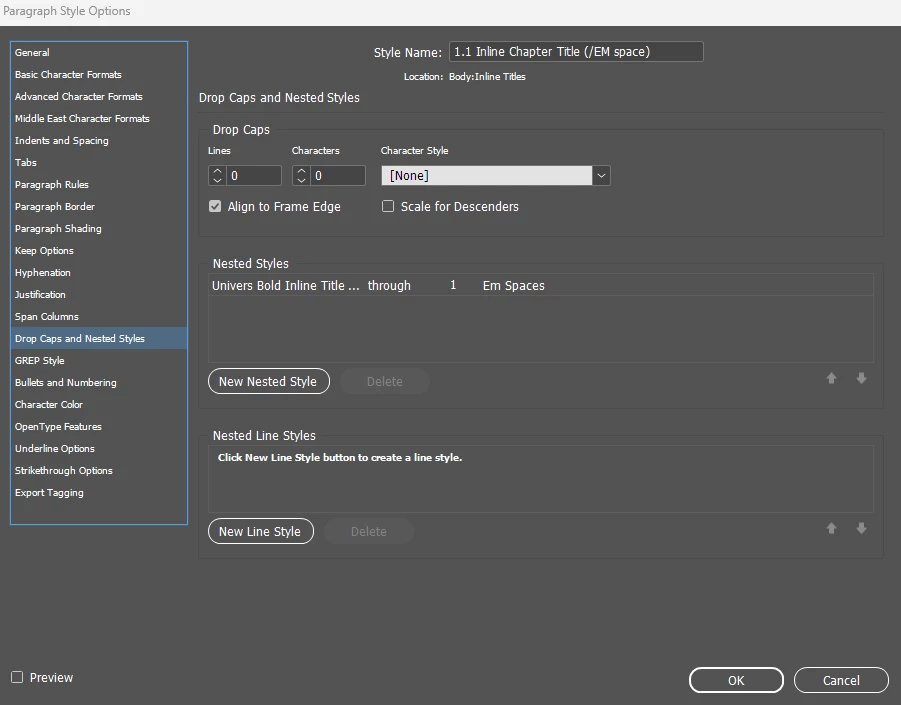
Well, my problem is when I generate the TOC. InDesign brings in the entire paragraph.
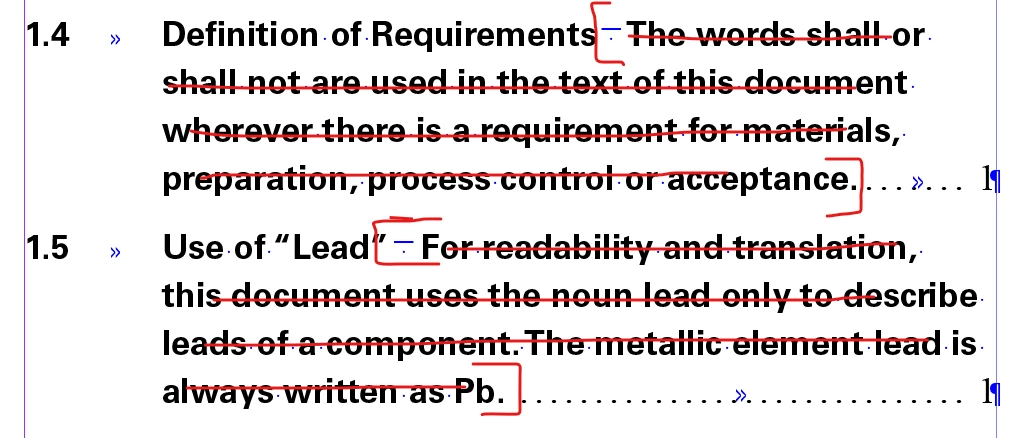
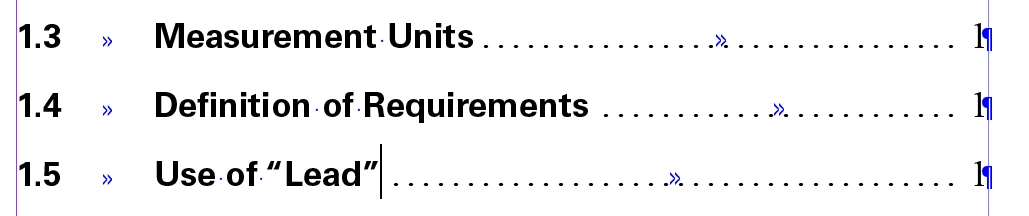
So, I have to manually clean the TOC deleting the text between EM SPACE and dots. The dots have a character style named DOTS SPACING. The TOC should look like that.
I tried to do that using FIND/CHANGE tool.
FIND: tilda m (Em SPACE) + \w (any word character)
However, how I set to stop to DOTS SPACING character style?
Is there a way to do this automatically?
Thank you in advance.
Sebastian
 AdChoices