diagonal lines in PDF after Exports
Hey folks,
I have a problem that I can't explain. I've made some business cards with a grey background and a graphic which I prepared in Photoshop. When I look at my Indesign-project there's everything ok but after the export to PDF there occur dark grey, diagonal lines in the PDF. Ok, I worked out that the graphic is the problem. Its a psd-file with 300dpi on FOGRA39 CMYK. My Indesign-project is also set to FOGRA39 CMYK. The graphic is turned for 6°. The diagonal lines a slightly darker than the original background and only occur within the frame when I make the frame smaller than the lines are only visible there. The lines don't disappear when you zoom in the PDF.
So what is my mistake here? I really can't figure it out right now.
Ok one information that could be useful: I used a design-template from moo, so it is set to inch, not to millimeters and centimeters like I use to work)
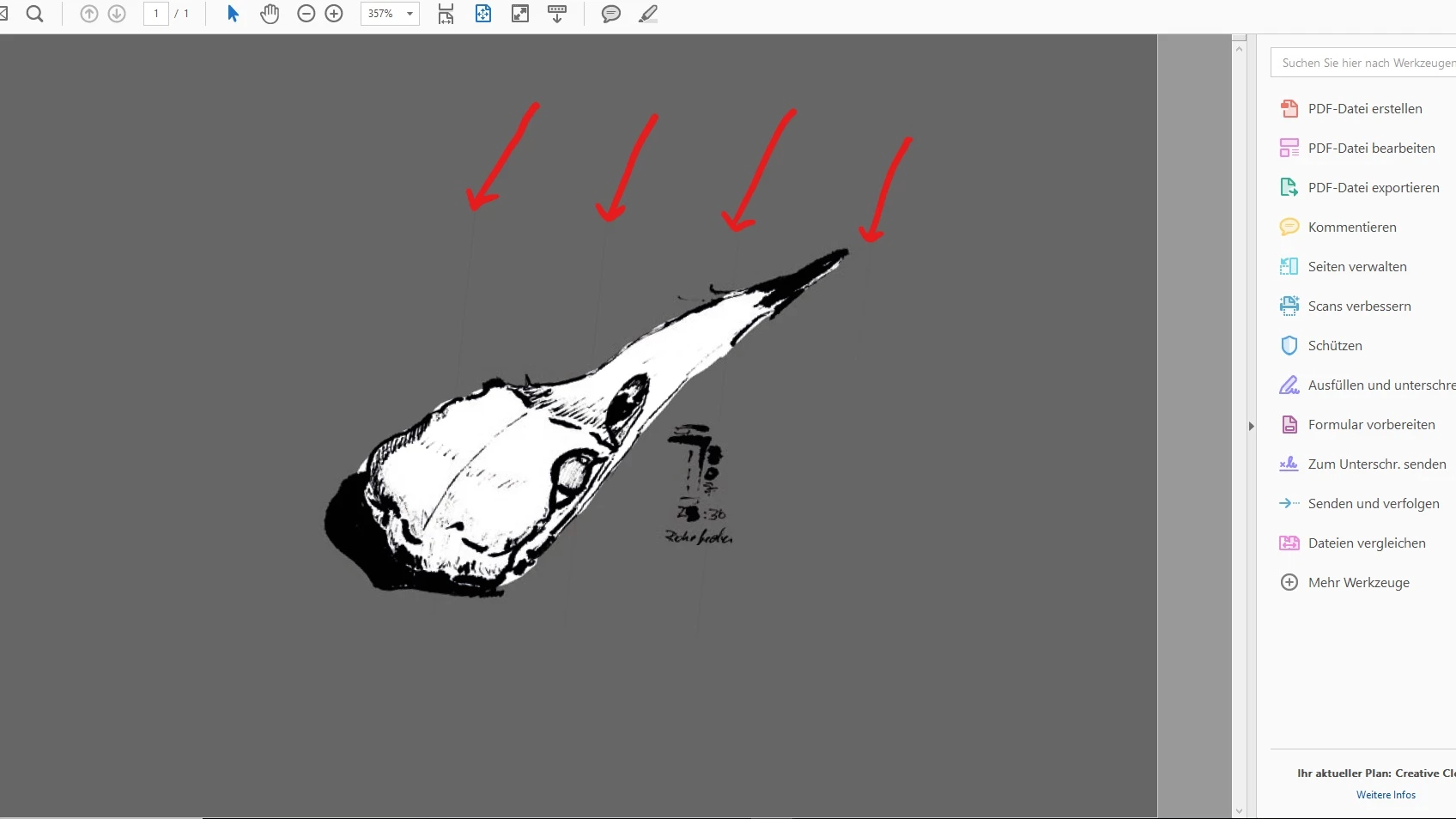
I hope you can help and solve this mystery.
Best.
 AdChoices