

Question
Difference between Illustrator and InDesign layers when exported to PDF
Hi all!
Anybody know if there is a way to export the layers from Indesign in the same format as for Illustrator when saving as PDF. In the screenshot you can see that when exporting an InDesign file I always get this top "layer" marked in yellow. This is what is causing another tool that I use not to be able to read the PDF correctly when uploading so I would like to have it in the same way as when exporting an Illustrator file to PDF without this top "layer".
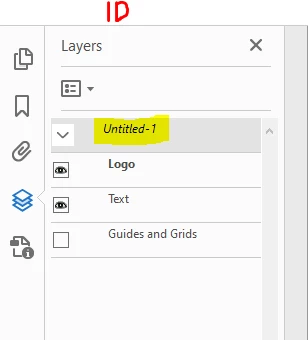
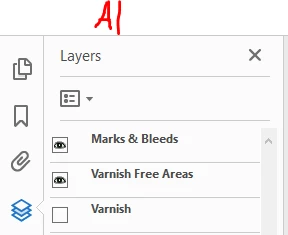
I use the Creative Cloud newest versions for all software.
Would be greatful for help. A simple "no" would also be sufficient 😄
Best regards
Lukas


 AdChoices