
Known Participant
June 26, 2022
Question

Disappearing Master Pages

  • June 26, 2022
  • 3 replies
  • 295 views
Hi,
We have encountered a problem, and need advice:
 After updating OT font, the footer "has disappeared" - see the photo:
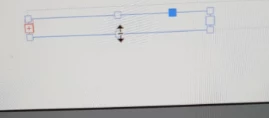
 
 
The only way I managed to deal with it is to double click each page(!) in order to get the hidden text (again, we have hundrets of files & therefore it is not realistic)
Every master page has 4 surfaces & some of the files have more than 6 master pages, so you can understand the situation.
Also, the text that appears in the surface of the box after double clicking, in not in the right location, see here:
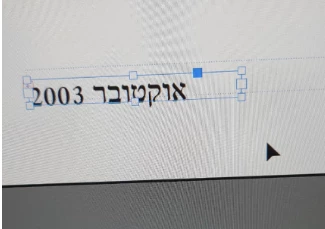


What is the best way to deal with this problem?
 
We will appreciate your help in the matter.
This topic has been closed for replies.

3 replies

Community Expert
June 27, 2022

Also possible:
Work with auto height in the text frame options.


Regards,
Uwe Laubender
( Adobe Community Professional )

Known Participant
July 24, 2022

Thanks for the suggestion!

Willi Adelberger
Community Expert
Community Expert
June 27, 2022
  1. The text frame must be big enough to get this text.
  2. Work with object styles, so you need not go to each instance,
  3. Work with masters based on another master, so only the top parent page needs to be changed.
  4. Work with auto sized frames.
Known Participant
July 24, 2022

Thank you for the advice - we'll try it.

Lukas Engqvist
Community Expert
Community Expert
June 26, 2022

As it seems the font has a height so that it is not visible in the text frame, and so it becomes overset. You need for the text frames to be large enough or the font to be small enough so that it does not overset. The easy way to fit text is to doubble click the centre botom square handle of the frame to let it expand so that the text fits.

Having this on multiple parent (master) pages can be a pain but I don't see that there is an easy way to do this unless the Parent Pages are identical in all documents. If this is the case Parent pages can be synced between documents using the book function (https://creativepro.com/synchronize-multiple-indesign-documents/)… but it is a risk assesment and you may find that sine the new font is causing change in your layout you may be best off doing it manually.
The keyboard shortcut to fit to frame is cmd-option-C (or ctrl-alt-C on PC)

James Gifford—NitroPress
Legend
June 26, 2022

Almost certainly this.


An example of why it's not always a good idea to pull frames in very tightly around text; I long ago developed the habit of leaving some extra room to the right and below, just so this kind of minor change in font, spacing, etc. doesn't make the text overset.


Yes, it can look untidy to have text frames sloppy in size. But. 🙂