
Participant
June 20, 2025
Answered

Disappearing Text Issue - I've tried everything, please help!

  • June 20, 2025
  • 2 replies
  • 354 views

I feel like I'm losing my mind. I've tried everything to fix this text from disappearing when I adjust the box. Ignore text wrap is on. It's not aligned to the baseline grid. It's on a completely blank spread. It does this even when the bullet points aren't there. I've also updated the application, running on v20.4. Anything I look up, it just gives me the same options. Someone please help
Correct answer Joel Cherney

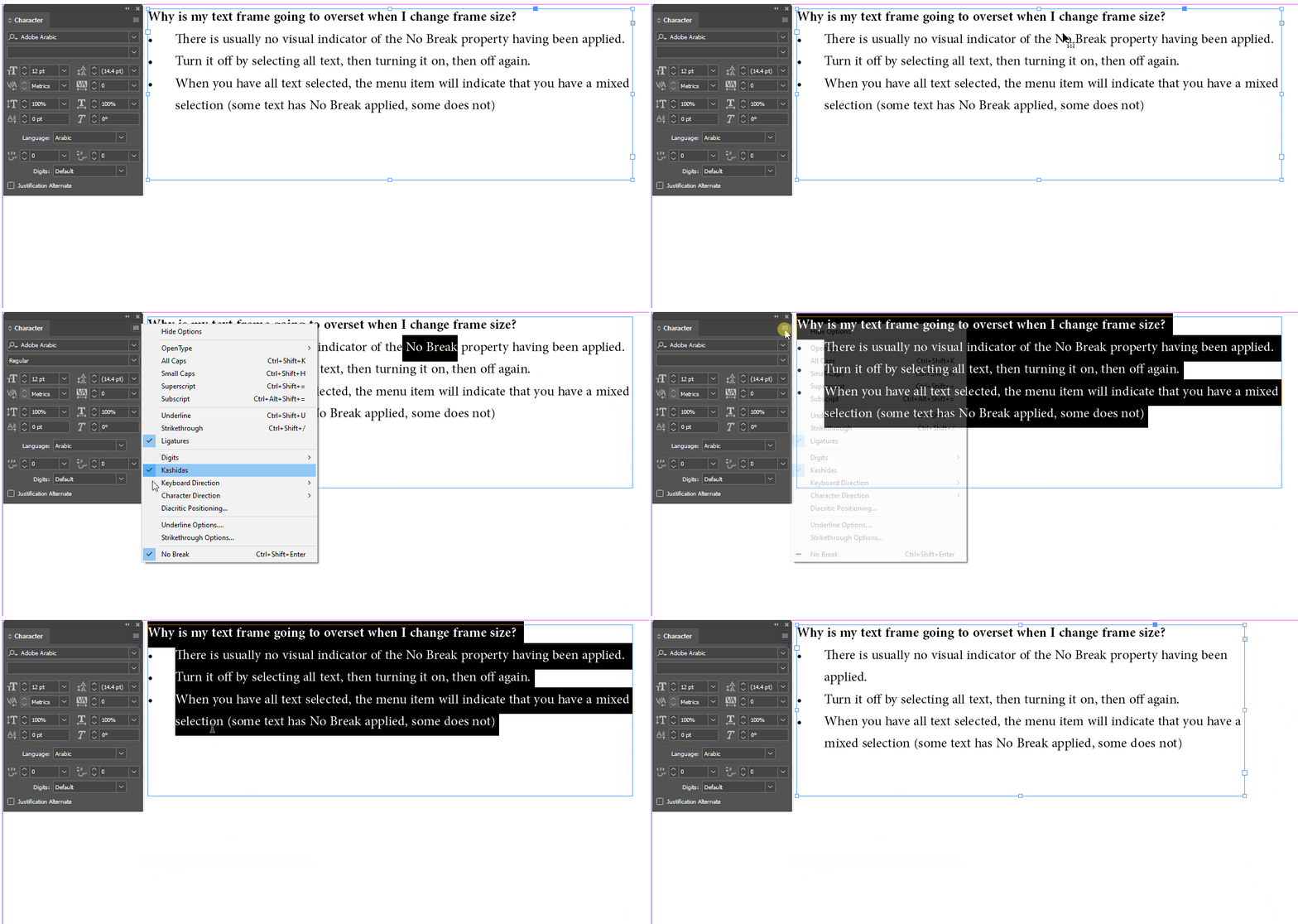
I suspect that the No Break attribute is applied to the "Expected to graduate [...] line. Here's a GIF of one way to turn it off:


(If you're working with paragraph and character styles, then you can check your styles for the No Break attribute checkbox in the Character section of the style. Also if you're using styles but none of your styles have the No Break attribute applied, you can turn on the Style Override highlighter to see where you have text that has local overrides applied. But I suspect that you're not using styles, and that you're probably typing this directly into InDesign by hand, in which case it's just faster in the short term to turn it off for all of the text in your frame. )

2 replies

Joel Cherney
Community Expert
Joel CherneyCommunity ExpertCorrect answer
Community Expert
June 20, 2025

I suspect that the No Break attribute is applied to the "Expected to graduate [...] line. Here's a GIF of one way to turn it off:


(If you're working with paragraph and character styles, then you can check your styles for the No Break attribute checkbox in the Character section of the style. Also if you're using styles but none of your styles have the No Break attribute applied, you can turn on the Style Override highlighter to see where you have text that has local overrides applied. But I suspect that you're not using styles, and that you're probably typing this directly into InDesign by hand, in which case it's just faster in the short term to turn it off for all of the text in your frame. )

Anubhav M
Community Manager
Community Manager
June 20, 2025

Hello @Adriana28603164q2a7,

Would you mind trying to reset Illustrator's preferences as described in this article (https://adobe.ly/45s1882) and checking if it helps?


Disclaimer: Please note that renaming preferences folders will remove all the custom settings, and Illustrator will launch with default settings. You can also save a backup of the folders, the location of which is mentioned above.


Looking forward to hearing from you.

Anubhav