Participant
January 22, 2019
Answered

Display Not Fitting Page

  • January 22, 2019
  • 2 replies
  • 1855 views

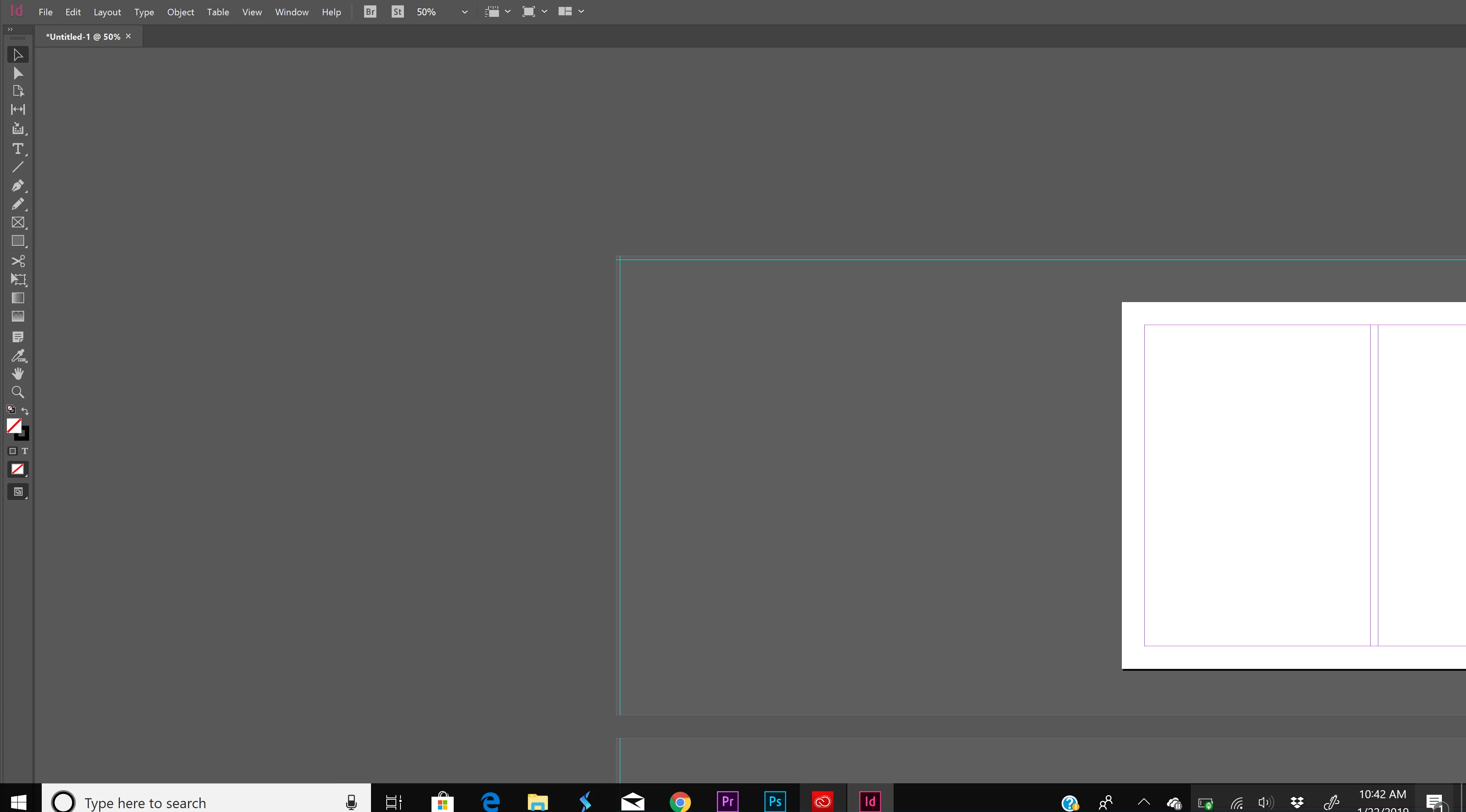
So when i open in design and select "open new" it brings up the template but the template is off to the side and doesnt fit the page. When i go to "view" to fit to the page nothing changes. I cant drag the template in place or anything, im not sure what the problem is.
This topic has been closed for replies.
Correct answer

Double click on the top menu bar in a blank area. This will shrink the window down then click maximize. should only fill 1 screen. not across multiple.

If that doesn't work go to computer settings / display/ remove any other screen it will auto adjust to 1 screen.

2 replies

Correct answer
January 23, 2019

Double click on the top menu bar in a blank area. This will shrink the window down then click maximize. should only fill 1 screen. not across multiple.

If that doesn't work go to computer settings / display/ remove any other screen it will auto adjust to 1 screen.

Srishti_Bali
Legend
January 22, 2019

Hi Taylor,

Looks like InDesign itself is out of the screen, please try to drag InDesign towards left and click Maximize Icon.

Regards,

Srishti