Answered
Distance between a multiple-line entry and page number in TOC
How can I define the distance between a multiple-line entry and page number in a table of contents, as shown in the image below?
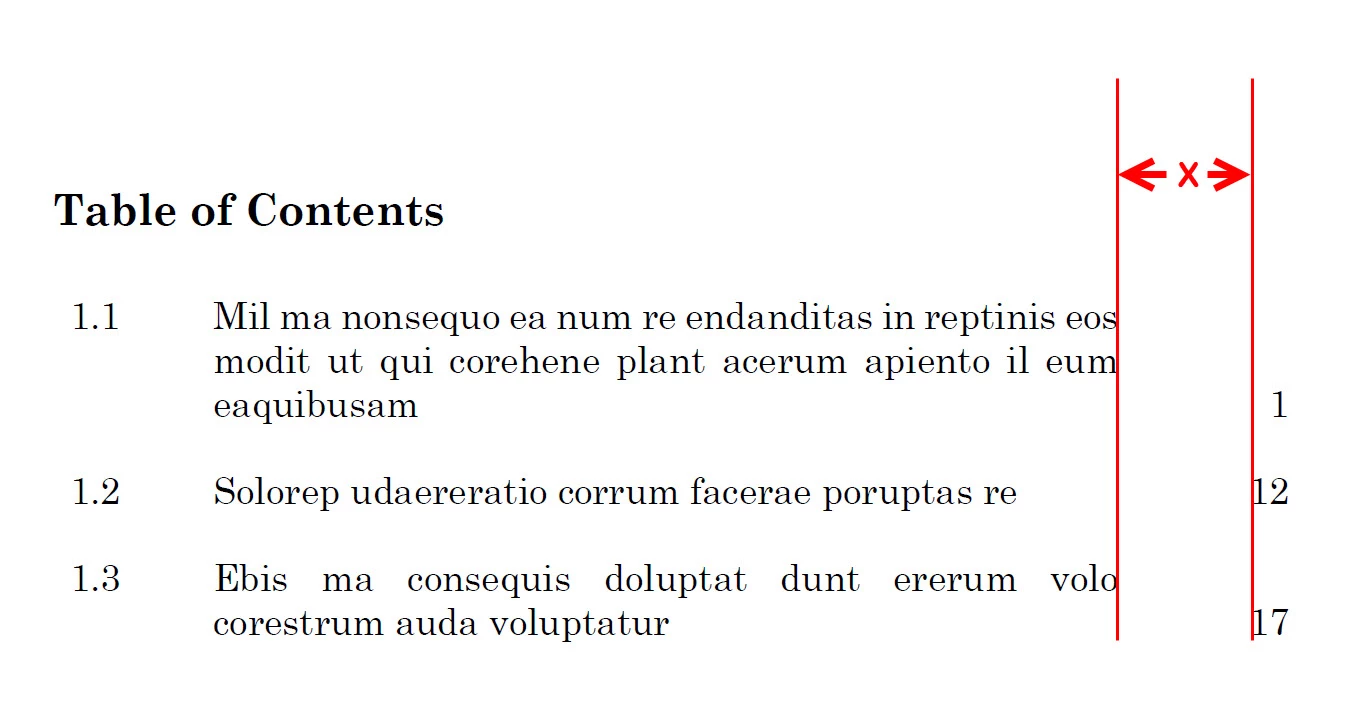

How can I define the distance between a multiple-line entry and page number in a table of contents, as shown in the image below?
Hi texzi:
Mike and Vinny are on totally track with their answers, and if you follow their steps closely you won't need to keep repeating the last two steps.
In the blog post that Vinny referenced, I'm using a right align tab, but had not yet encountered the issue with the line running over that you described—it was just a matter of time. I made it happen, below.

So, let's automate this for you. First of all, in the table of contents dialog box, be sure to assign a paragraph style to the Entry Style and change Between Number and Entry to ^t^t.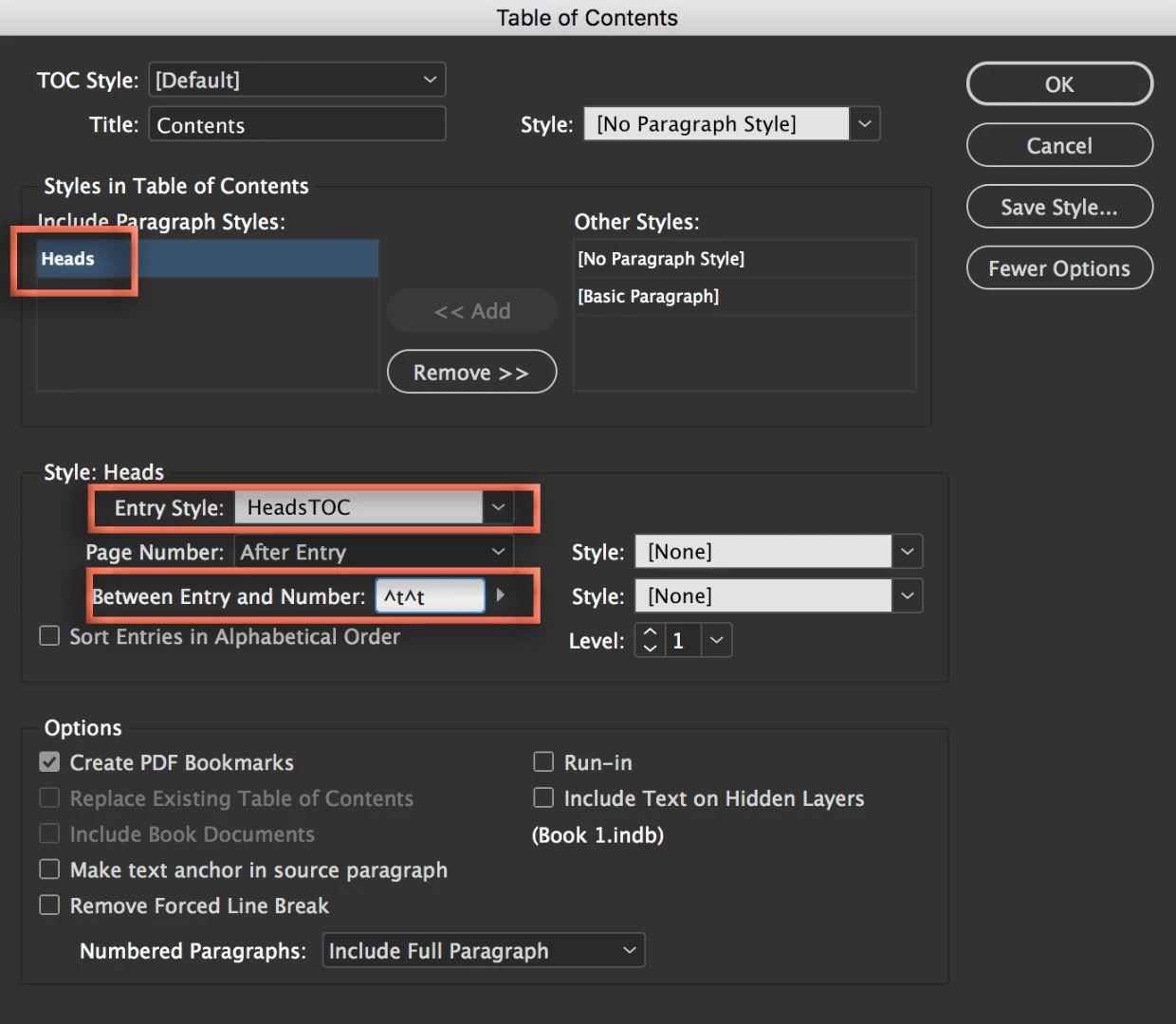
Then select paragraphs and set the hanging indent, and the right hanging indent as described above. Change the alignment to Justify with last line aligned left.
Now here's what it sounds like you are still missing:
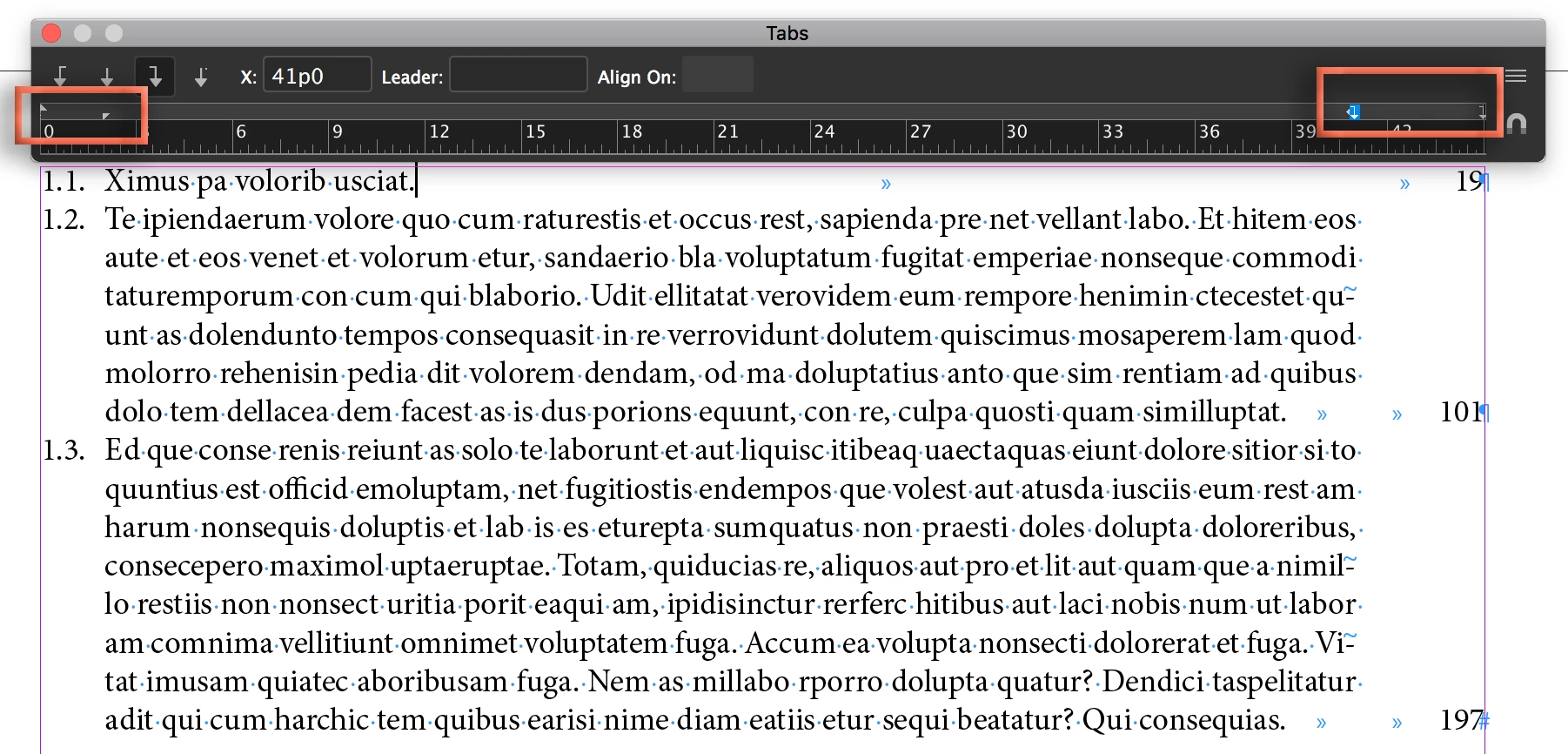
Now when you update your TOC, you won't have do any additional manual formatting.
~Barb
Already have an account? Login
Enter your E-mail address. We'll send you an e-mail with instructions to reset your password.
 AdChoices