
adair02
Participant
April 28, 2017
Answered

Distortion when zooming?

  • April 28, 2017
  • 3 replies
  • 886 views

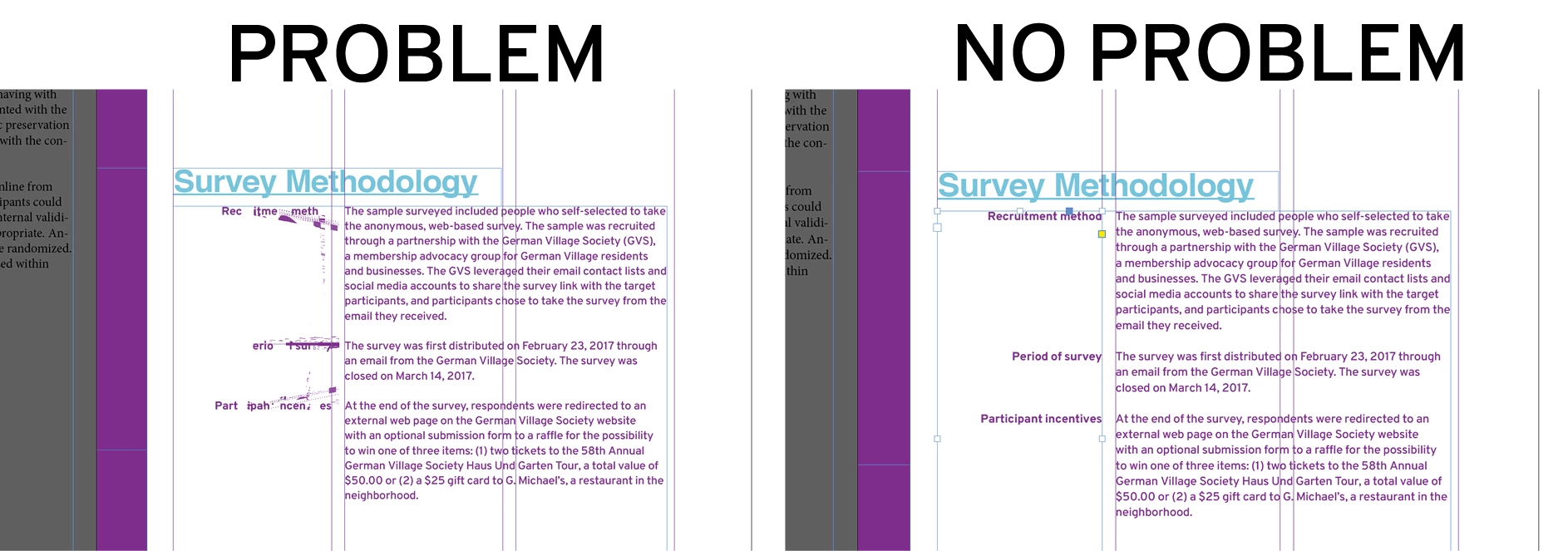
Hello! I'm an InDesign user facing a new issue. Sometimes when zooming out, but maybe at other times, its like some of the graphics get "stuck." Please see the image below. The issue is on the left, where the graphics are on top of some of the left-column text.

Any ideas to correct this? I'm using the best view mode.
[Moderator moved from unsupported Lounge to InDesign  product forum.]
    This topic has been closed for replies.
    Correct answer Barb Binder

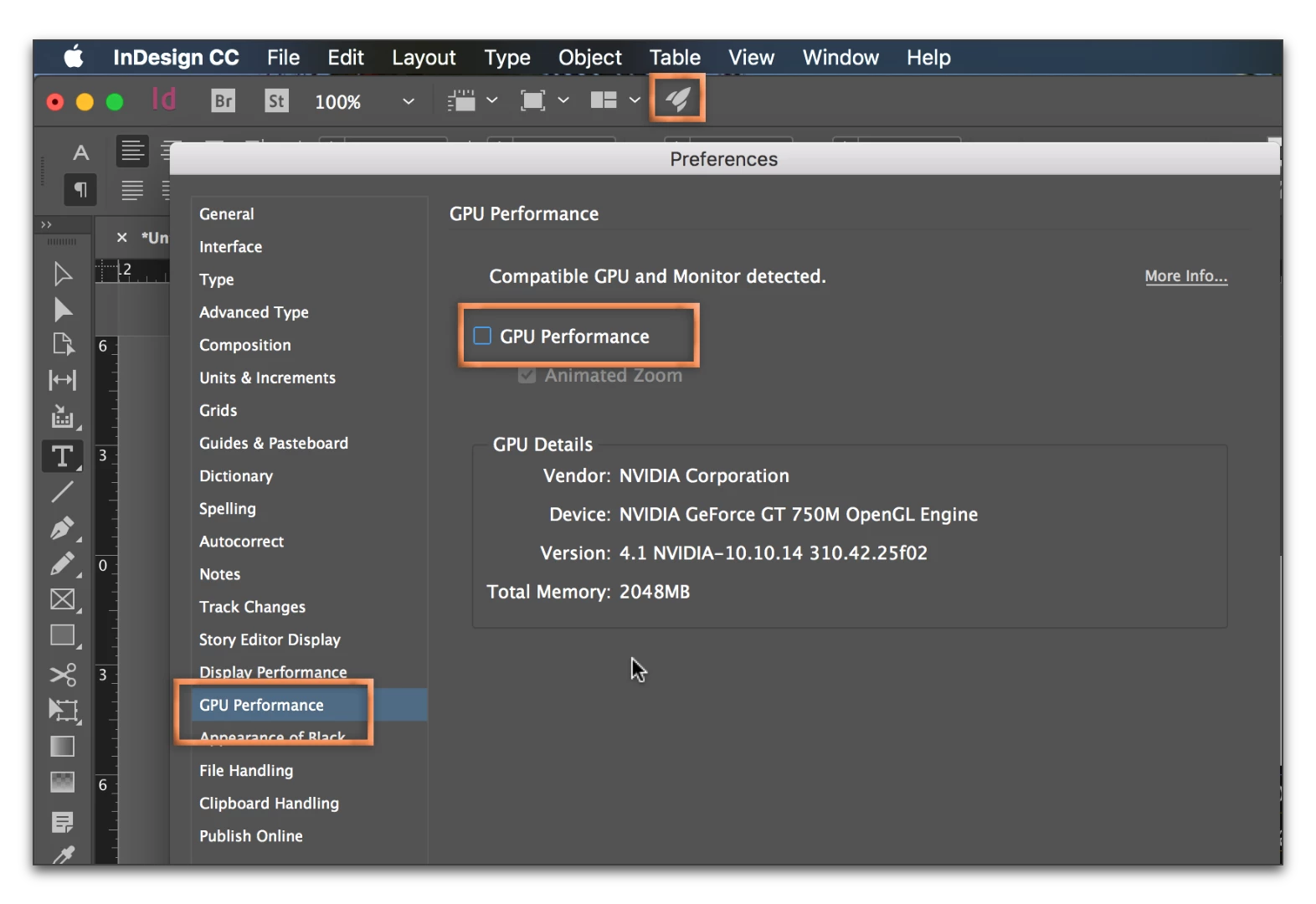
    Are you on InDesign CC 2017? What happens if you click the rocket ship on the Application Bar (back door to Prefs > GPU Performance) and you uncheck GPU Performance. Does it stop happening?

    3 replies

    Barb Binder
    Community Expert
    Barb BinderCommunity ExpertCorrect answer
    Community Expert
    April 29, 2017

    Are you on InDesign CC 2017? What happens if you click the rocket ship on the Application Bar (back door to Prefs > GPU Performance) and you uncheck GPU Performance. Does it stop happening?

    ~Barb at Rocky Mountain Training
    adair02
    adair02Author
    Participant
    April 29, 2017

    It happens so infrequently that I'll have to wait to respond on whether this works. I had no clue about this menu and have never noticed that rocket ship somehow. Thank you! I will confirm in the future if this did the trick!

    Participating Frequently
    April 29, 2017

    Ah, the German Village.

    Years ago we always liked to go to the Old Mohawk restaurant.

    Michael Riordan
    Inspiring
    April 29, 2017

    Hello adair

    This looks like it could just be a screen glitch. You can hit shift-f5 to have Indesign do a forced screen refresh. Give that a try next time this happens. let us know if it works.

    Michael