
Distributing circles evenly on winding board game path
Ok, so I'm not sure there's going to be a quick way to neaten my board game board draft, but having failed to find a solution I can make work googling, I'm going to try here.
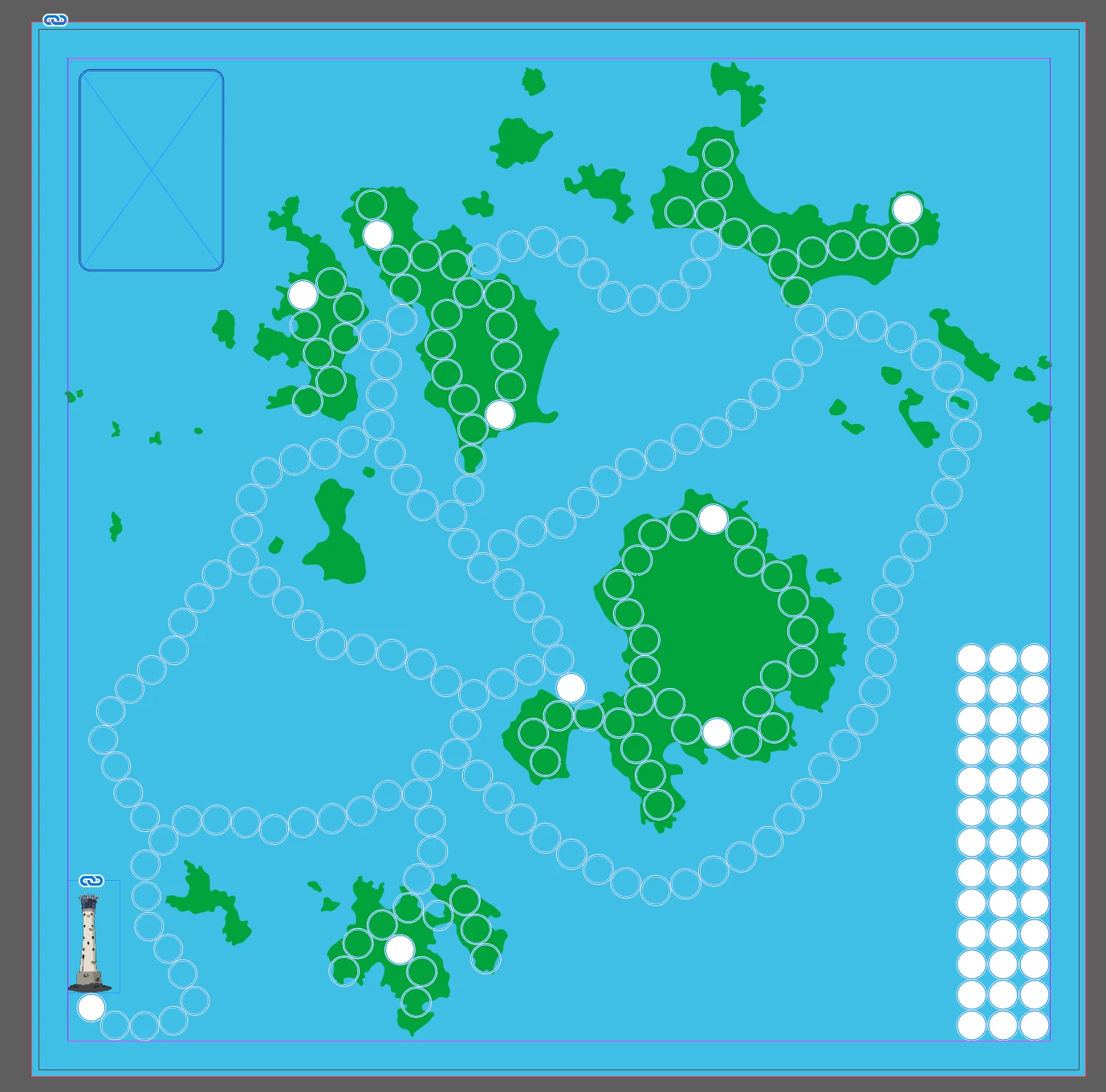
I have a board game board with lots of circles as game spaces that make up several (not simple linear) paths. I had hoped I could place once circle and perhaps hold down a key or something that would mean the next circle of the same size I placed could only be placed a fixed distance from the last (centre to centre) but allow me to place anywhere in a ring around the first if that makes sense? I couldn't manage so placed more roughly.
No I have everything roughly in place, is there a way I can select all circles and make the neccessary small adjustments to position so as the gaps are even between circles (centre to centre) I would want each circle to move the minimum amount possible to be even centre to centre so the paths aren't too upset.
Also, having accidentally resized slightly a couple of times, not all my circles are exactly the same size - is there a quick way I can resize ALL circles to 0.5 inches without having to select them all separately?
I will screenshot for a visual...
Thank you in advance for any input!
Ellie
 AdChoices