Certain effects must be rasterized to work in an epub. In your case you must first group the background photo and the box (with the multiply effect and gradient), select that group, open the Object Export Options, and use the following settings:
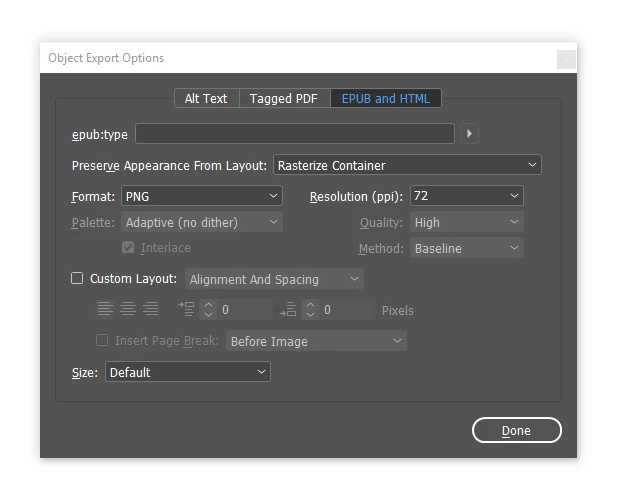
This will render a rasterized version which will include the multiply effect. You MUST group objects that are affected by a blend mode for this to work: selecting the box by itself will NOT work, since the multiply effect affects both objects.
I take it that you used the iPad Retina document template? In that case set the PPI to 72, which will render the objects to the exact required resolution for that device. If you used the ipad (non retina) document template, you would have to double that resolution to 2x72=144ppi, but unfortunately only 150ppi is available as an option - so select that value when working in a regular ipad document (unless your intention is to only target low resolution older ipad models).
Addendum: to speed up the process of assigning these export settings to objects, create an object style (which also features the same export setting category) and apply this style to the grouped objects. And/or activate these export settings for existing object styles, if required.

 AdChoices