


Do Indesign links work with Adobe Cloud (multiple users)?
- 37 replies
- 10634 views
- Translate
I work for a design team that produces magazines, there are 10+ creatives (artworkers and writers) all working off a shared on-site server. The magazine consists of loads of folders within folders containing links to product images, these images are often edited and the links updated. There's only one set of Indesign files (one for each page) and every creative takes 'their turn' when they need to work on that particular page.
So here's the issue - since covid-19 we've all been working from home via Cisco VPN. To say it's been slow is an understatement, and no it's nothing to do with our internet speeds (we've checked, most of us are getting very high speeds). We think it's the VPN, probably because it was designed for normal workers who use spreadsheets and word docs, not creatives working with very large files. Everything takes an age, even just opening a file. Freezes, crashes and restarts are frequent, it's very frustrating. Packaging and working from desktop is very time consuming, and relinking back to the server is a nightmare.
So my question is, is there another solution? VPN clearly isn't working, but we're not sure if saving documents in Adobe Cloud (or similar) would allow us to work the way we do, with multiple users sharing Indesign files, and hundreds of links in carefully structured folders that are frequently updated. Similarly we feel saving links in libraries won't work either, due to the sheer number of them and the complex folder structure.
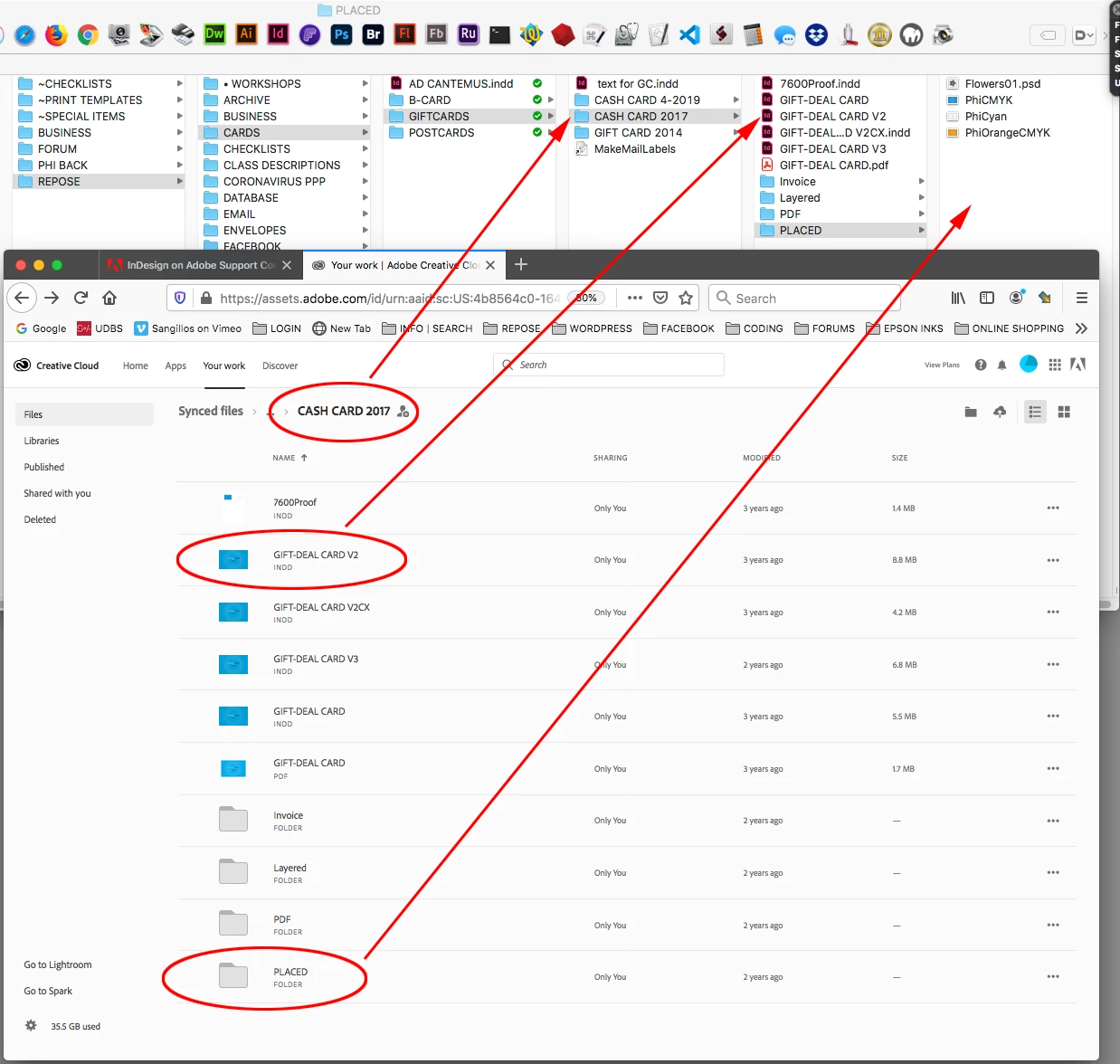
Any suggestions welcome! Screenshot of server folder structure attached so you can see how we need to work. Is Adobe Cloud a solution? If so, how's best to implement it?




 AdChoices