
Known Participant
September 13, 2022
Answered

Document RGB used instead of embedded profile

  • September 13, 2022
  • 3 replies
  • 1778 views

I have an issue where i place RGB image with a profile embedded into it, but Indesign shows it as Document RGB even though my color settings say to used the embedded profile. The only way i can fix this is by opening the image in photoshop and overwriting the original image. Then it does include the image.


The main issue is that i have 20 DTPers who do not understand the difference between document rgb and icc based. So they dont get why it needs to be the embedded profile. It's also a hassle to do this ofc. This happens alot with Adobestock images. Is there some kind of setting I'm missing here? The info is clearly in the XMP. So why won't Indesign use it?


Thanks in advance
This topic has been closed for replies.
Correct answer rob day

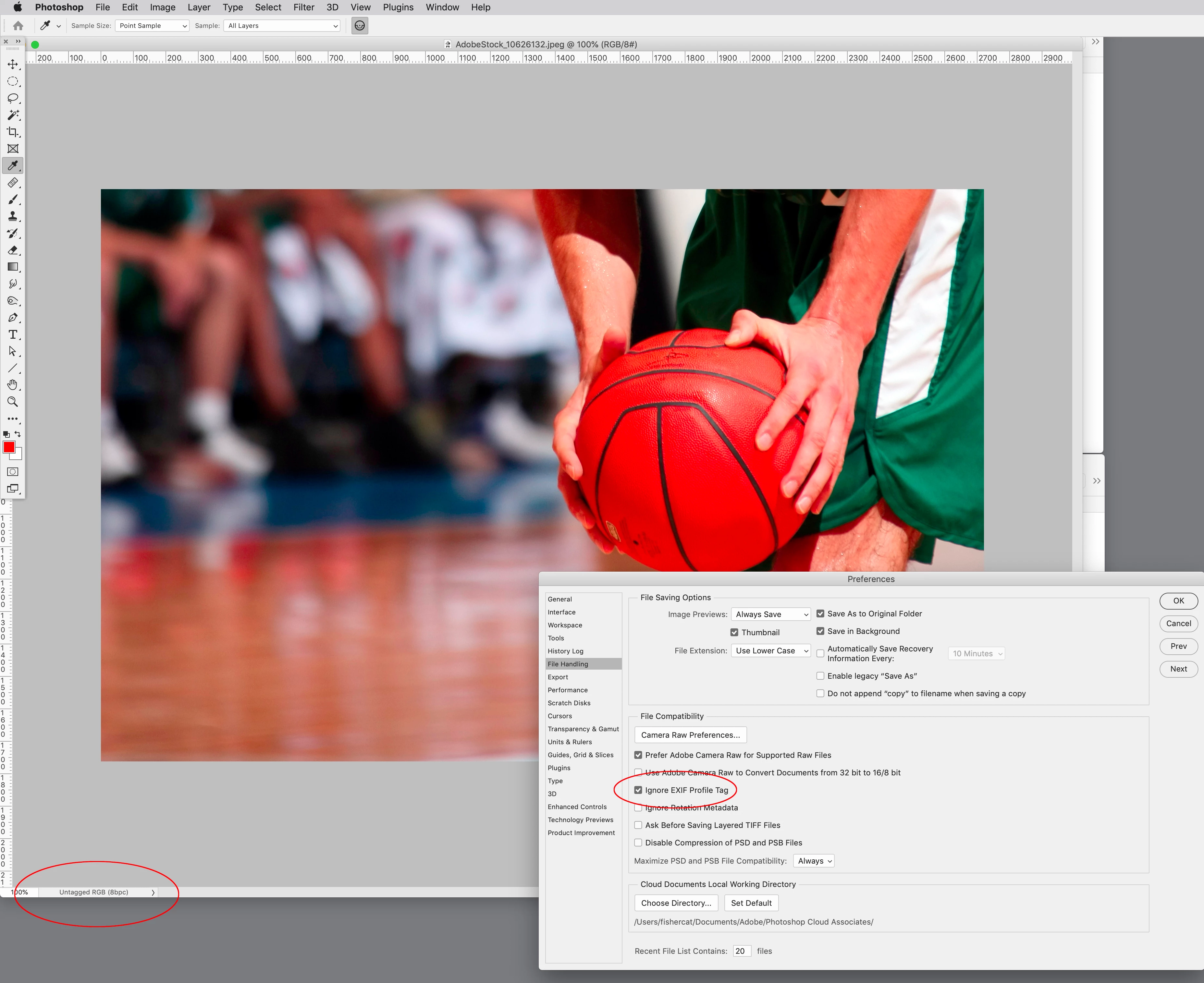
I just find it weird that I don't get a pop up in Photoshop warning me there is no embedded profile. It opens with the srgb profile in Photoshop. But in Indesign it shows up as document rgb. Example of a stock image attached here.


It opens with the srgb profile in Photoshop


Photoshop has a preference for using an EXIF profile if it exists—ID needs the profile to be embedded.


3 replies

Community Expert
September 19, 2022

@Tim De Vos said: "So there's no way to be sure what profile it is?"

Exactly. There is no color profile embedded. So…


Regards,
Uwe Laubender
( Adobe Community Professional )

rob day
Community Expert
Community Expert
September 13, 2022

Hi @Tim De Vos , You can also assign the profile from within InDesign—you don’t have to resave the file from Photoshop.


This image has no embedded profile so it falls back to the InDesign document’s assigned RGB profile for its assignment—sRGB in this case


If I want to override the assignment I can do that by selecting the image and using Object>Image Color Settings... Here I’m setting sRGB as the profile override. The appearance of the image doesn’t change because it was already assigned sRGB via the document’s RGB assignment, but I could choose any RGB profile via Image Color Settings:


Known Participant
September 16, 2022

Thanks for the detailed answer.


I know I can overwrite profiles in Indesign, but I didnt know you could assign profiles to images. Where can I find this feature?

Community Expert
September 16, 2022

Hi @Tim De Vos ,

as Rob already wrote:

Object > Image Color Settings…


What is your localized version of InDesign?
In my German version it is

Objekt > Farbeinstellungen für Bild…


You have to select the image or the container frame that holds the image.

That goes for pixel images. Like JPEG, TIFF, PNG or even PSD. Not possible with EPS or PDF or AI.


Regards,
Uwe Laubender
( Adobe Community Professional )

Community Expert
September 13, 2022

Hi @Tim De Vos ,

well, this is the following issue, I think:


Embedded ICC color profile vs only a statement about the color profile.


As you already found, one of the solutions is to open the images in PhotoShop and resave them.


The image file creator did not embed the color profile.

Instead somewhere in the file there is only a statement about the profile.


InDesign cannot read the statement but is looking for an embedded profile.

PhotoShop can do it when its preferences are at default and will embed the profile if you set the save options accordingly.


Regards,
Uwe Laubender
( Adobe Community Professional )

Known Participant
September 16, 2022

Thank you for your answer.

Its to bad Indesign can't read this information. It is very important though...