Chris  P.  Bacon
Inspiring
September 6, 2022
Answered

Document setup instructions

  • September 6, 2022
  • 4 replies
  • 2834 views

It has been said previously that the instructions of my printing company are vague, so I don't understand now if the jacket (back cover + front cover + spine) will be cut out from the same piece of paper, or each of them separately?

Because if only 1 piece of paper, then I will need to add extra spacing only for the boundary of the jacket as a whole.

If separate pieces, then I will need to add the safety margins and bleeds around each of the 3 pages.

1

2

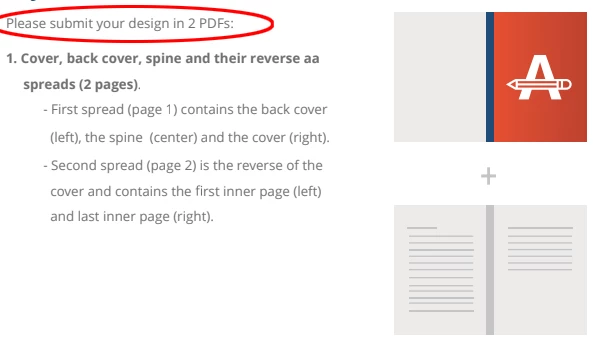
Above it's possible to download the 2 guidance documents for the setup (PDFs).

If anyone could take a look at it to determine the answer?

Thanks in advance.
This topic has been closed for replies.
Correct answer rob day
But why is my bleed shown per spread and not per page?
I don't understand the printing terms you use, but if you can tell it in my
terms, how do I determine if the pages will be cut out individually or as a
spread? Oh wait a moment obviously pages can't be cut out individually,
everything must be cut out as a spread, including the jacket. For sure for
staple stitching.
But for perfect binding are they still cut out as a spread, or will be
glued to the spine individually?

But why is my bleed shown per spread and not per page?


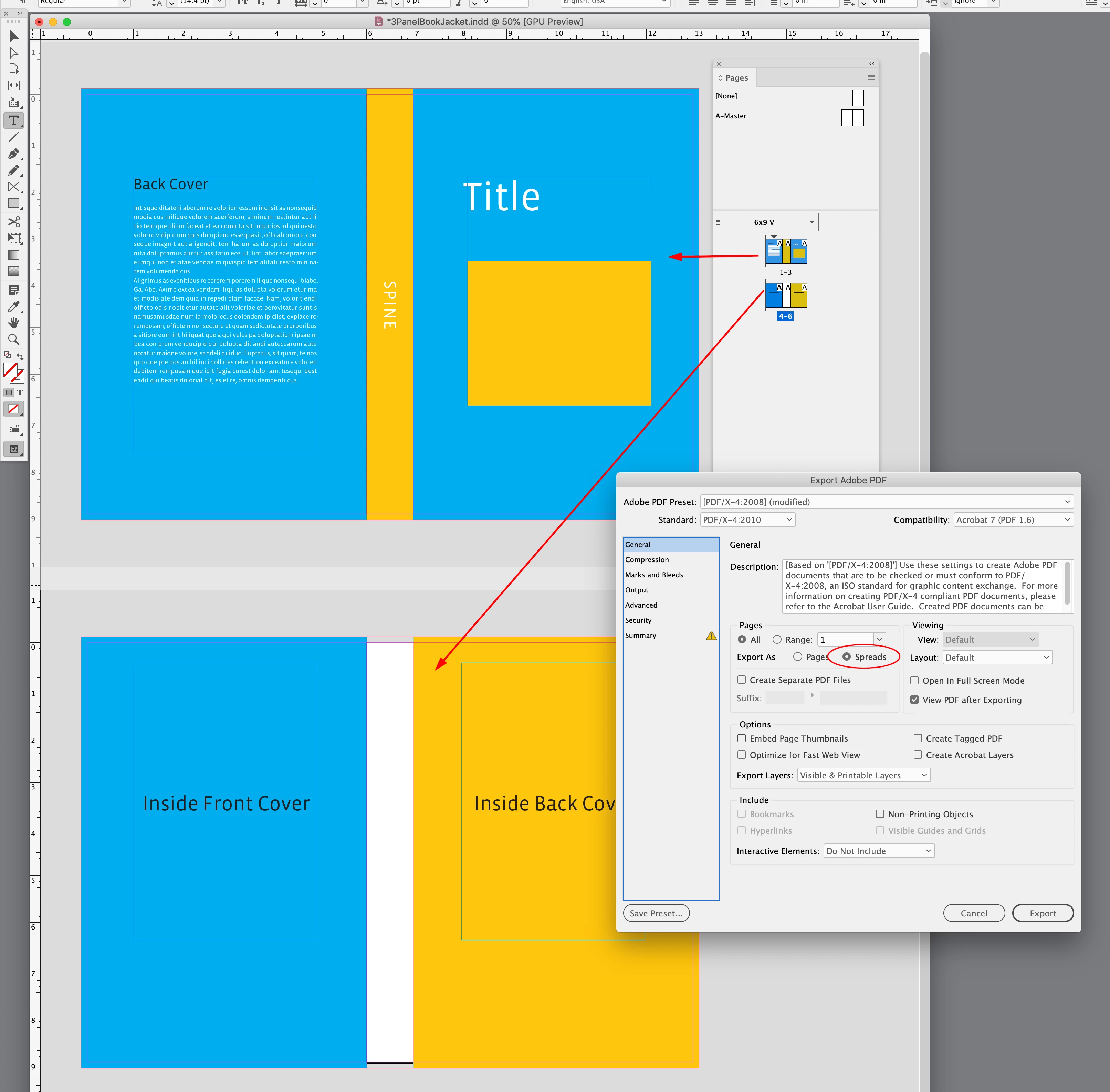
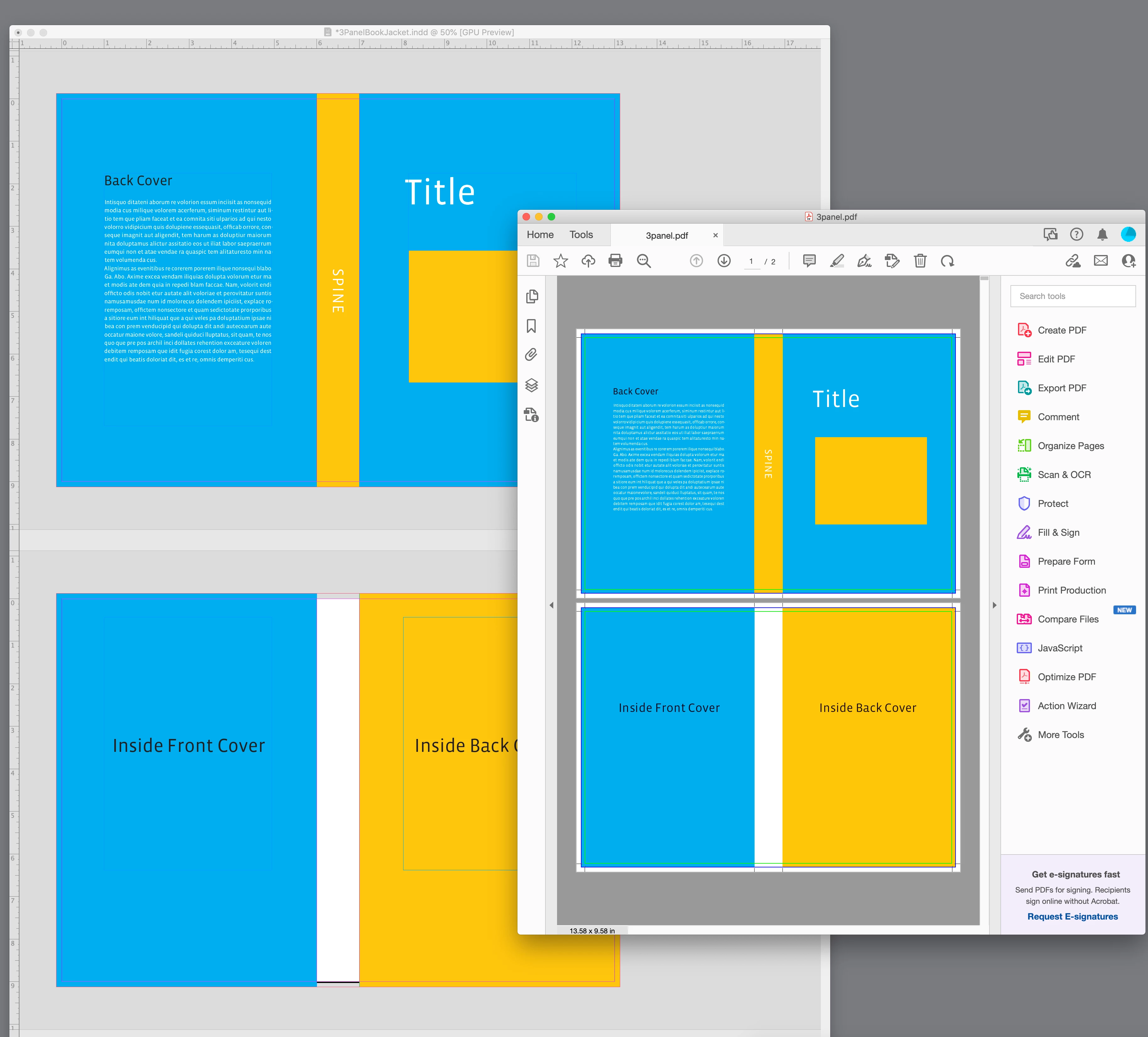
Your printer is asking you to export Spreads not Pages—they want 2 PDFs, one for the entire 3 panel cover, and if needed, one for whatever is printing on the other side of the sheet (the inside front and back covers)


Export as Spreads not Pages


The exported PDF—2 pages


4 replies

J E L
Community Expert
Community Expert
September 7, 2022

Why not, I'll weigh in, too. I've printed dozens and dozens of magazines and books. I'm assuming your jacket doesn't have flaps, and it's paper over board for hardcover or simply paper for a softcover. It will be printed on one sheet and folded. Ask your printer for measurements like these below. They need to give you the spine width based on the paper used. Don't try to calculate it yourself unless they provide a calculator tool and you can input the correct paper type. Create one document in InDesign accordingly. Remember, the bleed area has a separate section on the Document Setup panel.


I use guidelines to mark out the spine area in my workspace. If your cover prints on both sides, make a copy of the first page in the same document and replace the content. Output the file to PDF. Check in PDF Properties at the bottom of the Description page (first tab) to make sure you have the right, final “Full Cover” size (Acrobat will round up).


Perfect binding might work (FYI, a 90-page LIFE magazine used staples). Trying to read and get type placed correctly on a spine wrapping 52 pages is going to be interesting, though. Wishing you luck on all fronts!


(PDF check)


rob day
Community Expert
Community Expert
September 7, 2022

Why not


Hi Jain, the original post was about the printer’s jacket setup instructions, but drifted into the interior bleed settings.


Brad and I are suggesting there is no need to split the interior spreads for an extended bleed when the binding is not wire-o. The pages are going to get imposed for folded signatures, so the content of the inside bleed doesn’t matter because it will be removed during the imposition, or get buried in the binding.

J E L
Community Expert
Community Expert
September 7, 2022

Thanks for that! I'm a drifter myself! Hopefully, if anyone else stumbles on this long thread, the basics of how to set up a cover document will be easily discovered.

rob day
Community Expert
Community Expert
September 6, 2022

so I don't understand now if the jacket (back cover + front cover + spine) will be cut out from the same piece of paper, or each of them separately?


A book jacket is folded.

Chris  P.  Bacon
Inspiring
September 6, 2022

Right, as I expected it.

That means that any extra spacing that the description is talking about has to be added only around the jacket as a whole, and no safety spacings are required in between the jacket pages - just to make sure that others think the same.

Chris  P.  Bacon
Inspiring
September 6, 2022

I added 3 mm bleed around the jacket, and the graphical content of the 3 jacket pages is expanded until the outer boundary of the jacket bleed, and there is no text nearby the inner boundary of the bleed. 

So it should be good to go - if others also agree.

Robert at ID-Tasker
Legend
September 6, 2022

Why does it matter how they'll cut or print it???


Instruction is pretty clear to me - do it as one piece with extras for safety and trimming. 

Chris  P.  Bacon
Inspiring
September 6, 2022

They are online at the links, no need to download. (Dropbox)