Question
documents not placing
I have experienced an issue when placing multiple multi-page PDF files. It seems after placing a multi-page PDF (as part of a batch), the logic of the placegun skips the next file.
Steps to reproduce:
launch place dialog with 'show import options'
select multiple files from same directory
apply correct 'all' settings for files with multiple pages
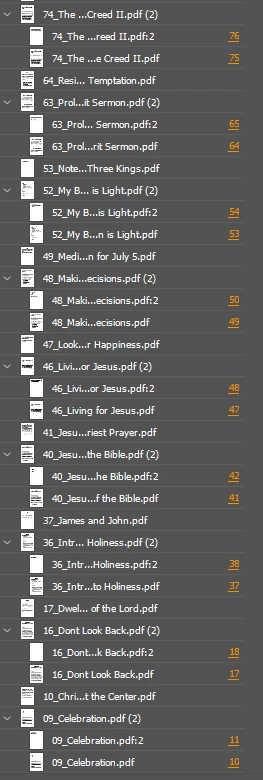
If placing files '01', '02', '03', '04' and file '02' has multiple pages, '03' is never placed yet shows in the links window (with no page), not selectable. Skipped links place fine individually.
I see the script may have been a better option for this project, but this seems to be a serious flaw with the placing logic.
 AdChoices