
FTWCCU
Participant
August 11, 2022
Answered

Does getting a permission error affect other open documents?

  • August 11, 2022
  • 2 replies
  • 377 views

InDesign 2022, Mac OS Monterey 12.5

Working in creative cloud. While trying to open a file from our creative cloud I got an error message similar to this one:
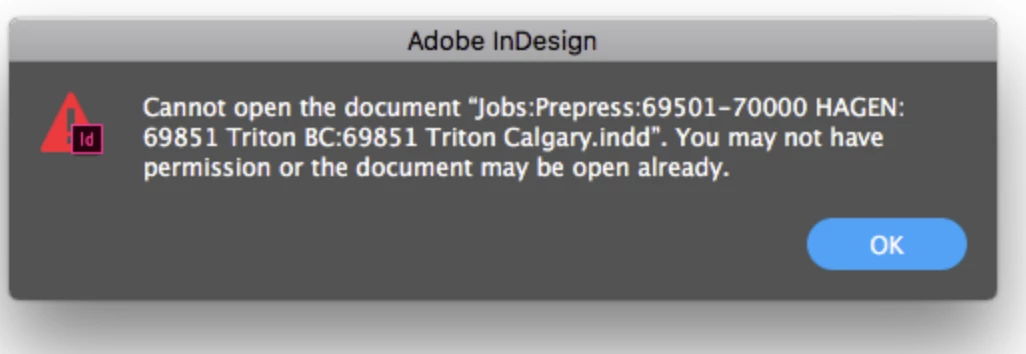
No one else was in the file I was trying to open. I did a save in my current file and quit and restrarted InDesign. I tried opening the file again and got the same error msg. This time I quit everyting and did a complete shutdown. Started everything back up and could then open the file. I opened the file I had been working on to find that nothing from the last hour and a half had not been saved. I do not believe this to be operator error and not saving for all that time.  I was able to recreate some of what I know I lost. When this error occurs, do we know if it affects any other functions of InDesign or saving to creative cloud?

This topic has been closed for replies.
Correct answer Eugene Tyson

Make sure you have read/write permissions for the folder it's in. InDesign needs to create a hidden file when opening a file called .idlk - if it can't create this, or there's one already connected to the file.


Two things come to mind

1) Close Indesign, check your folder on your computer for any hidden files called .idlk

2) Check read/write permissions for the folder that you have full access to this 


2 replies

Brad @ Roaring Mouse
Community Expert
Community Expert
August 12, 2022

This may not be the answer, but you could check your system's Privacy & Security settings to make sure all your Adobe Apps have Full Disk Access; there have been some upgrades to Monterey that have reset these settings from time to time.

FTWCCU
FTWCCUAuthor
Participant
August 15, 2022

Thank you. I will check out those settings.

Eugene TysonCommunity ExpertCorrect answer
Community Expert
August 12, 2022

Make sure you have read/write permissions for the folder it's in. InDesign needs to create a hidden file when opening a file called .idlk - if it can't create this, or there's one already connected to the file.


Two things come to mind

1) Close Indesign, check your folder on your computer for any hidden files called .idlk

2) Check read/write permissions for the folder that you have full access to this 


FTWCCU
FTWCCUAuthor
Participant
August 15, 2022

Thank you. I will take a look at that.