
diogoferreira
Inspiring
April 20, 2019
Question

Don't apply paragraph style to embed image

  • April 20, 2019
  • 1 reply
  • 509 views

Hi.

I have a Indesign where I place a word document with text and images via script. Something like this:
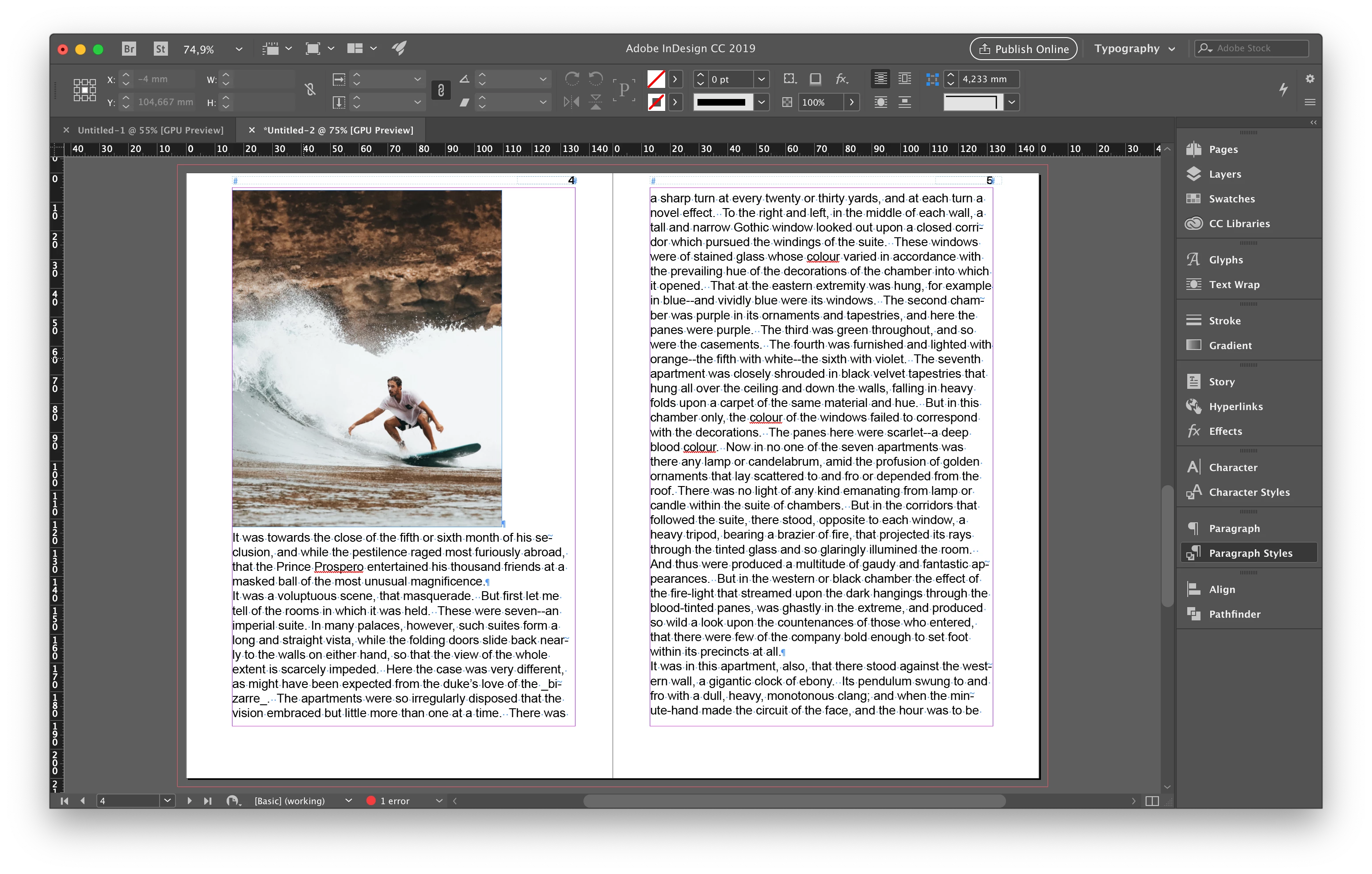
Now, I am trying to map the styles from word to new styles created on indesign. I am doing that using GREP, and it's working fine.

//base funtion to map one style into another

function mapPStyleIntoAnother(basePStyle, newPStyle) {

    //Clear the find/change grep preferences.

    app.findGrepPreferences = NothingEnum.nothing;

    app.changeGrepPreferences = NothingEnum.nothing;

    //Set the find options

    app.findChangeGrepOptions.includeFootnotes = false;

    app.findChangeGrepOptions.includeHiddenLayers = false;

    app.findChangeGrepOptions.includeLockedLayersForFind = false;

    app.findChangeGrepOptions.includeLockedStoriesForFind = false;

    app.findChangeGrepOptions.includeMasterPages = false;

    app.findGrepPreferences.appliedParagraphStyle = basePStyle;

    //Apply the change

    //app.changeGrepPreferences.underline = true;

    app.changeGrepPreferences.appliedParagraphStyle = newPStyle;

    myDocument.changeGrep();

    //Clear the find/change preferences after the search.

    app.findGrepPreferences = NothingEnum.nothing;

    app.changeGrepPreferences = NothingEnum.nothing;

}

However, Indesign is considering that the image is part of a paragraph style (marked with the arrow on the image below), so when I map the base "body text" paragraph style into "New body text" the image goes on top of the text.
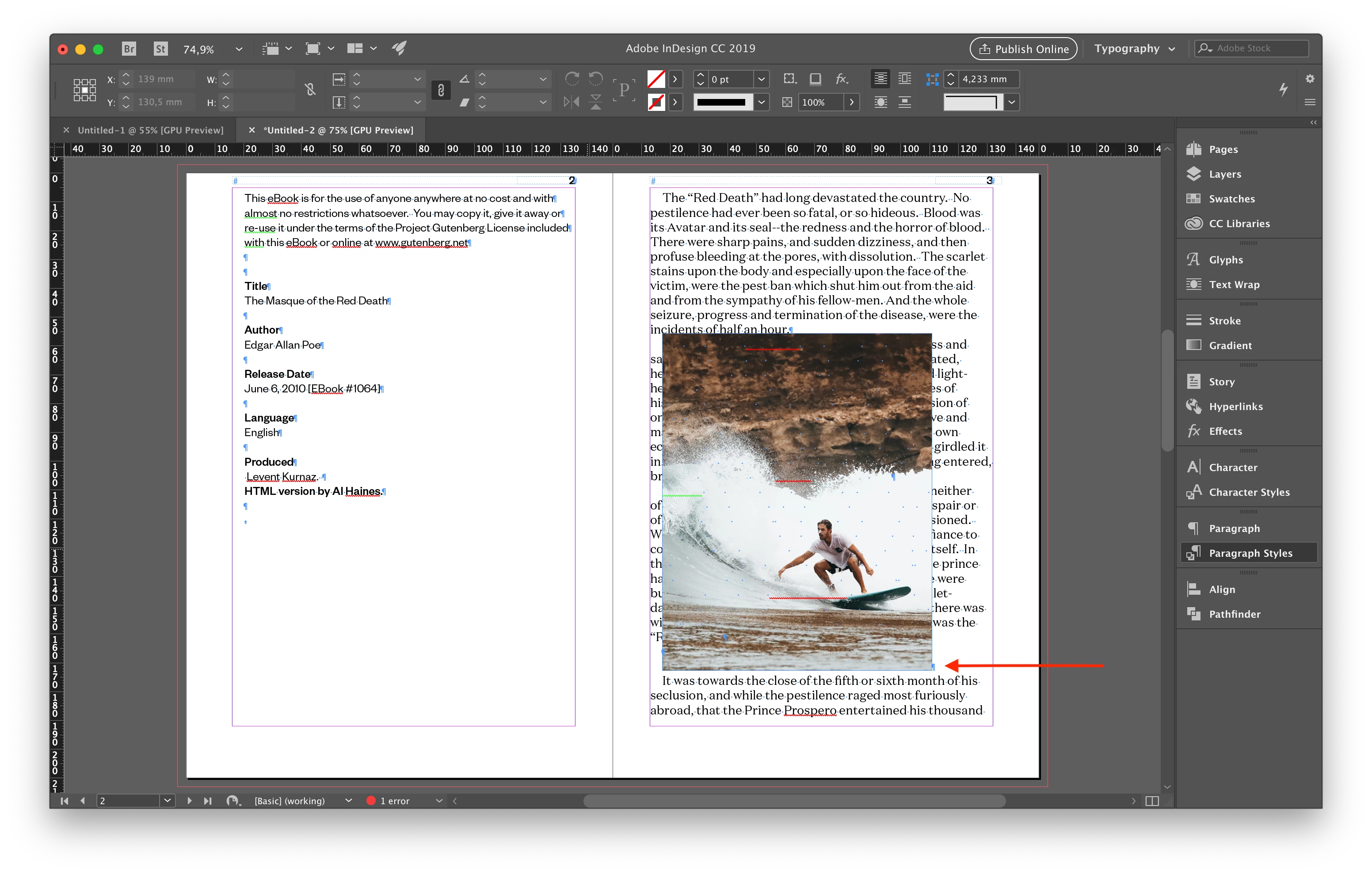
The new paragraph style has this properties:

            "psName": "Body PS",

            "appliedFont": "Domaine Text",

            "fontStyle": "Regular",

            "pointSize": 12,

            "leading": "14.4pt",

            "spaceAfter": 0,

            "spaceBefore": 0,

            "justification": "left",

            "alignToBaseline": true,

            "hyphenation": false,

            "leftIndent": "0pt",

            "firstLineIndent": "12pt"

I discovered that the problem is on leading value. If I don't define a leading value on the new paragraph style everything works fine. However I would like to define it.

There's a way to ignore paragraphs with images on GREP search? Or can I remove the image from the paragraph? Or there is another solution?

Thank you so much for your time!

This topic has been closed for replies.

1 reply

Community Expert
April 20, 2019

Hi,

you could give the image it's own paragraph with its own paragraph style.

The character that actually holds an anchored image is:

image.parent.parent

Insert a new paragraph return just before that character. Your screenshot suggests that there is already a paragraph character right after the character holding the image. Apply a unique paragraph style to the paragraph now holding the image.

// We already have a paragraph style for the paragraph holding an image.

// Image selected:

var image = app.selection[0];

var characterHoldingTheImage = image.parent.parent;

characterHoldingTheImage.insertionPoints[0].contents = "\r";

characterHoldingTheImage.appliedParagraphStyle =

app.documents[0].paragraphStyles.itemByName("ImageParaStyle");

Also do some tests if the character that holds the image already sits in its own paragraph.

You can work with the index of the character and compare it with the contents of the character before and after ( if there is any ).

var story = image.parent.parent.parentStory;

var indexOfChar = image.parent.parent.index;

var charBeforeContents = story.characters[ indexOfChar-1].contents;

var charAfterContents = story.characters[ indexOfChar+1].contents;

if( charBeforeContents == "\r" && charAfterContents == "\r"){ /*do just apply the special paragraph style to image.parent.parent*/};

if( charBeforeContents != "\r" && charAfterContents == "\r"){ /*add paragraph character before*/};

if( charBeforeContents == "\r" && charAfterContents != "\r"){ /*add paragraph character after*/};

If you'd loop the pageItems collection of the story or the allGraphicsArray of the story test also if the character holding the image is the first or the last character in the story. You have to do that only for the first and the last image respectively:

// First character in story:

if( firstImage.parent.parent == story.characters[0] && charAfterContents != "\r" ){/*add paragraph character after*/}

// Last character in story:

if( lastImage.parent.parent == story.characters[-1] && charBeforeContents != "\r" ){/*add paragraph character before*/}

Just to give you some hints.

Regards,

Uwe

diogoferreira
Inspiring
April 23, 2019

Thank you so much for your help Laubender​, it worked perfect!