Dots Appearing in Text
Hi -
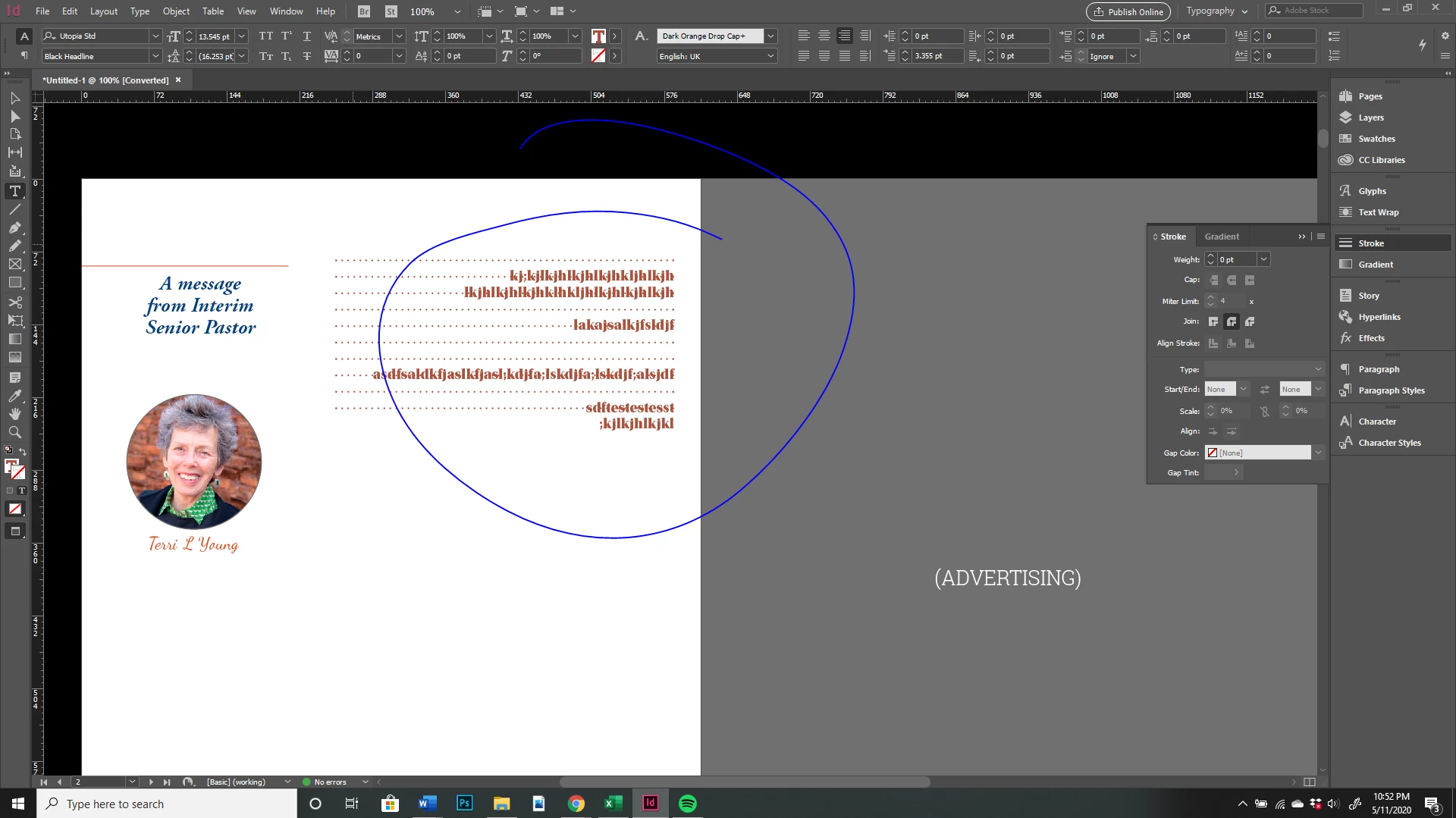
Whenever I press the enter key in the columns a line of dots appear. I do not have strokes enabled - anyway I can remove these? I am using a template (free newsletter template), Indesign 2020 on Windows 10. Thank you
Hi -
Whenever I press the enter key in the columns a line of dots appear. I do not have strokes enabled - anyway I can remove these? I am using a template (free newsletter template), Indesign 2020 on Windows 10. Thank you
Hard to see in the original screen grab, but after enlarging it, can now see that the dots go through the text, not up to it.
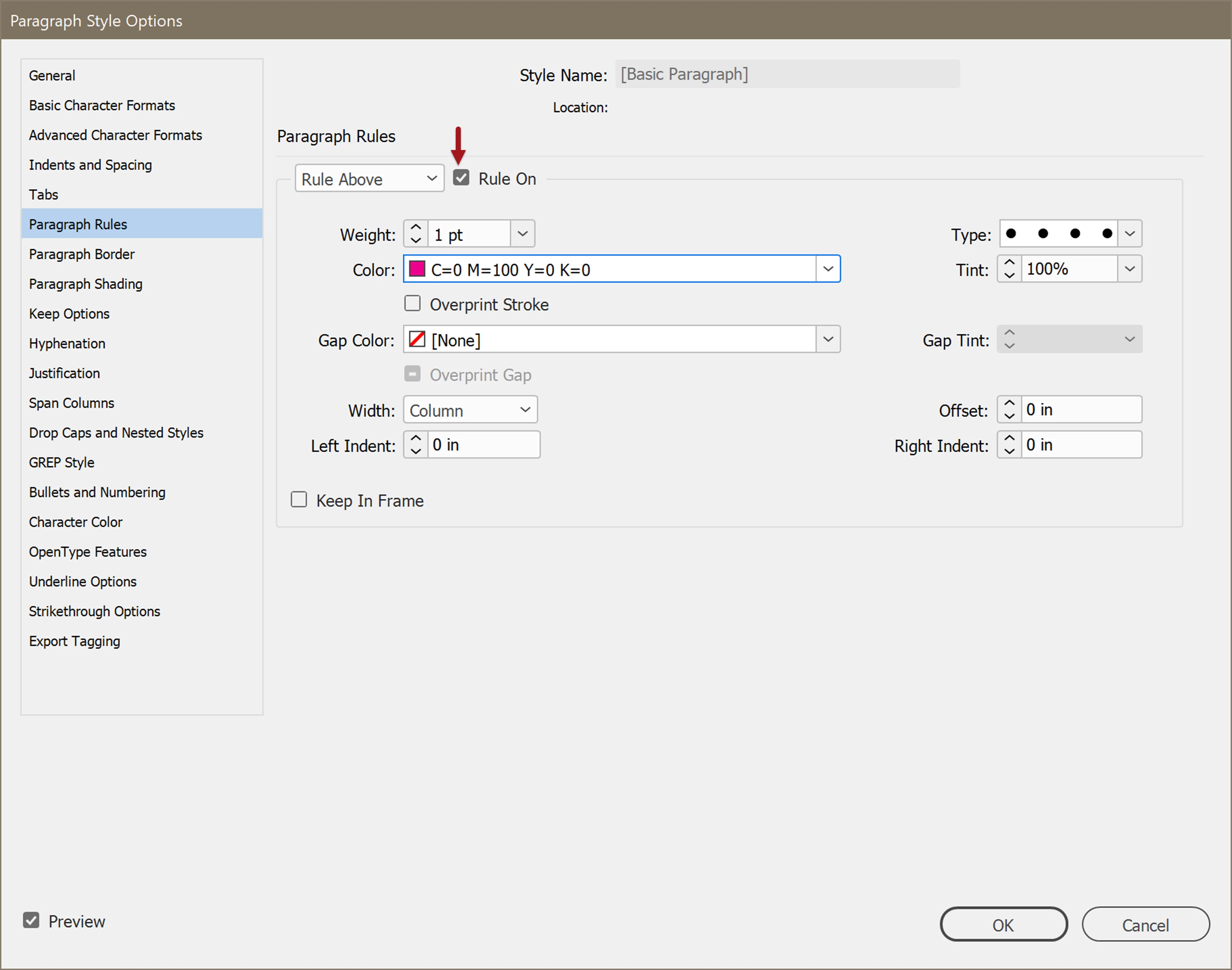
That does indeed indicate paragraph rules are set to create the dots.
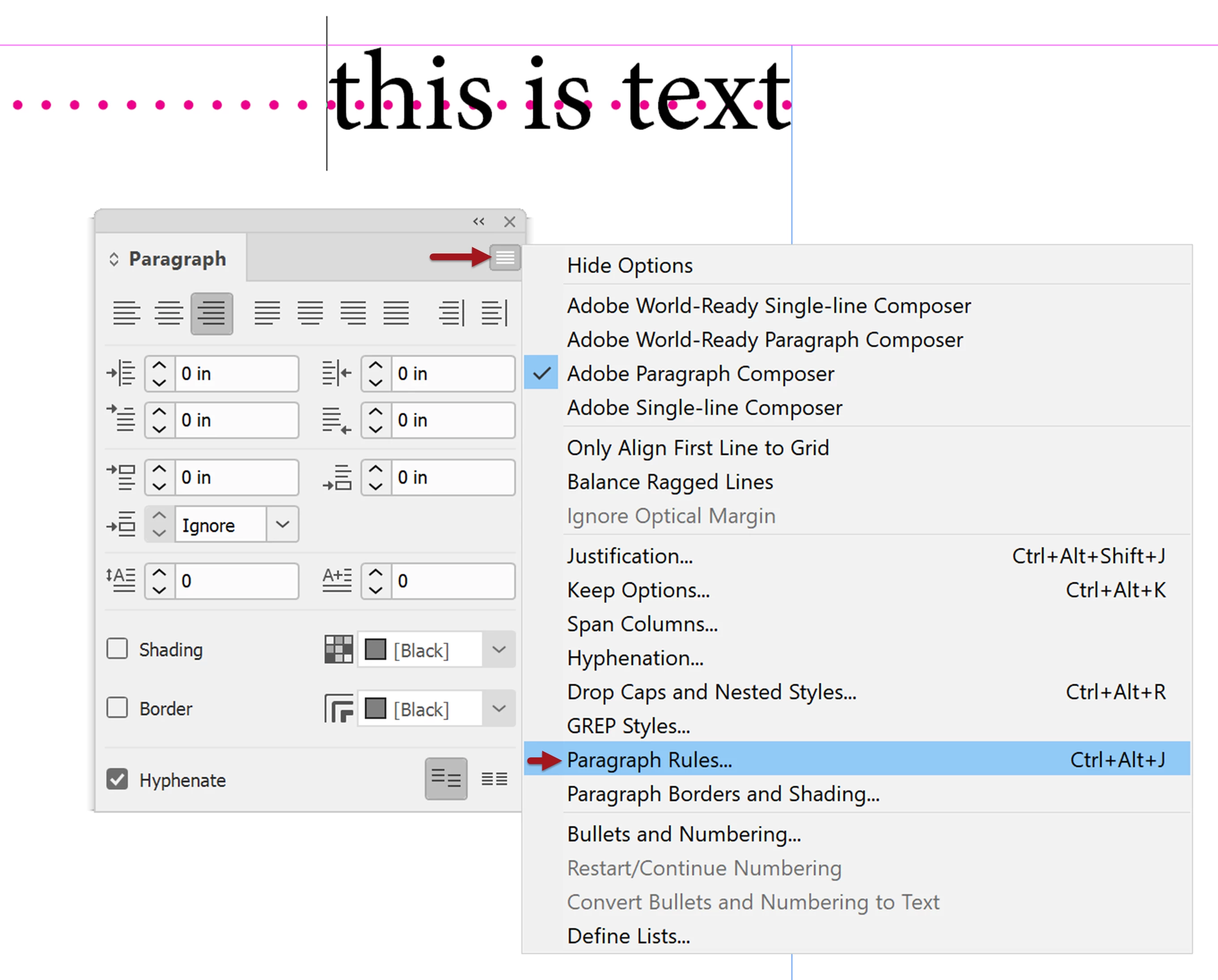
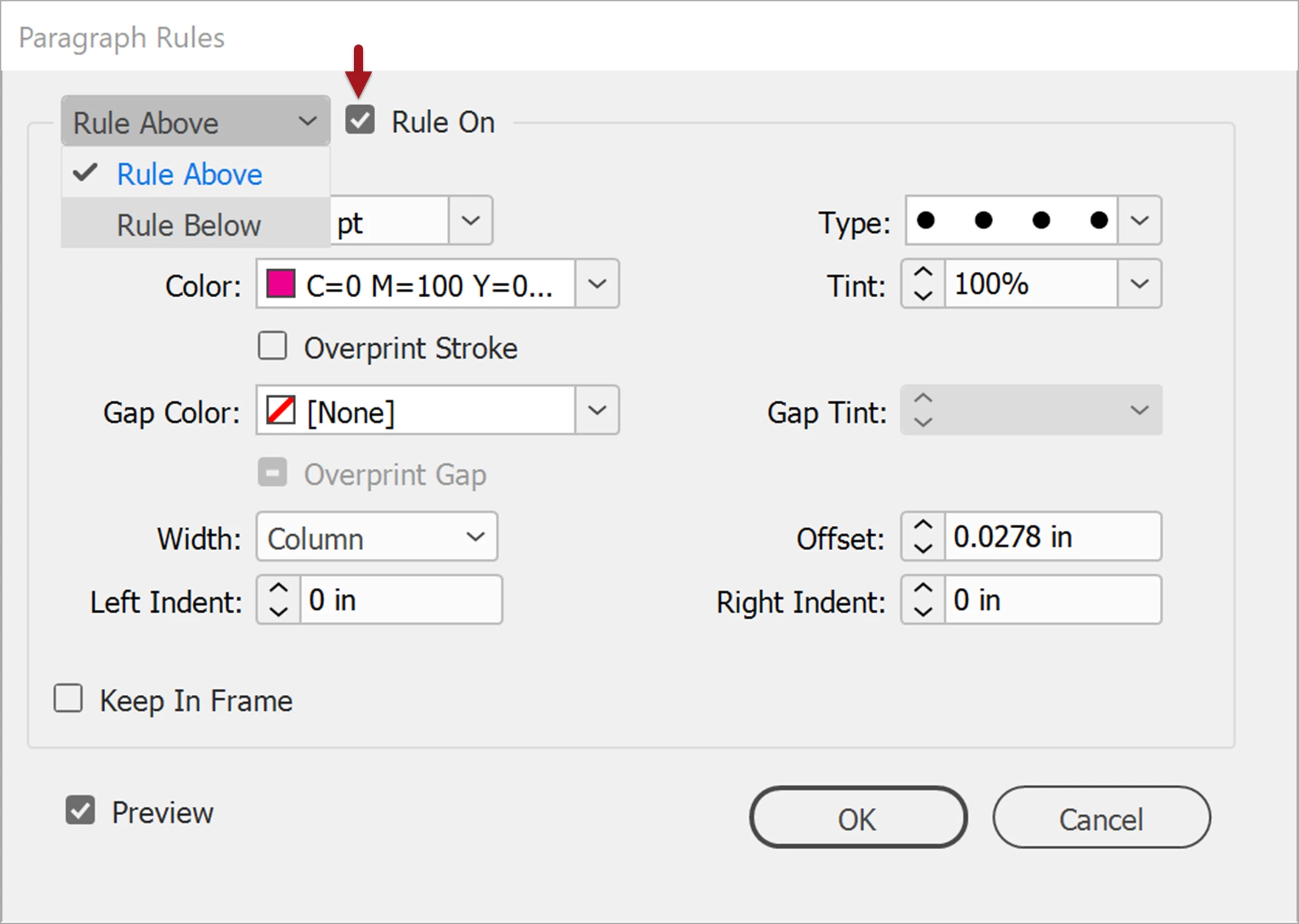
Some instructional screen caps to illustrate the previous directions on how to correct this.
Manual method:
Open the Paragraph menu's Options and change the settings for Paragraph Rules...


Through Paragraph Styles method:
Edit the style and set Rule Above and Rule Below to OFF.

Already have an account? Login
Enter your E-mail address. We'll send you an e-mail with instructions to reset your password.