
Dotted cell stroke start/end offset and related issues
Hi,
I am having an issue with the cell stroke in a table set to dots and how it interacts with the table border.
1- I have set the Stroke Drawing Order for the table to Draw Row Strokes in Front. I have selected the default dotted stroke for the cell, with gap colour set to none. Yet, as you can see in the image, the first dot right on the table border shows a white background, not the table's black border.
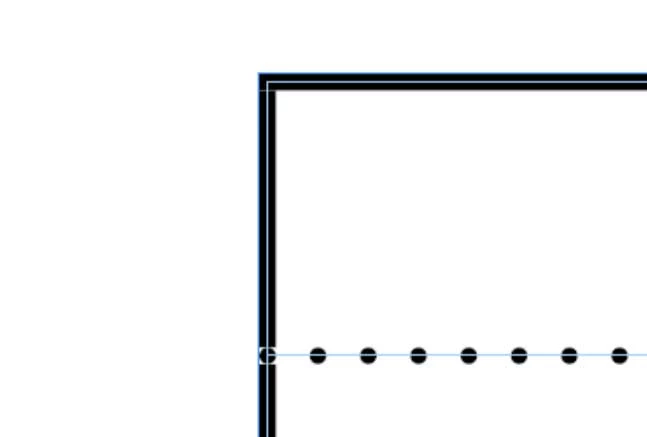
2- If I select Column Strokes in Front for the table, then the row's stroke first dot starts to the right of the table border, not on top of the table border as on the previous picture.
3- I tried to create a custom dotted stroke but that always starts with a dot that cannot be removed. Is there a way to make it start with a gap?
4- What I would like is something similar to #1 but with the fill around the first dot being none, so that the black table border shows through! I thought that would be the expected behaviour with the chosen settings.
This is for CS4.
Thanks.


 AdChoices