



Dotted text frames, cannot type in them
Hello everyone,
On a two-page spread, I have drawn text frames, two per page. As I want to use this layout for most of my pages, I have copied the spread in the Parent Pages part of the Pages panel, thus creating a new spread of Parent Pages.
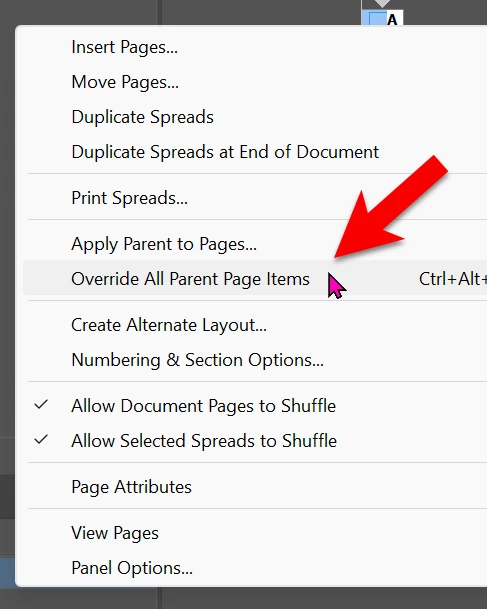
Then I inserted two new pages based on that recent new spread, but the new pages in question show my four text frames with dotted lines only, and I cannot click into them to start typing text.
When I go back to their Parent Pages, the text frames are dotted lines as well, but the borders of the text frames become solid/normal when I hover over them with the black arrow, I can select them and type in them. In the regular pages based on those Parent Pages, I cannot select them, they remain just dotted.
I must have done something wrong… Advice will be very much appreciated, thanks in advance.

 AdChoices