
'draw in' tool missing / need to fill a vector shape with a photo
I am new to INdesign, tho I have a good basic skill at DTP and layout - so slowly getting to grips.
Here is what I am trying to do.....
I need to fill a vector shape or text with a photo image. I have looked at a tutorial online to help me work this out, suggesting I use the 'draw in' tool to select the object - this tool should be located at the bottom left of my main tool box. but I can't find it anywhere...
I have a couple of questions
1. Is the 'draw in' tool the best solution to my design need? If not, do I have a better option to do this?
2. If the 'draw in tool' is the best option, where can I find it and add it to my tool box? I have tried multiple settings and windows/tools etc.... 
Help greatly appreciated.... I am determined to crack this challenge.
Thanks,
Trish
 Perhaps you mean "paste into":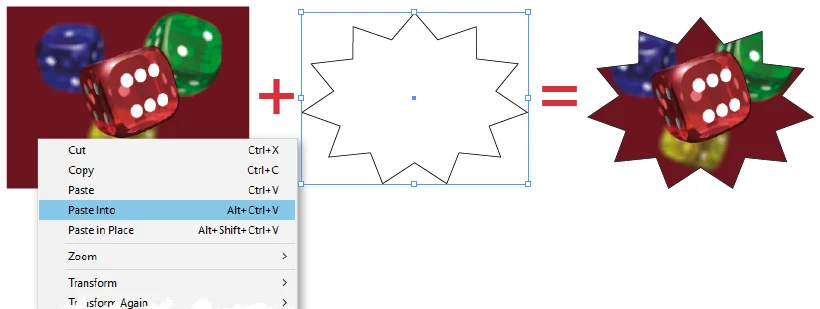
 AdChoices