Participant
August 24, 2022
Answered

Drop Cap spacing

  • August 24, 2022
  • 4 replies
  • 4606 views

When the Drop Cap to a paragrah starts with the letter "A" how do i adjust the tracking so the bottom of the "A" is not touching the other word? Basicly i want more space between the Drop Cap "A" and other words.


Thoughts?

 

Correct answer Barb Binder

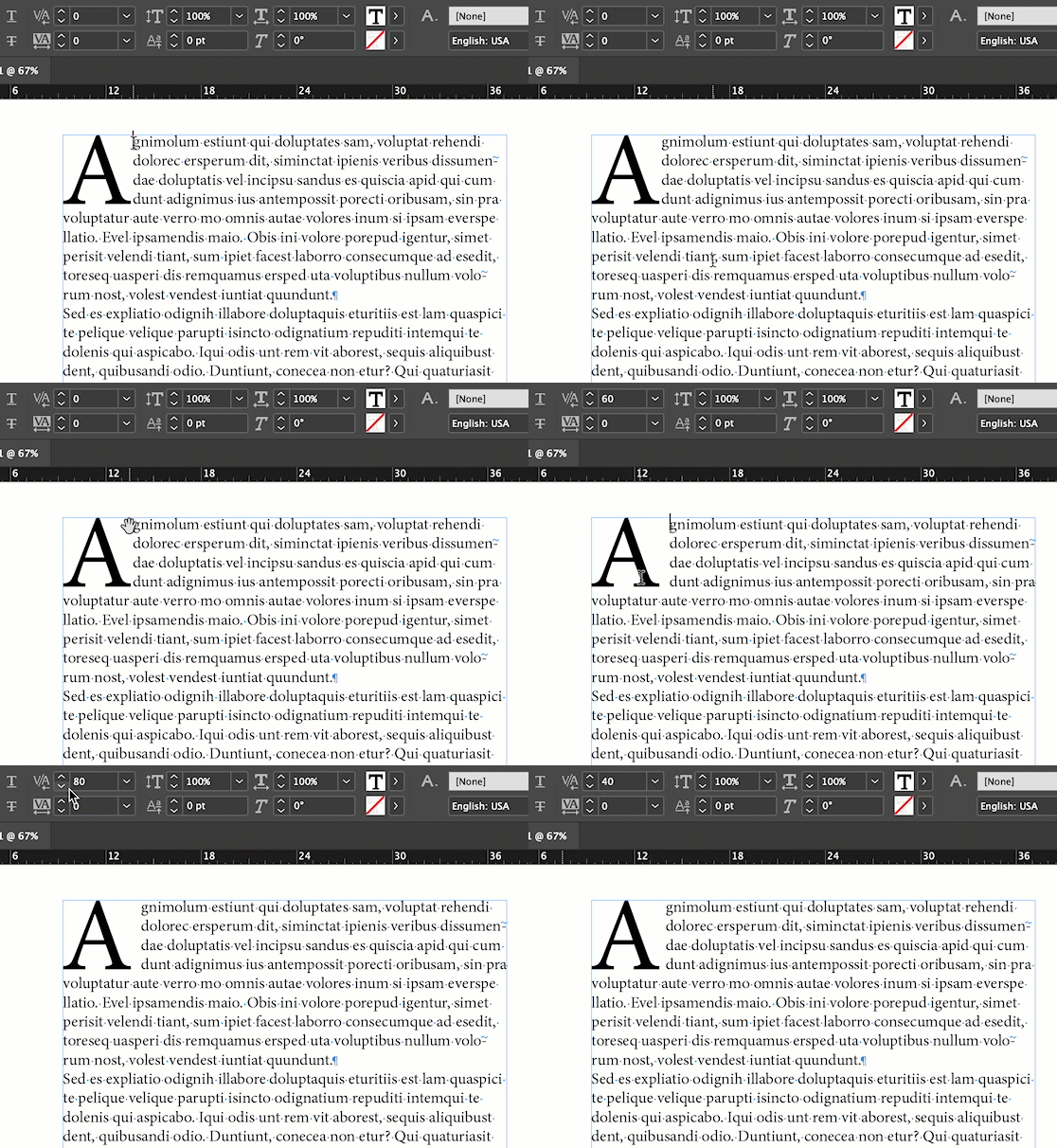
One more variation on the same theme—I use Kerning. I click my insertion point in front of the first character after the drop cap, hold Alt/Opt and tap the right arrow key to push the text to the right. If I go to far, I use Alt/Opt and the left arrow key.


~Barb
 

4 replies

hellopaul4
Inspiring
September 22, 2025

I have a similar issue; if I add a drop cap using a font with a "long tailed" R, and I tighten the kerning to move the first line nearer to the drop cap, the second line's kerning is also tightened and it clashes with the tail of the R. It would be the same situation if I used an A like in the original poster's question and they tightened the kerning so there's not a massive unsightly gap between the A and the rest of the word in the first line. Is there any way around this?


Here's my example; I've tightened the kerning on the first line between "R" and "ichard":

Any thoughts, anyone, please?

Barb Binder
Community Expert
Barb BinderCommunity ExpertCorrect answer
Community Expert
August 24, 2022

One more variation on the same theme—I use Kerning. I click my insertion point in front of the first character after the drop cap, hold Alt/Opt and tap the right arrow key to push the text to the right. If I go to far, I use Alt/Opt and the left arrow key.


~Barb


~Barb at Rocky Mountain Training
Participant
November 13, 2024

Thanks for this tip Barb! It works great!!

James Gifford—NitroPress
Legend
August 24, 2022

The simplest way to tweak a drop cap is to create a Character Style and specify it in the Drop Cap menu.


You can then tweak that style for size, tracking, baseline shift, color etc.


TᴀW
Legend
August 24, 2022

Add tracking to the A by selecting it and typing a number in the Tracking field.


Visit www.id-extras.com for powerful InDesign scripts that save hours of work — automation, batch tools, and workflow boosters for serious designers.