

Brigit Ananya
Inspiring
December 1, 2023
Question

Drop Shadow Frame does not print correctly

  • December 1, 2023
  • 2 replies
  • 664 views

Here is the page in InDesign where I placed a drop shadow for the title "The Simple Truth: You Know It":
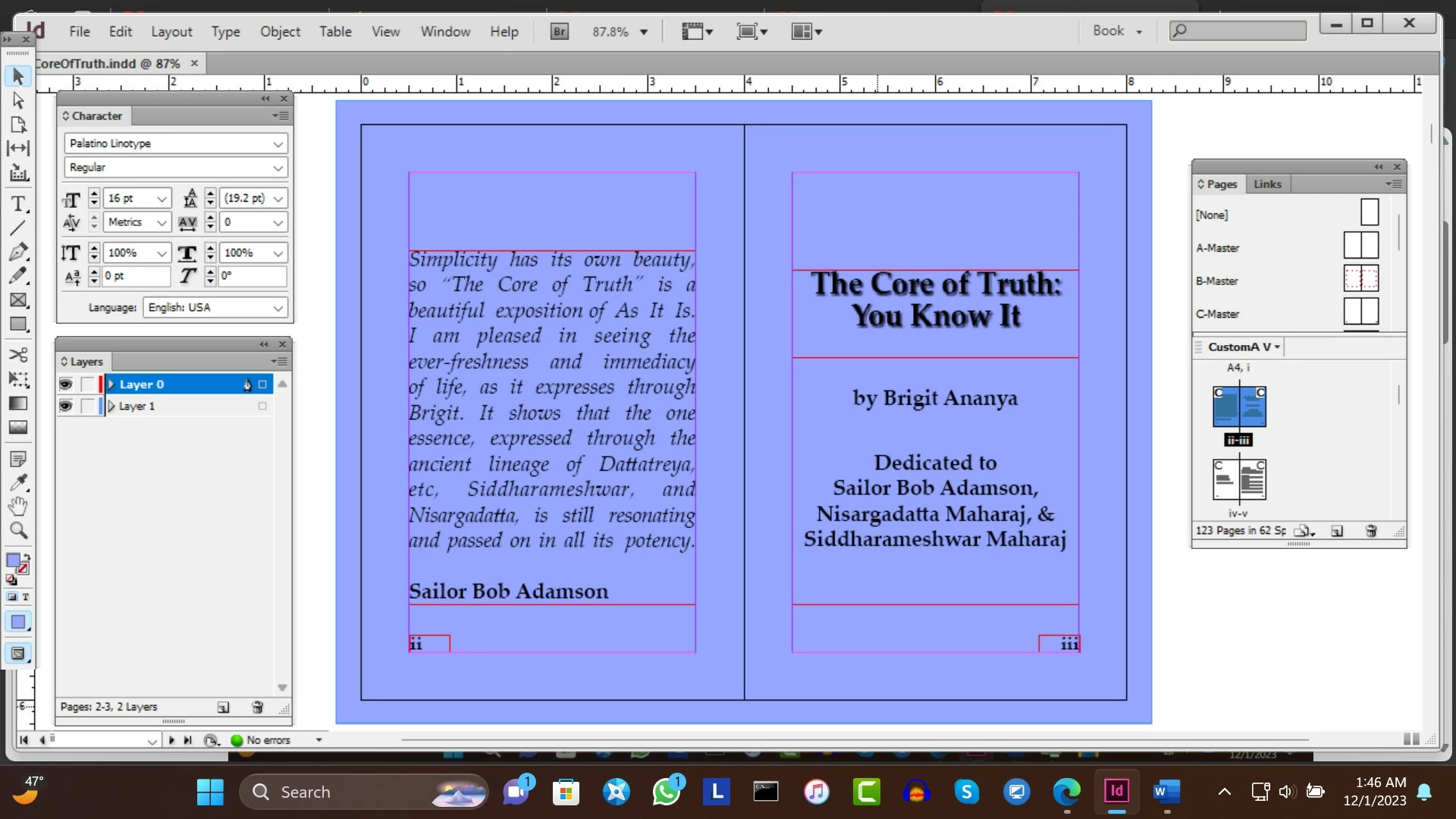
But here is the print of this page:

Inside the text frame of the title the background color of the full page does not print correctly, but Edit > Transparency Blend Space is set to Document RGB, since my background color on Layer 1 is specified as RGB. How can this printing problem be resolved?

This topic has been closed for replies.

2 replies

Community Expert
December 1, 2023
Willi Adelberger
Community Expert
Community Expert
December 1, 2023
  1. Document blending space does not depend on the colors, you use, but on the output intent. 

  2. Blending space is document wide, not per layer.
  3. Why dou you apply the effect to the object, not to the text?
  4. How did you make the background color? Do you work with layers?
Brigit Ananya
Inspiring
December 1, 2023

I have Layer 0 for foreground and Layer 1 for background.

Here is the A-Master where I spedified a Rectangle with the Rectangle Tool in Layer 1:

I applied the Drop Shadow to the text frame. How can I apply it to the text?


Brigit Ananya
Inspiring
December 1, 2023

I would like everything resolved in the InDesign document, since I will convert it to an Acrobat document, which Amazon will print.

Willi Adelberger, please respond to my reply to you.