
Participating Frequently
Mar 24, 2025 4:35 PM UTC
Answered

Drop Shadow renders differently when i export to PDF?

So I have a drop shadow on a text box in InDesign. When I am working, it looks like this:

When I export to pdf, it looks like this:

 

Obviously, the simplest fix is to just use a black rectangle and place it in the position I want it to be in, but I want to know why this is acting like this and how to make it stop.


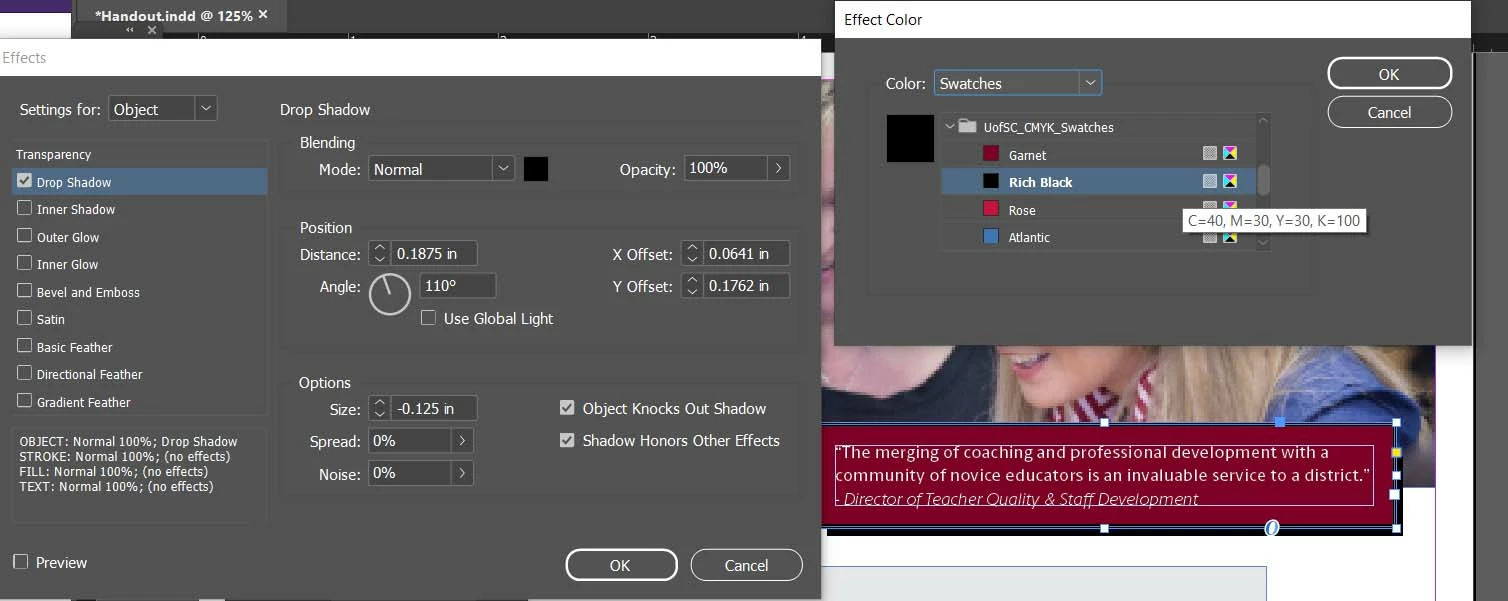
These are my drop shadow settings, if that helps:
Jeffrey_SmithCorrect answer
Community Expert
Mar 24, 2025 5:08 PM UTC

Try "0", instead of a negative value, in the size option.

2 replies

Jeffrey_SmithCommunity ExpertCorrect answer
Community Expert
Mar 24, 2025 5:08 PM UTC

Try "0", instead of a negative value, in the size option.

Translate
Participating Frequently
Mar 24, 2025 5:35 PM UTC

That kept it in place, thank you for the quick reply.

Translate