
Participating Frequently
December 6, 2023
Answered

Duplicate one page of facing pages as new single page

  • December 6, 2023
  • 2 replies
  • 297 views

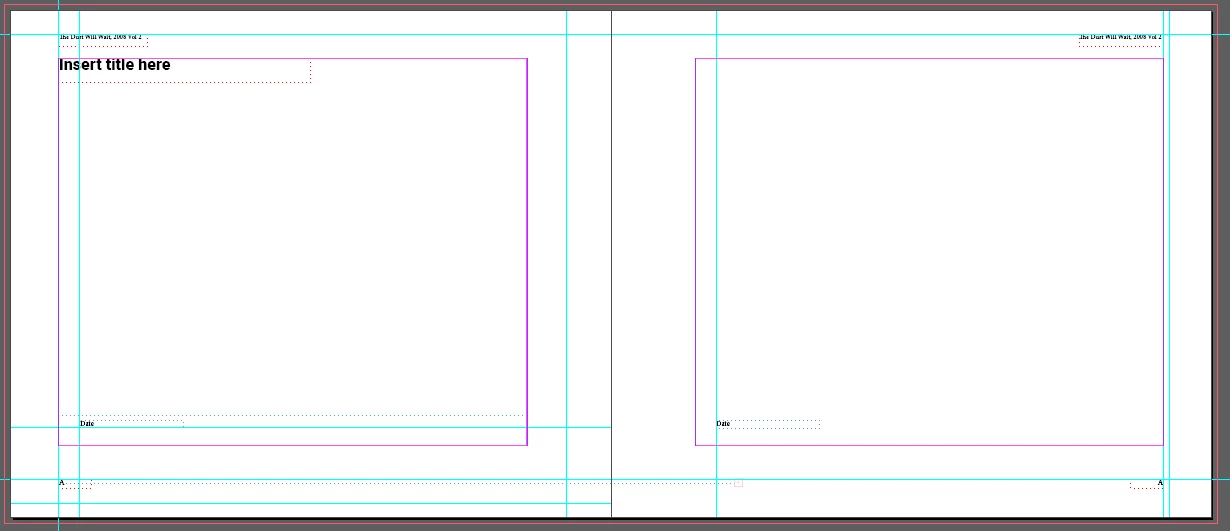
I set my project up for facing pages. Then, I set all the titles, page numbers, titles, etc., and named the page as A - Master. See attached photo.

The problem I am having is that if I create a new single page parent, the right side of the facing pages is used and that is OK for a B-Master. page But, I cannot get the left page of the facing pages to duplicate for a new A-Master page (i.e. A-Master one colum with image. 

How can I make a new A-Master with only the left page of the facing pages  Master.?  
This topic has been closed for replies.
Correct answer Barb Binder

HI @wallwall2:


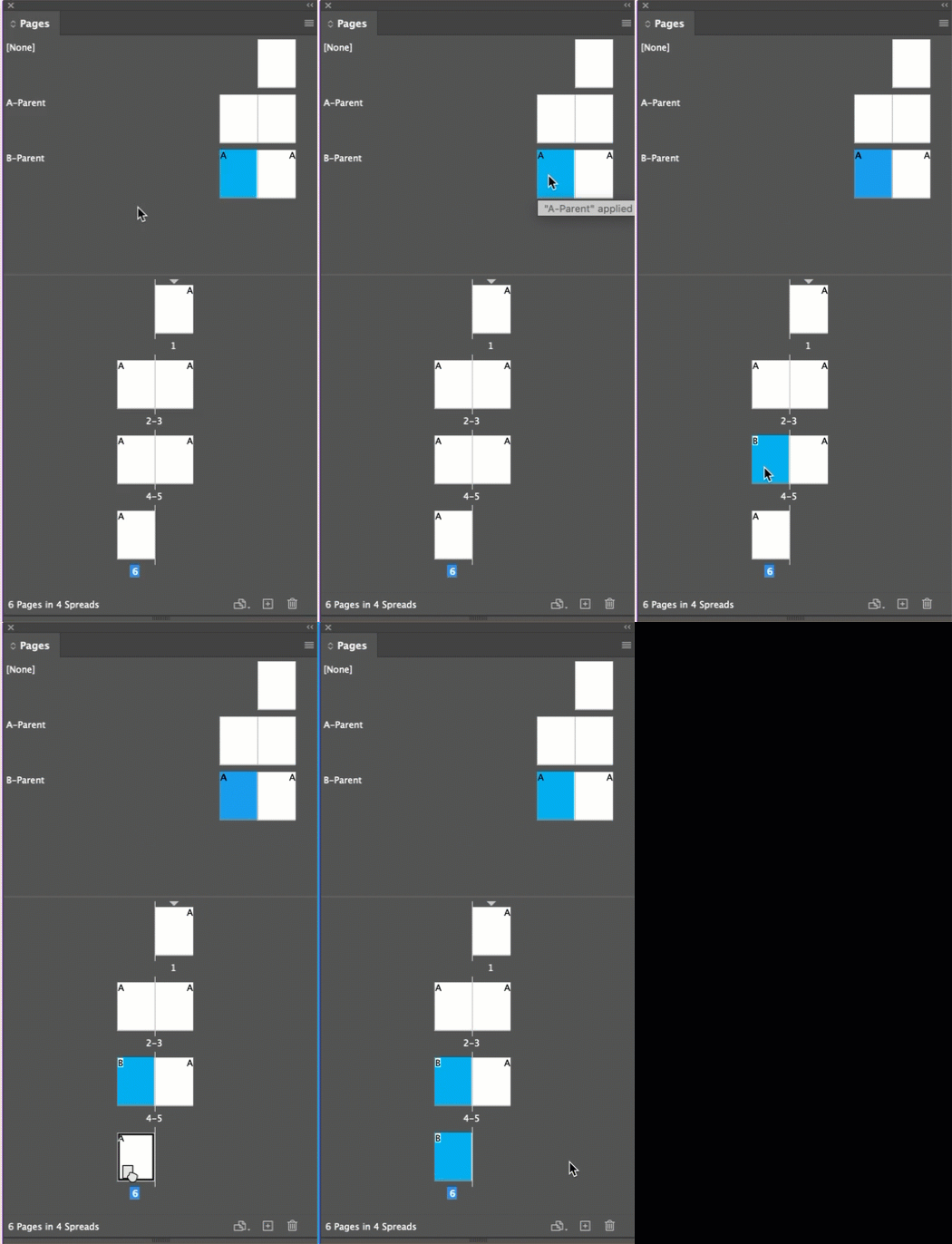
You have hit upon a limitation of InDesign master pages—when you have a double-sided document and you add a new single-page master, it will be a right master page. I go ahead and add facing-page masters, format the left master (blue in the example below) and then just ignore the right master page, if I don't need to use it.


~Barb

2 replies

Barb Binder
Community Expert
Barb BinderCommunity ExpertCorrect answer
Community Expert
December 7, 2023

HI @wallwall2:


You have hit upon a limitation of InDesign master pages—when you have a double-sided document and you add a new single-page master, it will be a right master page. I go ahead and add facing-page masters, format the left master (blue in the example below) and then just ignore the right master page, if I don't need to use it.


~Barb

~Barb at Rocky Mountain Training
wallwall2Author
Participating Frequently
December 6, 2023

I have been learning InDesign and kept on trying. I found the answer in my trial and error. 

After creating a new page based on [None] and made sure page numbers was changed to one.

After selecting the new Master page, I right clicked on the page in the Page panel, clicked on Page Attributes, then selected Rotate Spread View - 180 degrees. Now the page layout is set for left hand faceing pages.

wallwall2Author
Participating Frequently
December 6, 2023

I got a in bit of a hurry. My answer above created a new problem....the ruler was upside down. I don't recomment this as an answer to my problem.