I typically have to rebuild such documents by hand. We (the inhabitants of this forum) have been saying consistenly for twenty years that the PDF format is not editable; it’s a target format. Plenty of changes in the intervening twenty years have made some kinds of PDF more editable in some ways, but I promise you that complex layouts featuring complex script text (e.g. Arabic or Thai) are very rarely recoverable in any way.
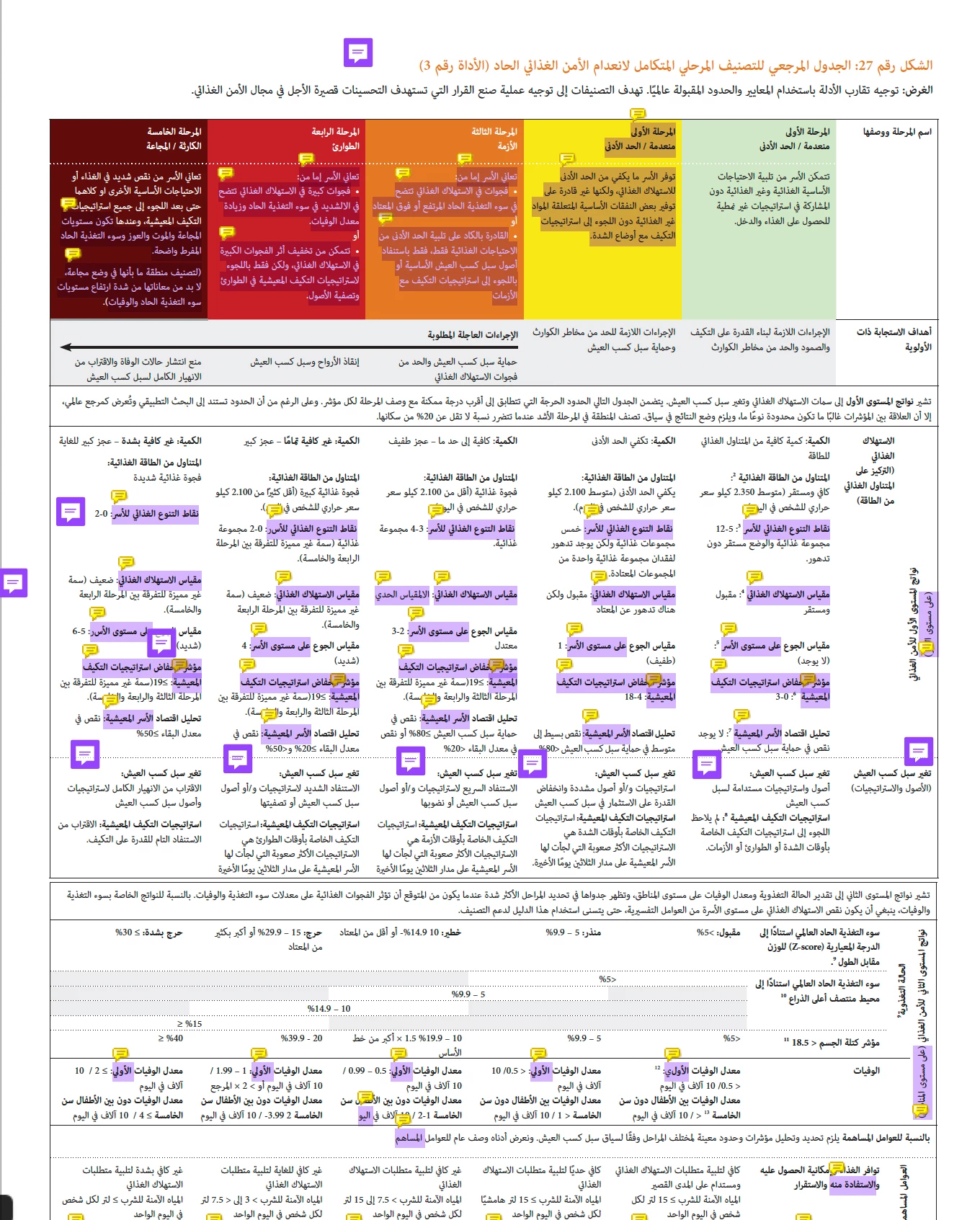
You can look at the tool that created the file, and if it happens to be MS Word, you can often save out a .docx with decent fidelity. If your Arabic PDF was made with a new-enough version of InDesign, then you could potentially edit the PDF directly with InDesign, but you are clearly not in that position. So, your best bet is most likely going to be: “complete reconstruction.“ Honestly, looking at that table? You’d have a hard time getting a decent editable out of that file in us_EN, never mind ar_SA.
I have been told, mostly by my Arabic translators, that editing Arabic PDFs usually goes better when you’re working in localized Arabic tools on an Arabic OS. Even so, editing Arabic text once it’s in the PDF
> When I add the arabic text it does not go to the end of the sentence it winds up at the beginning and I cannot figure out how to fix this issue.
I don’t know of any way to set paragraph direction to right-to-left in Acrobat, and that is what you would need to implement Arabic edits. You can try changing your OS keyboard to Arabic; that might get the text behaving RTL when you attempt to edit it, but I doubt that it will work well enough for you to avoid the necessary reconstruction.



 AdChoices