
Embed graphics (avoid missing link problem)
If you are getting the error message:
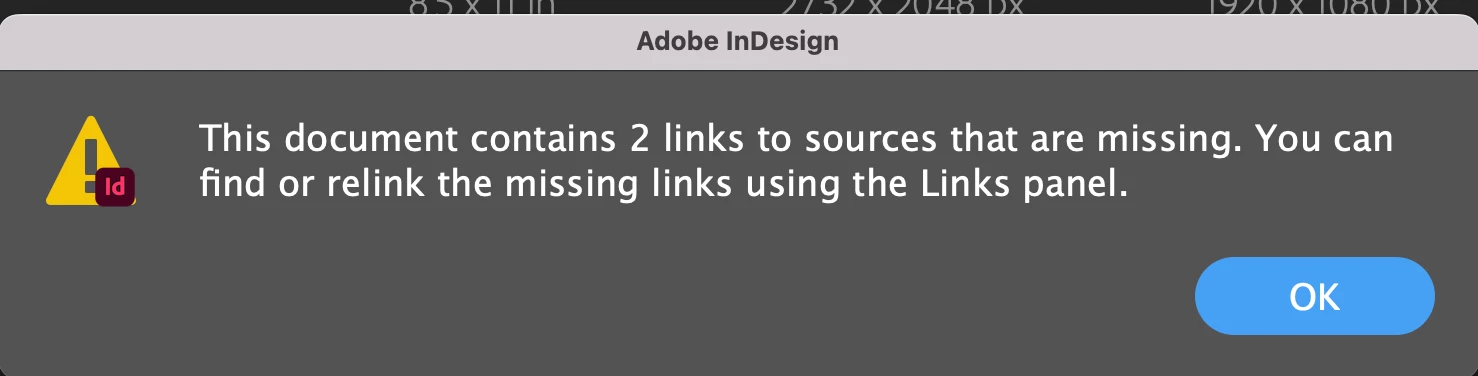
Abode InDesign (by default) links your image from your ID document to where the image (file) is stored. If you don't want it linked, follow the below steps. The steps below will "embed" the image into your document and remove the link (don't ask me implications, I understand the quality of the image at this point will not be effected, but I'm not sure).
STEP 1: "Place" the graphics file into your document (this means copy it in and create a link to it).
a) Click File, Place, and click Open on the graphic you want to "Place" into your document
b) Take your mouse and create a box where you want the image to go in your document
c) Release the mouse, the image automatically resizes, but is linked to where you have the image stored. You will see the below: (If you move the graphics file, or delete it, the above error message will appear.)
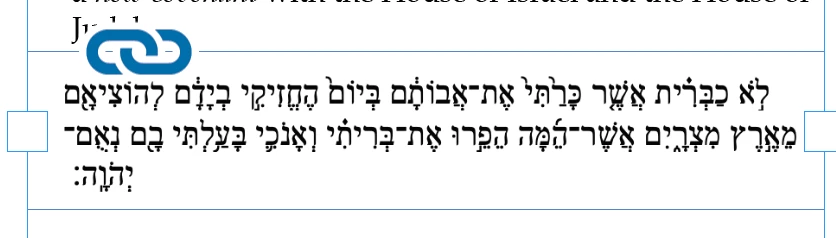
To remove the link symbol and remove the link, do the following:
a) Click on the selection tool
b) Click on the image in your document
c) Open the links panel (Window, Links)
d) Click on the Links Panel pull down menu (the quadruple lines)
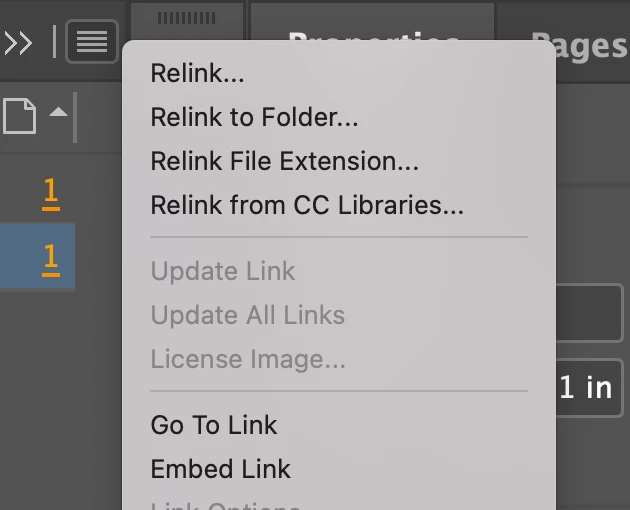
e) Click embed link. The link is broken and the link icon disappears.


 AdChoices