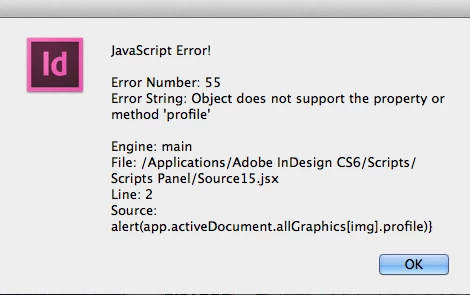
Thanks Kasyan. I tested one psd file and got same "No profile" alert
Please download the PSD from the below link:
Dropbox - example fonts and symbols.psd
You can't get profile name because it's not there:
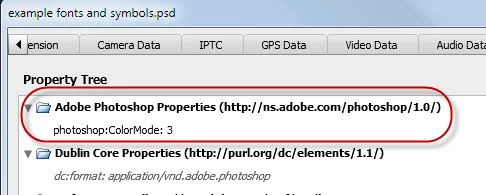
Another approach is temporarily open it in Photoshop (via BridgeTalk) and read the profile like this:
#target indesign
#targetengine "session"

if (!BridgeTalk.isRunning("photoshop")) {
    alert("Photoshop is not running.");
}
else {
    var link = app.selection[0].graphics[0].itemLink;
    CreateBridgeTalkMessage(link.filePath);
}

function CreateBridgeTalkMessage(filePath) {
    var bt = new BridgeTalk();
    bt.target = "photoshop";
    var script = GetProfile.toString() + "\r";
    script += "GetProfile(\""  + filePath + "\");";
    bt.body = script;
    // $.writeln(script);
    bt.onResult = function(resObj) {
        var result = resObj.body;
        DisplayProfile(result);
    }
    bt.send(100);
}

function GetProfile(filePath) {
    try {
        app.displayDialogs = DialogModes.NO;
        var psDoc = app.open(new File(filePath));
        var prof = app.activeDocument.colorProfileName;
        psDoc.close(SaveOptions.DONOTSAVECHANGES);
        app.displayDialogs = DialogModes.ALL;
        return prof;
    }
    catch(err) {
        psDoc.close(SaveOptions.DONOTSAVECHANGES);
        app.displayDialogs = DialogModes.ALL;
    }
}

function DisplayProfile(result) {
    alert( "Color profile is \"" + ((result == "undefined") ? "Not embedded" : result) + "\"");
}
But it says that it's not embeded.
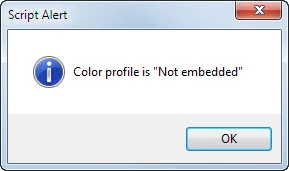
So it's unavailable even directly in Photoshop. However this script was written for an earlier version and something probably has changed since.
There's another property in Photoshop -- colorProfileType -- which can be one of the following:
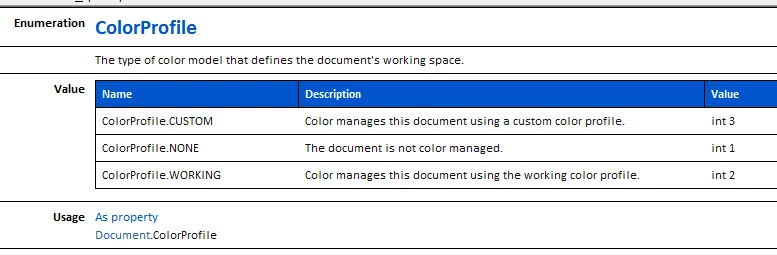
When I run this script in PS with your file open, I get None:
main();

function main() {
    var doc = app.activeDocument;
    var colorProfileType = doc.colorProfileType;
}

 AdChoices