trashcaneron
Inspiring
May 19, 2022
Answered

Embedded Photoshop Layers?

  • May 19, 2022
  • 2 replies
  • 1066 views

I regularly have this use case, I need to present different versions of the same file in InDesign. 


Typically, I make everything in one file and then break it out into seperate Photoshop files, or export different versions. Either way, not super efficient. 


Ideally, I could target Layer Comps or Artboards from InDesign so I wouldn't have so many unecessary files. I know that I can just use the exports but then any updates aren't automatic. Of course I could just re-export to the same path, but y'know, trying to save time. 


Any ideas? 
This topic has been closed for replies.
Correct answer rob day

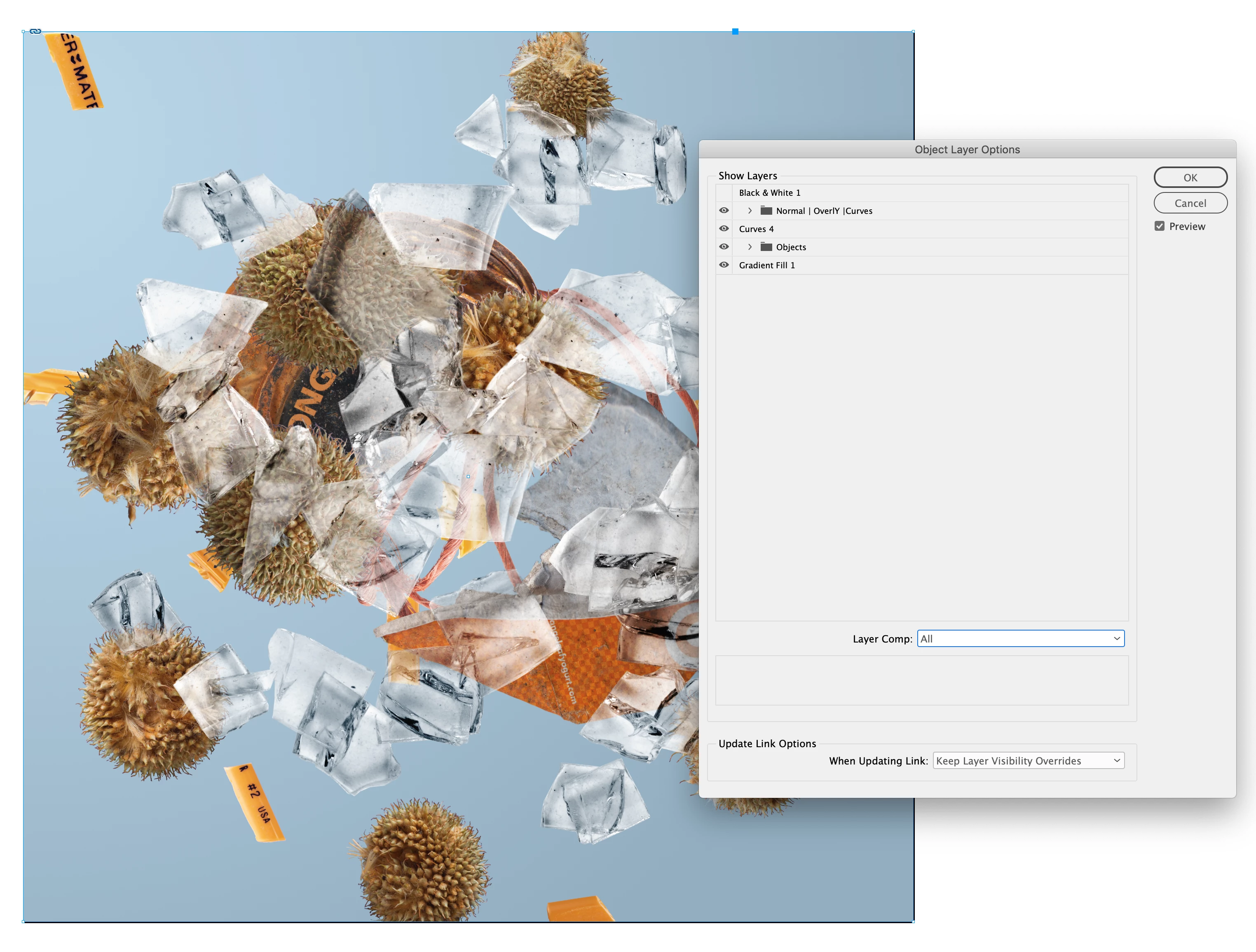
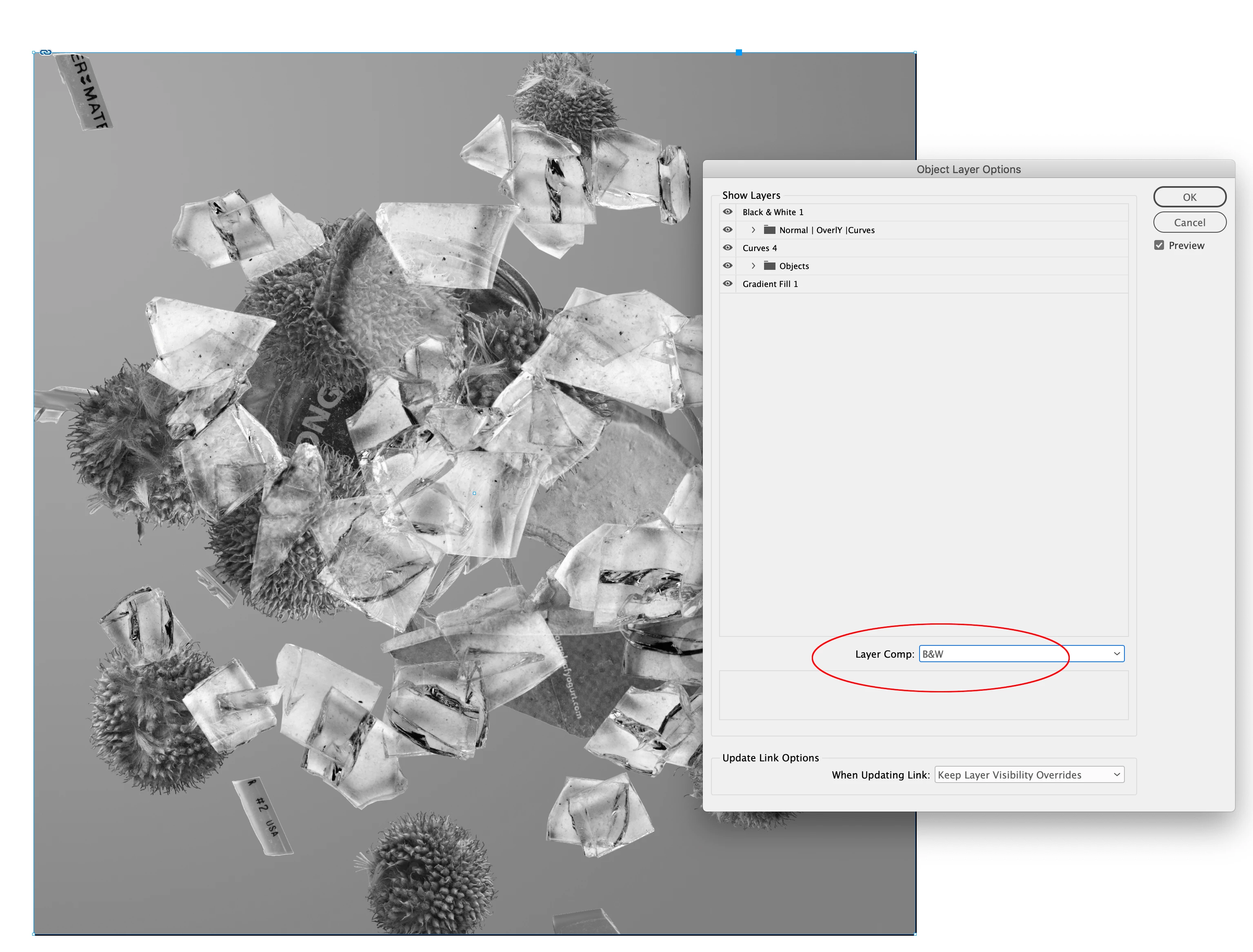
Also, after the PSD is placed, you can access the Layers and Layer Comps of the selected image via Object>Object Layer Options (only works with PSDs):


2 replies

Willi Adelberger
Community Expert
Community Expert
May 19, 2022

When you place a PSD in InDEsign, activate show import options. In the Layer part you can choose any Photoshop Layer Composition which was saved in Photoshop. Updating those links in InDesign after changing the PSD will respect the layer comps.

Luke Jennings3
Community Expert
Community Expert
May 20, 2022

To elaborate on the good information above, you can also create InDesign layers, place the psd in multiple layers and set the object layer options individually, export to a layered pdf where your client could view each layer version (using Acrobat or Reader).

trashcaneron
Inspiring
May 20, 2022

Geat intel from @Luke Jennings3 @rob day @Willi Adelberger 


This is a massive time saver and changes my workflow dramatically.

Community Expert
May 19, 2022

Not sure what you are asking.

trashcaneron
Inspiring
May 19, 2022

For example, my client is a complete psychopath and can't decide which pastel gradient animal they want to add to this scene. There are four of them that the client likes. 


This is my photoshop file:


I've created Layer Comps showing each "version"


Typically, the work flow to bring this into InDesign is either

1) Duplicate that Photoshop file four times and embed each one for each version, but now if I want to change the background, I have to change each file or link the background to another file outside of those four files. 

2) Export those four layer comps, but the files are no longer directly linked to the photoshop.


So the question is - is there a way to embed a single PSD file for all four images in InDesign?


rob day
Community Expert
rob dayCommunity ExpertCorrect answer
Community Expert
May 19, 2022

Also, after the PSD is placed, you can access the Layers and Layer Comps of the selected image via Object>Object Layer Options (only works with PSDs):