


Participant
April 30, 2023
Question

Embedding Youtube videos not working

  • April 30, 2023
  • 3 replies
  • 2605 views

Hi all,

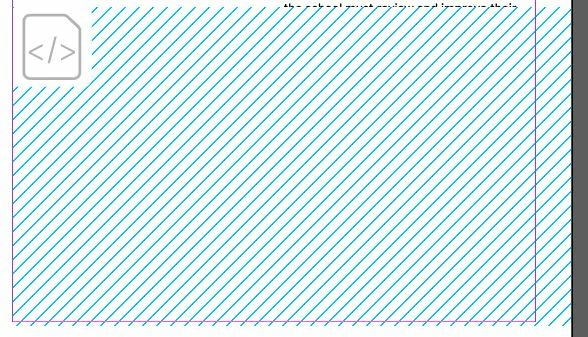
Whenever I try embedding a youtube video into my InDesign file it never seems to work and the only thing that shows is a js icon?

I've followed the tutorials (like this one https://www.youtube.com/watch?v=HgV9MB1NfgY) step by step, but it never seems to come close.

I've included an image of what it shows where the iframe is placed.

Please help!!
This topic has been closed for replies.

3 replies

Participant
April 11, 2024

Hello! I didn't see any real solutions to this issue. I'm having the same exact problem but I'm not working in a browser. My intent is to create an interactive pdf that can display the video in Acrobat Reader. I've tried to download the video but I don't have a premium YouTube account. I'll check with my client. They asked me to insert the video. They were able to do it in Word, Google docs and PPT but I can't do it in InDesign. Help?! Please and thank you!

BobLevine
Community Expert
Community Expert
April 11, 2024

You didn't see solutions because there are none. You will never get this to work with a PDF.

Participant
April 11, 2024

Nevermind! I figured it out. I needed to export it correctly. Done! Thanks. - M

{Removed personal details by MOD}

JR Boulay
Community Expert
Community Expert
November 29, 2023

Embedding one of its videos is contrary to YouTube's terms of use (which you have approved).
Abnormal, and therefore unreliable, behavior is when it works.

Acrobate du PDF, InDesigner et Photoshopographe
BobLevine
Community Expert
Community Expert
April 30, 2023

What is your output intent? If it's PDF you can stop now, if it's Publish Online we'll need a bit more info such as version of InDesign, the actual embed code and a link to the Publish Online document.

f31!xAuthor
Participant
April 30, 2023

I'm using publish online.

It seems to work properly on Chrome but not Edge.

My InDesign version is 18.2.1

Link to the document (The video is meant to https://indd.adobe.com/view/224bc996-bd3d-4da8-ab9e-5ab53b0d3680


And the code used : <iframe width="560" height="315" src="https://www.youtube.com/embed/6juTovxVoM4" title="YouTube video player" frameborder="0" allow="accelerometer; autoplay; clipboard-write; encrypted-media; gyroscope; picture-in-picture; web-share" allowfullscreen></iframe>

f31!xAuthor
Participant
April 30, 2023

**The video is meant to be under Breach of Policies and School Compliance on Page 6