
Endnotes missing first line IF the paragraph contains Hebrew
This feels like the buggiest thing.
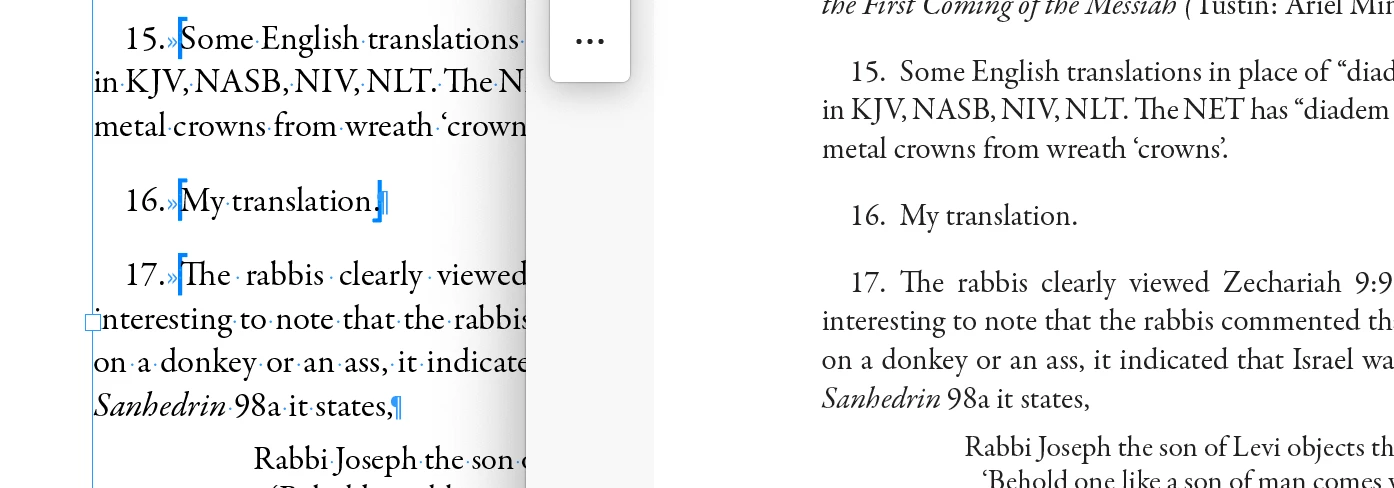
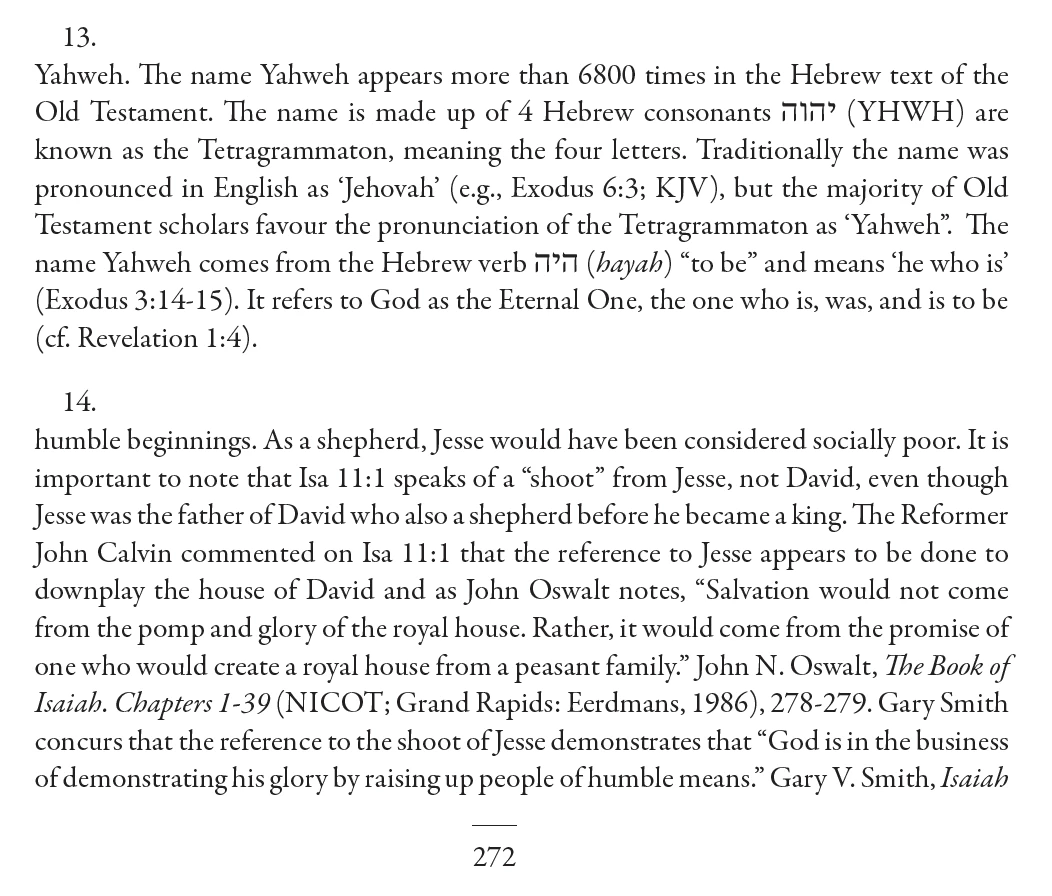
The endnotes display correctly in my file. But, when I export to PDF, the first line of the endnote disappears IF the paragraph contains Hebrew (so, mixed languages, and use of World-Ready Paragraph Composer set in the Paragraph Style). (Endnote 14 also contains Hebrew... it's just on the next page).
If the all-English paragraph has World-Ready Paragraph Composer applied to it, when exported, the first line ALSO disappears in the PDF.
The only one that will continue to export to PDF properly, even if World-Ready Paragraph Composer is applied, is a short one-line (like this one, Endnote 16). And no, if left aligned is applied (changed from full- or left-justify) to the above problematic paragraphs, it doesn't help either.
***
In case this additional hint help you InDesign geniuses out there:
Hebrew text reads right-to-left, while English, of course is left-to-right.
***
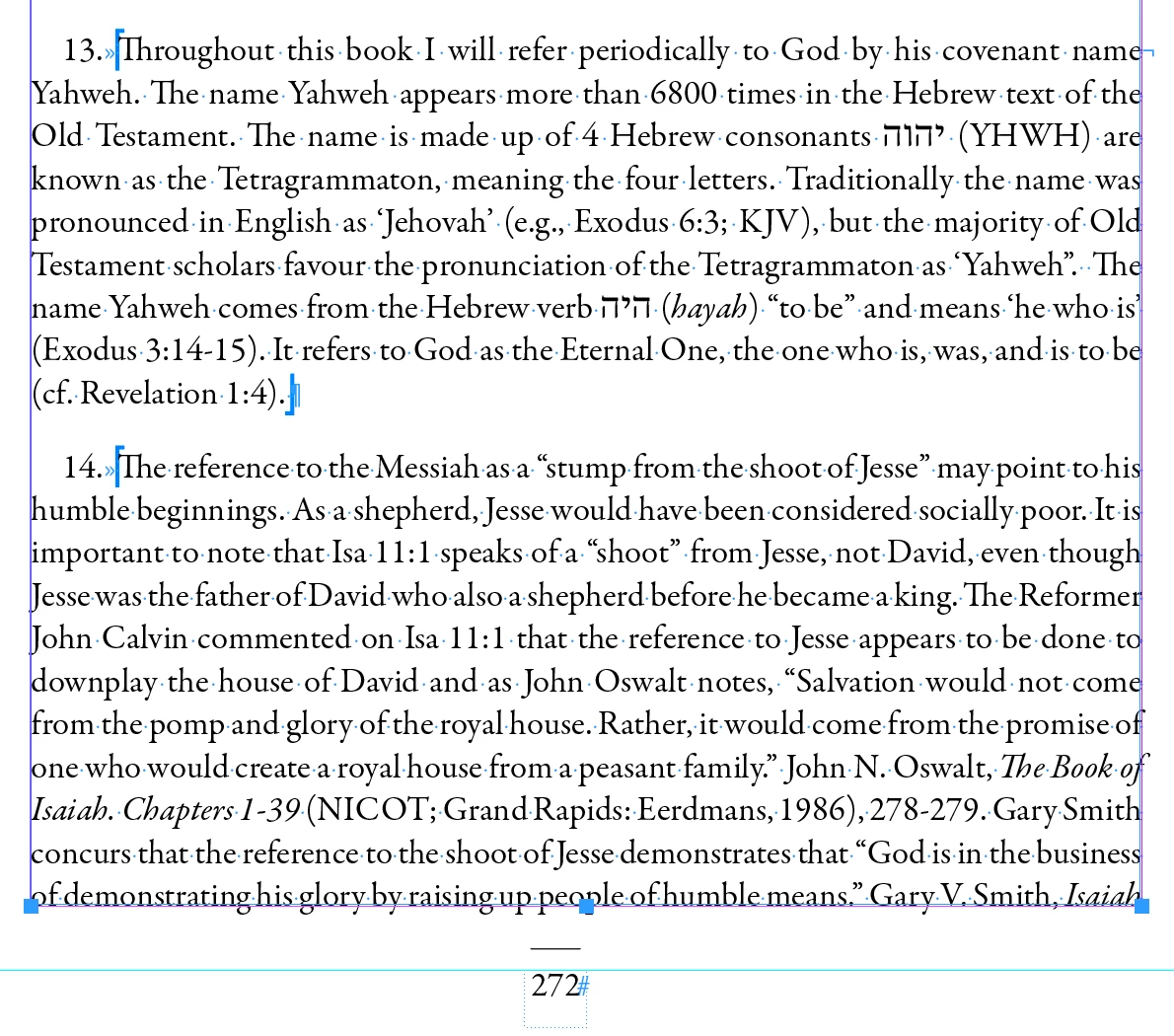
View in PDF
This seems to be an issue ONLY in the endnotes, as I do have paragraphs in the body of the book that contain Hebrew, that use World-Ready Paragraph / SIngle line composer, and it exports to PDF with no issue.
Would love to hear anything else I could try because I feel like I've tried everything! Thank you in advance.


 AdChoices