
EPUB cover won't export properly
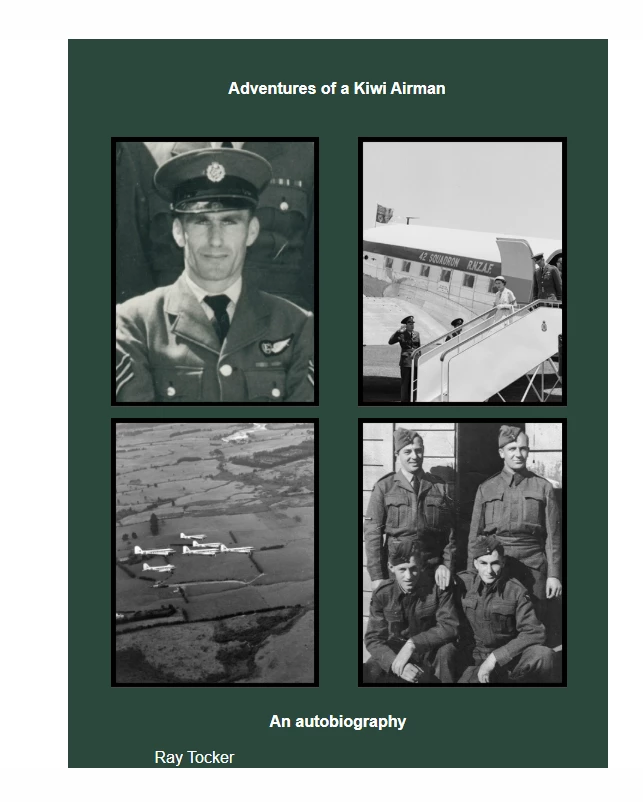
Hi, please can you help me identify where I am going wrong in trying to export the cover for my EPUB? I have applied individual styles to each line of text as they have different font sizes. I applied export tags to the styles. I grouped the background, text boxes and photos as JPGs then exported as EPUB.
My export settings include the following except for screenshot 5 (screenshot 5 is where I selected 'relative to text flow' on export rather than 'fixed'):
Export settings: Rasterize first page. Content / Order: Based on page layout. Object: Preserve appearance from layout. CSS size: Fixed, Layout: align centre. Export math objects as SVG. Include classes in HTML / generate CSS
When I export, I get an error message saying ‘appearance mismatch may occur when overlapping grouped objects are exported as JPG’. The images are not overlapping.
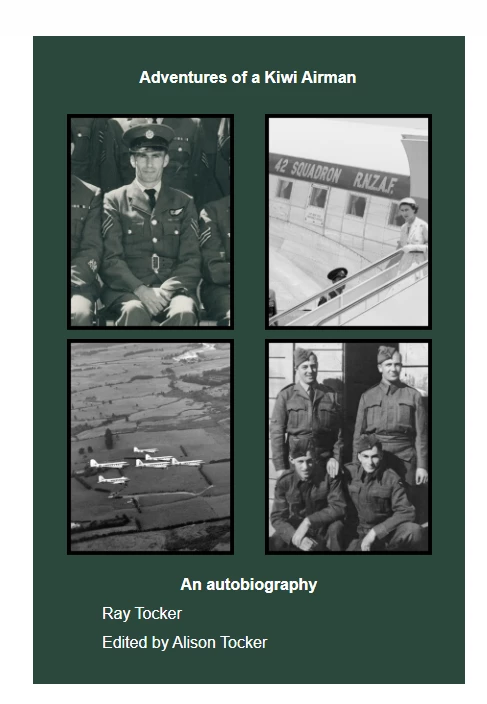
I changed the photos to PNG but, unfortunately, that changes the look of the pics so the top two are zoomed out, which isn’t how I want them (screenshot 3 below). But if it had worked, I could live with that.
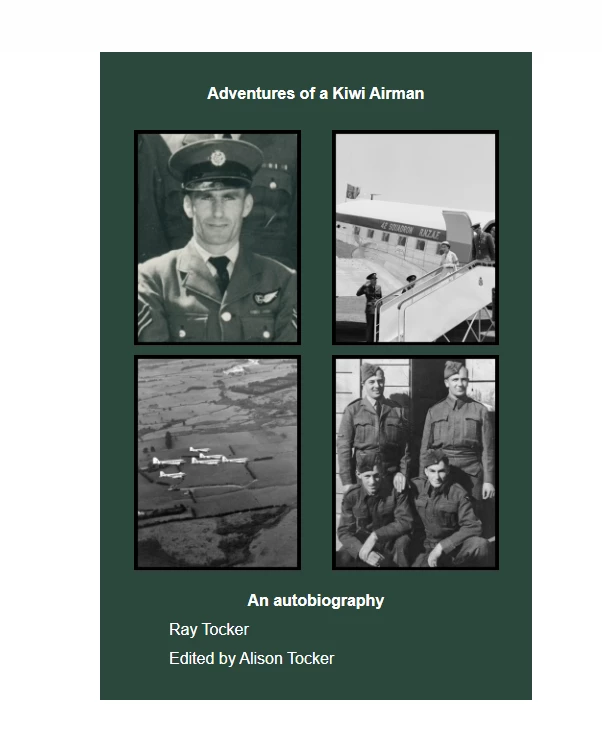
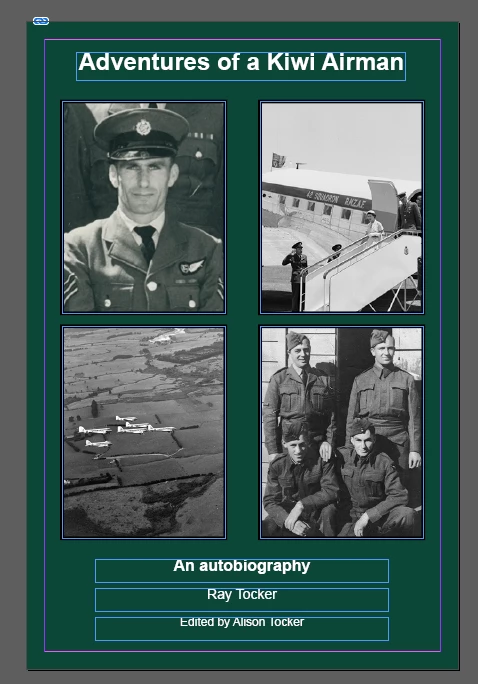
However, on export with JPG or PNG photos, the text below the photos either left aligns as you can see in screenshots 2 and 3 below or you can only see the top half of the last line of text. The text boxes are centred and the styles are centre aligned. All content is inside the main frame. See screenshot 4.
I am so sorry to have to ask for help but I am endlessly training and I only ask for help here when all attempts have failed. I have spent two full days trying to resolve this.
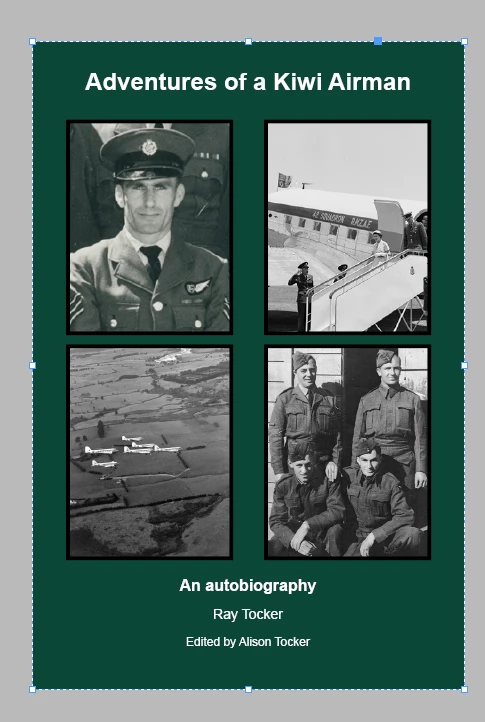
Screenshot 1: How it looks in InDesign when grouped, with JPG photos
Screenshot 2: How it looks in EPUB reader when I export with JPG photos.
Screenshot 3: How it looks in EPUB reader when I export with PNG photos.
The problem with PNG is in the top left photo, you can see the shoulders of the men on either side of the author, which takes away from the point of the image which is a pic of the author. In the top right pic, you can no longer see the Air Force officers saluting which is a point of the photo.
Screenshot 4: All objects within frame inside InDesign
Screenshot 5: What happens when I select 'relative to text flow' on export


 AdChoices