

Hosun
Inspiring
June 5, 2026
Answered

EPUB Export in InDesign 21.4 Ignores Image Alignment and Spacing Settings

  • June 5, 2026
  • 3 replies
  • 39 views

Hi,


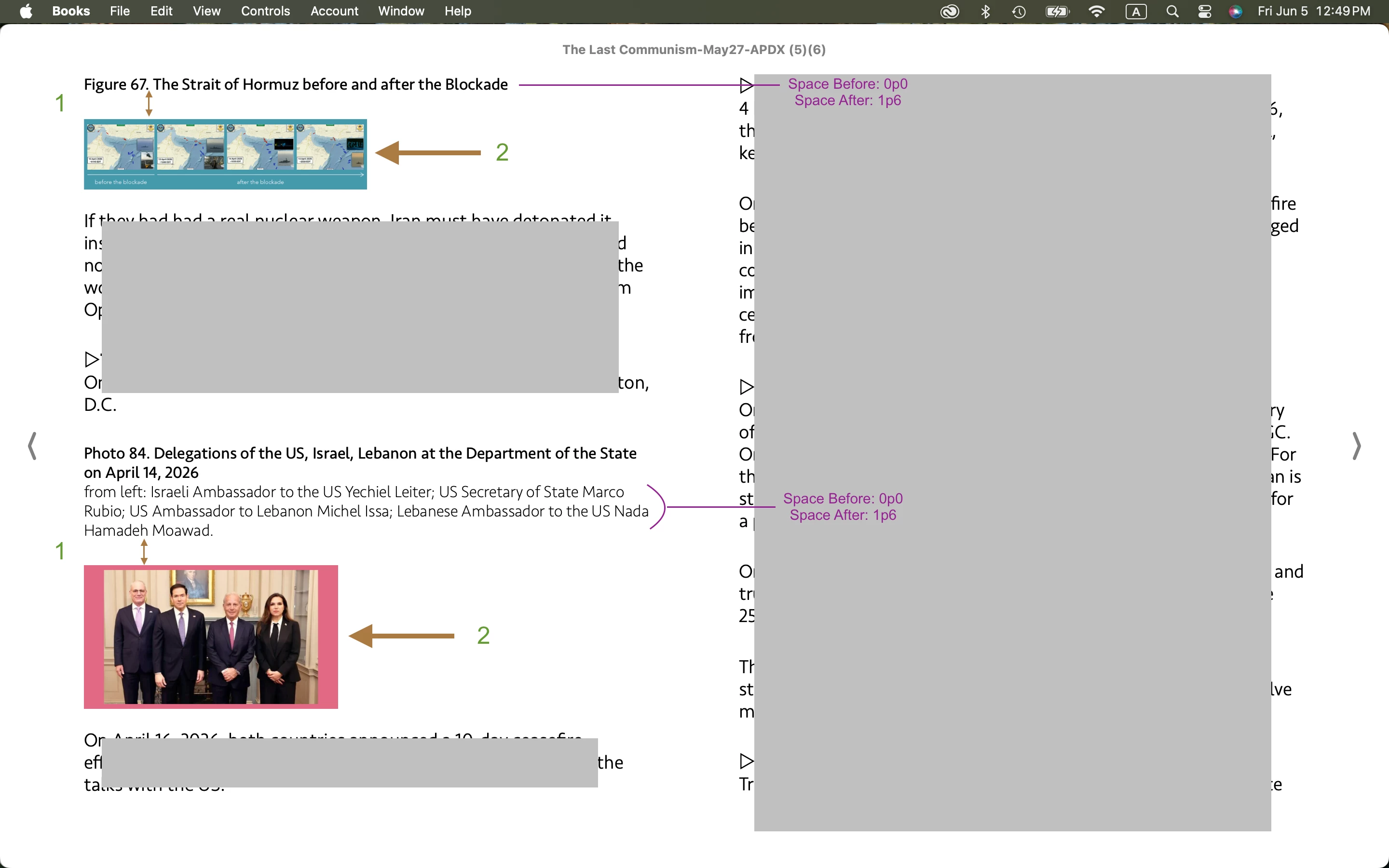
In Screenshot 1, there is an EPUB. Looking at two images, space(1) and alignment(2) are different from what I expect.

  1. Space is larger.
  2. Alignment is left.

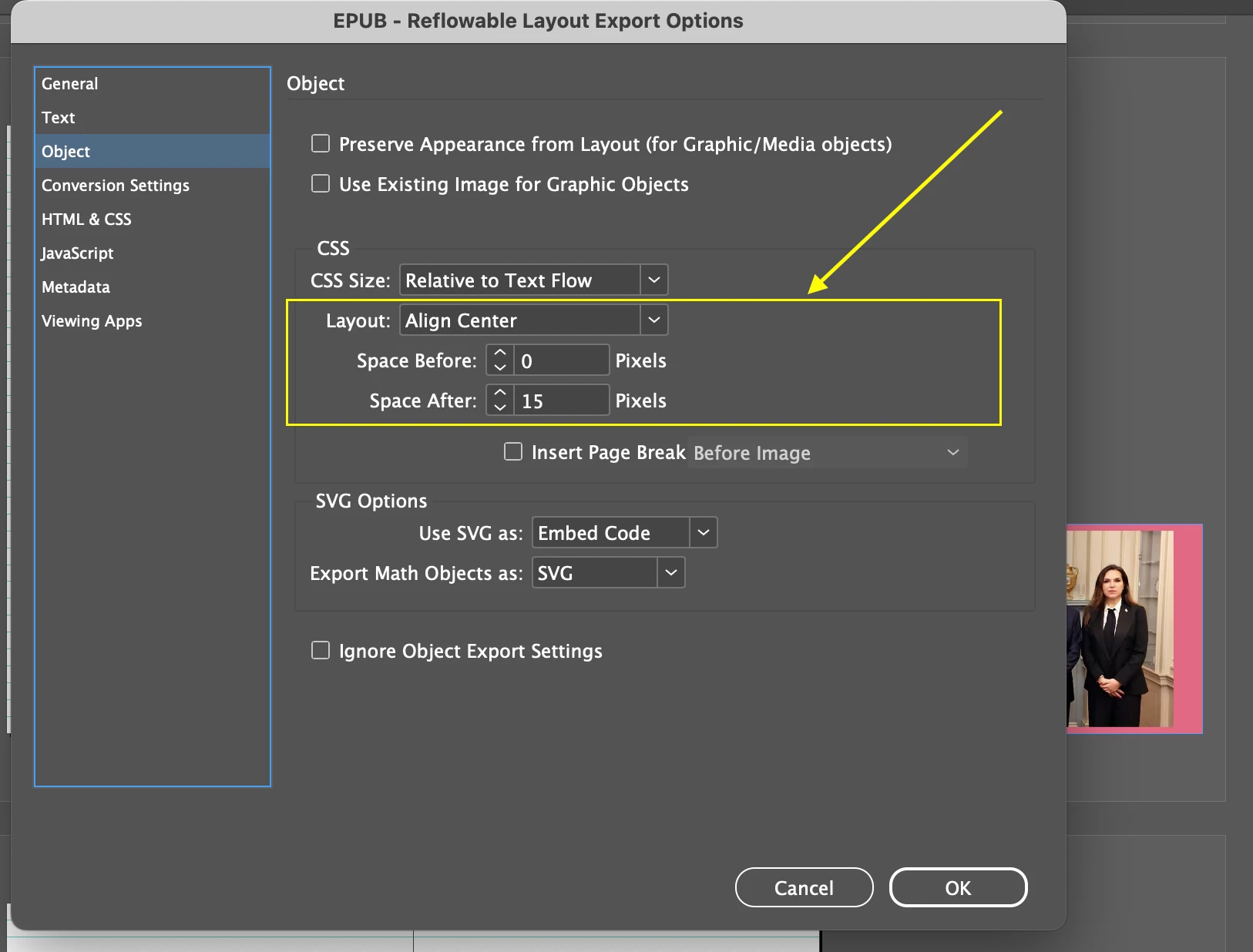
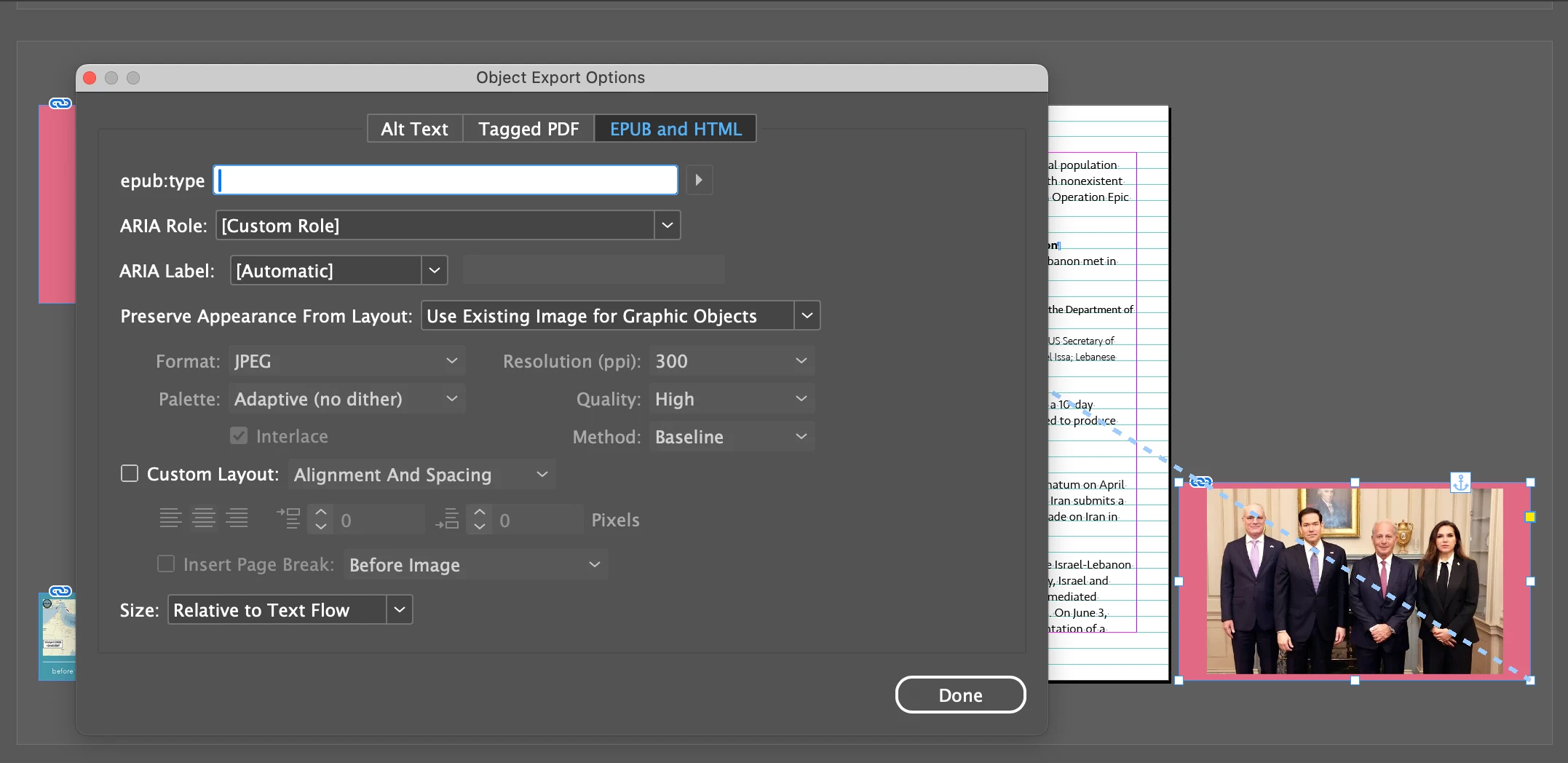
Those parameters in Screenshots 2 and 3 worked. But it’s not working since the InDesign update two days ago.

Is there any solution?


Hosun


Screenshot 1
 

Screenshot 2
 

Screenshot 3
 

    Correct answer leo.r

    If you revert to InDesign 21.3, does the issue go away? You can revert from the CC app > InDesign > Other Versions menu

    3 replies

    Abhishek Rao
    Community Manager
    Community Manager
    June 9, 2026

    Hi ​@Hosun,


    Thank you for sharing the details, and I'm glad to hear that reverting to 21.3 resolved the issue for you.

    To investigate this further, I tested the same EPUB export workflow on InDesign 21.4 running on Windows 11, but I was unable to reproduce the behavior. On my end, the image alignment remained centered, and the Space Before and Space After values were correctly reflected in the exported EPUB.

    Since the issue appears to be environment-specific at the moment, could you please try manually resetting your InDesign preferences by following the video at the bottom of the article below and then test the export again in 21.4?

    https://helpx.adobe.com/indesign/using/setting-preferences.html


    Please let me know how it goes after resetting the preferences. If the issue persists, I'll be happy to continue investigating it further with you.

    Abhishek

    Hosun
    HosunAuthor
    Inspiring
    June 5, 2026

    I got v21.3 and the issues are fixed.

    Thank you very much.

    Hosun


    leo.r
    Community Expert
    leo.rCommunity ExpertCorrect answer
    Community Expert
    June 5, 2026

    If you revert to InDesign 21.3, does the issue go away? You can revert from the CC app > InDesign > Other Versions menu

    Hosun
    HosunAuthor
    Inspiring
    June 5, 2026

    Thank you very much for your reply.

    Which one would I choose?

    1. Uninstall 21.4 → Install 21.3
    1. Install 21.3

    Hosun


    leo.r
    Community Expert
    Community Expert
    June 5, 2026

    Just install 21.3.