This topic has been closed for replies.

2 replies

rayek.elfin
Legend
September 5, 2022

Check your export resolution, as @James Gifford—NitroPress mentioned. If you are using a mobile document template (such as iPad Retina) you should be exporting at 72ppi and not at the standard 150 or 300. At 72ppi export resolution will match the native resolution of the device.

James Gifford—NitroPress
Legend
September 1, 2022

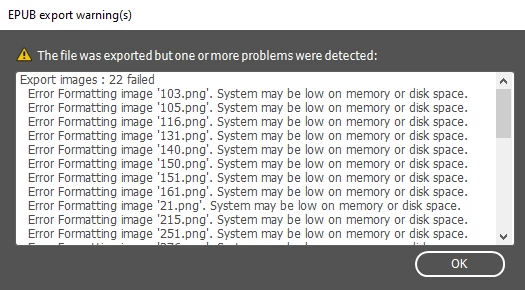
The error means exactly what it says, that the system doesn't have enough memory to process the images.


You can try:


  1. Reboot the system and restart InDesign.
  2. Close all other apps and programs.
  3. Reduce the size of the source files to the end size and resolution.
  4. Reduce the export resolution of the EPUB file.


Completely guessing, you are trying to use very large source images that the system can't manage so many of. Pre-scale them to something closer to the export size, if not the exact export size.