
Participating Frequently
September 23, 2023
Answered

Epub page break not working

  • September 23, 2023
  • 3 replies
  • 1734 views

Having problems with one page break.


I set the export tag to split the epub on one particular paragraph style.
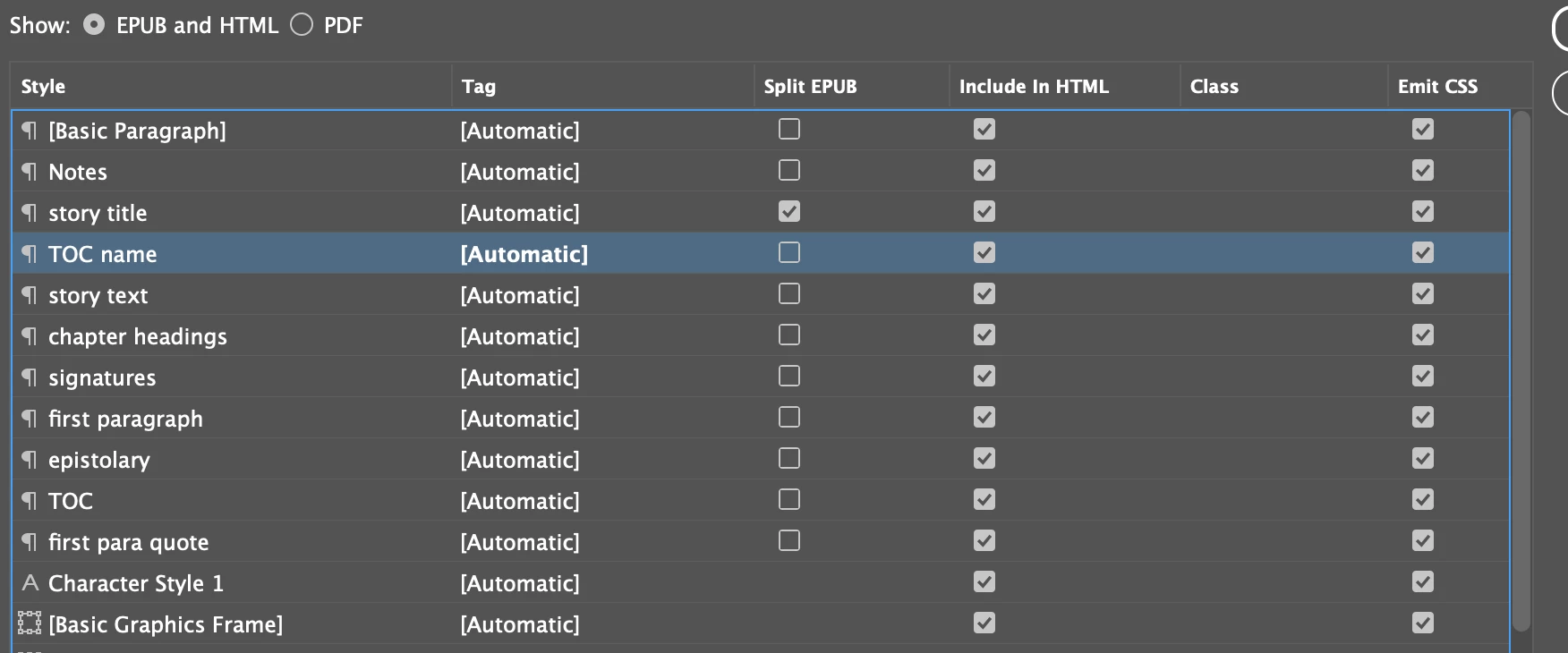
I set the paragraph style on the heading for the story in question.
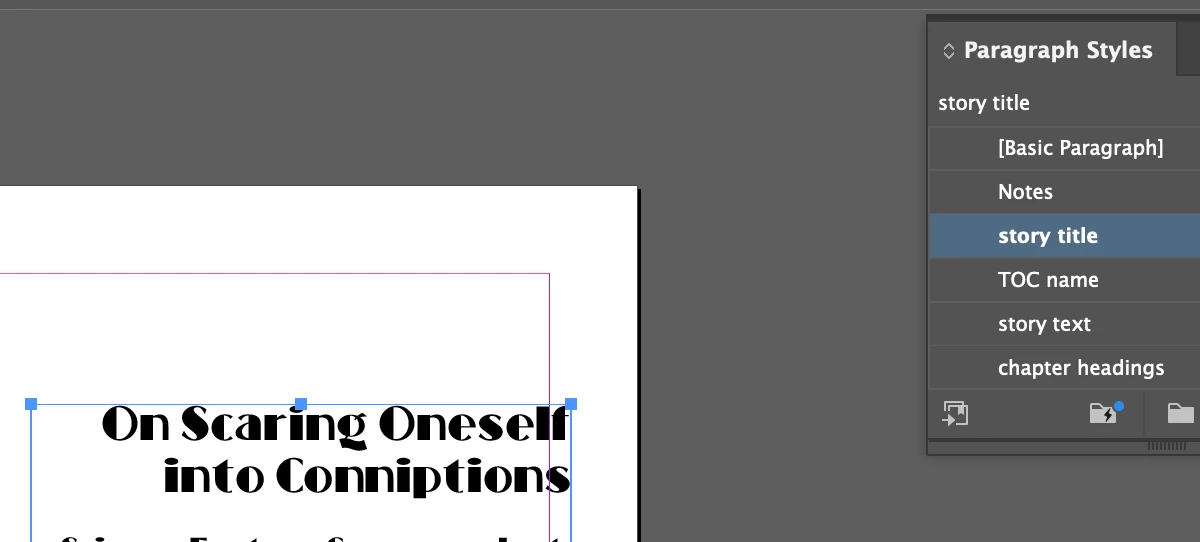
In the export screen, I selected split document based on paragraph style export tags.
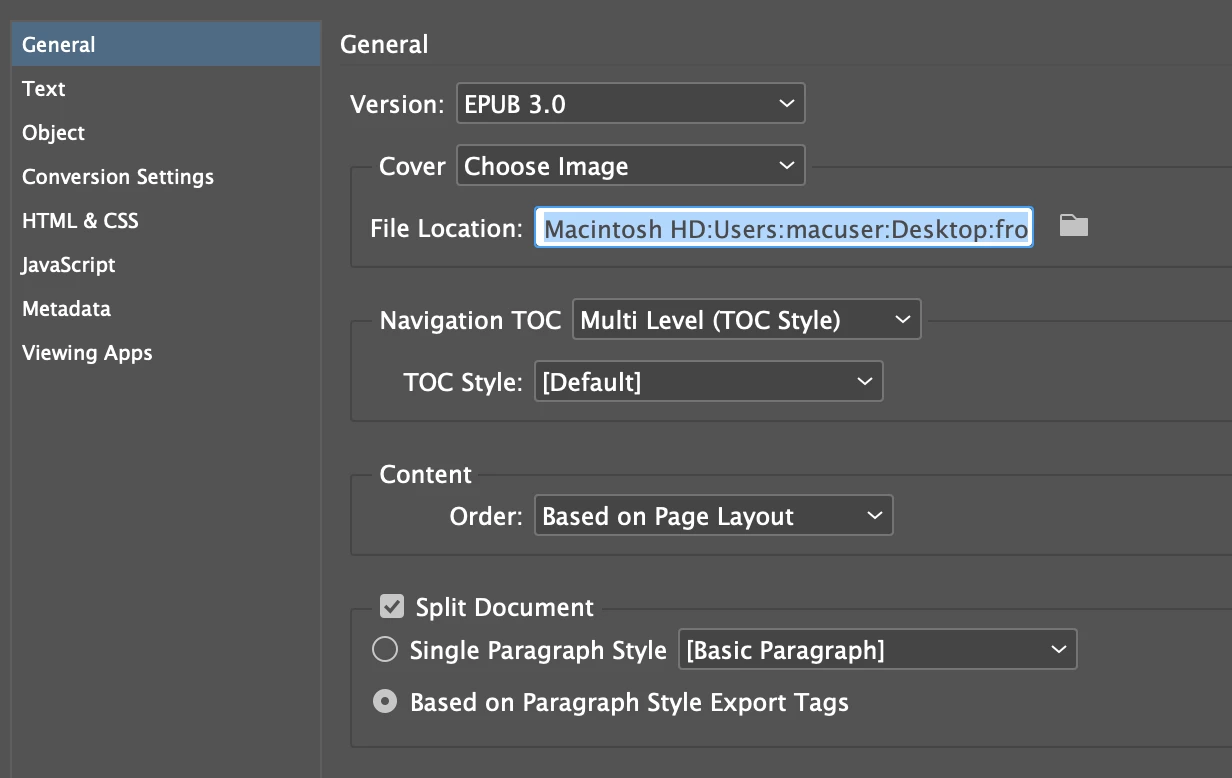
And it's doing this.
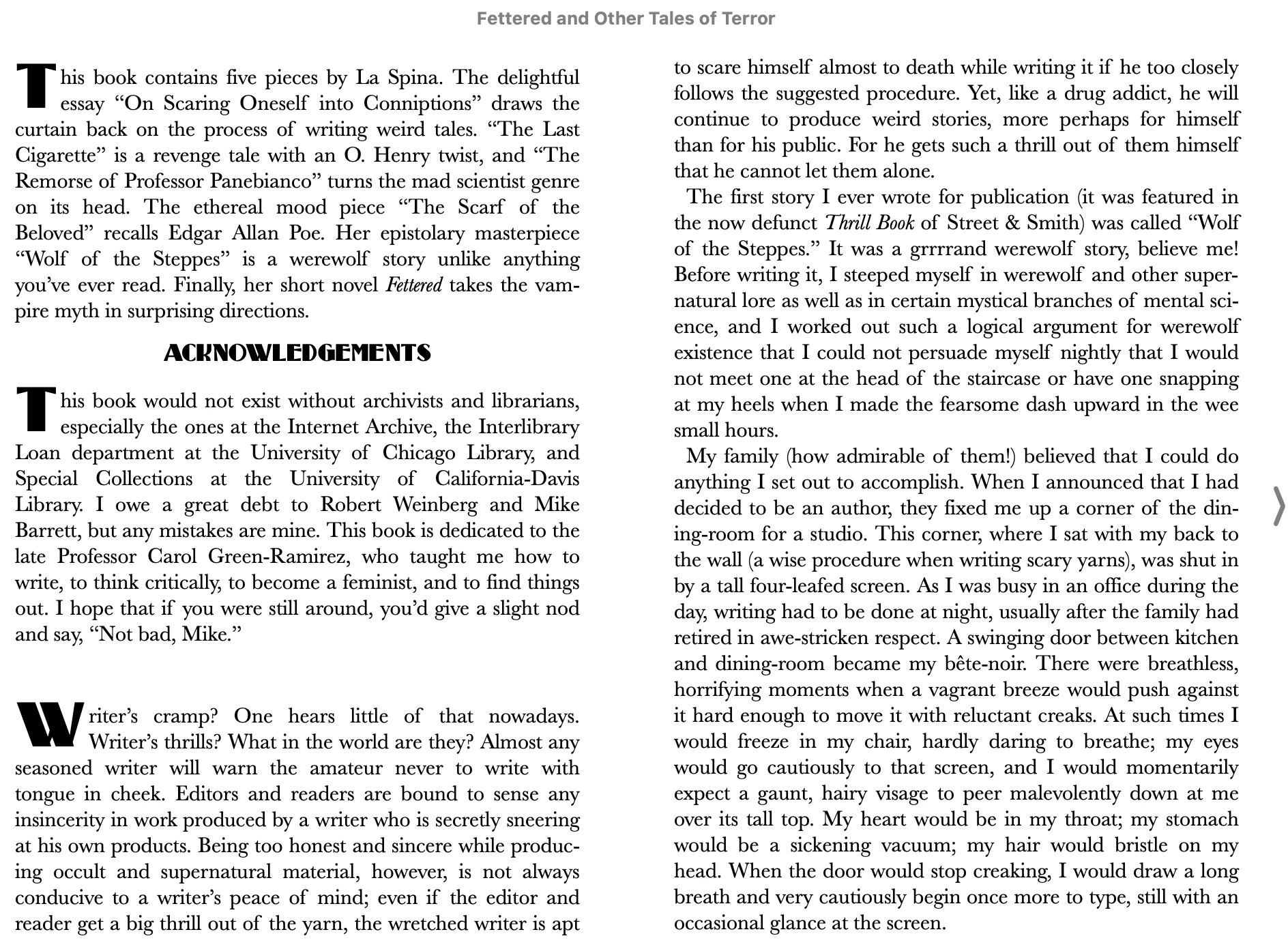
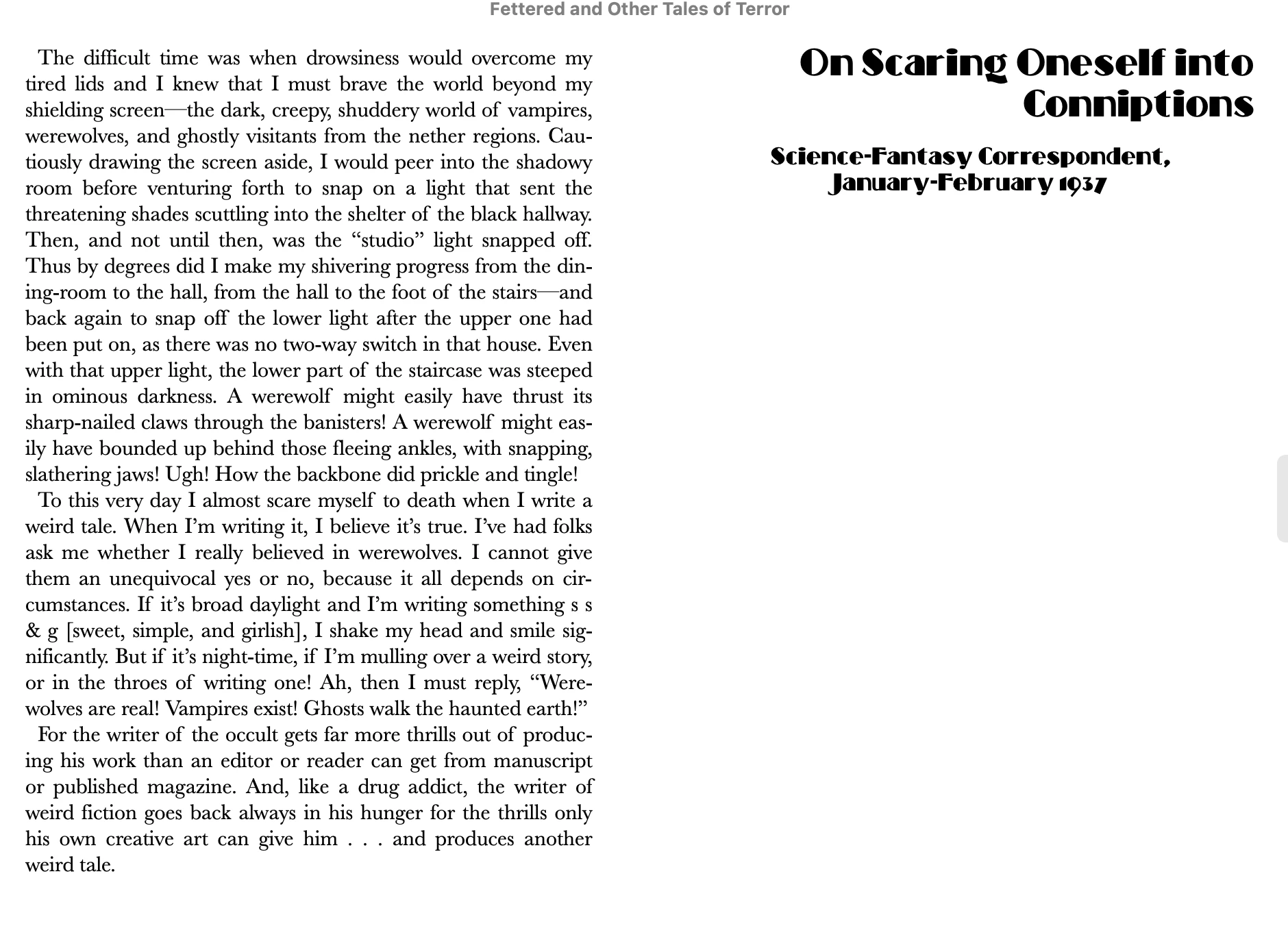
"Writer's cramp" is the beginning text of the section called "On Giving Oneself Conniptions." What am I doing wrong? Every other break works fine.

This is on Adobe InDesign CC on a Mac.

This topic has been closed for replies.
Correct answer James Gifford—NitroPress

EPUB export does not work well with individual ID stories. Most will export, but you will have no control over where they appear within the document (all "secondary" stories drop to the end) and there are often indexing and TOC issues.


Either all content must be in one text flow, or you must carefully manage the "Articles" in the document — and the latter technique is not entirely reliable.

3 replies

MikeP5403Author
Participating Frequently
September 23, 2023

OK, I found a solution, which was to delete the story that was giving me problems, create it at the end, and then drag and drop it into the right spot. Still not sure what was wrong with the old version but at least I was able to fix it.

James Gifford—NitroPress
Legend
September 23, 2023

EPUB export does not work well with individual ID stories. Most will export, but you will have no control over where they appear within the document (all "secondary" stories drop to the end) and there are often indexing and TOC issues.


Either all content must be in one text flow, or you must carefully manage the "Articles" in the document — and the latter technique is not entirely reliable.

MikeP5403Author
Participating Frequently
September 23, 2023

OK, that's good to know. The epub is secondary to the print book, so I'm not going to start out with all eleven stories in a huge chain of linked text files (which sounds like a typesetting nightmare). But this is helpful because in the future I can create a second InDesign file that's much simpler than the print book, and do what you suggested. Thank you!

James Gifford—NitroPress
Legend
September 23, 2023

First — what EPUB reader are you using? They're not all the same and some are distinctly weak on honoring layout rules.


Second — it looks like your text frame is kind of loosely laid on the page. Do you have all your text in a single text flow of linked frames?


Third — if you are using only this single break, try the other option, of setting the document to break on 'story title' in the export menu, rather than following the list of page-break styles.

MikeP5403Author
Participating Frequently
September 23, 2023

I should note that there used to be a section break at this spot (for numbering purposes in the print book), but I removed it and it's still doing this.