
Participant
June 11, 2020
Answered

EPUP fixed Layout: Text in EPUB is displayed incorrectly (wrong style)

  • June 11, 2020
  • 2 replies
  • 1420 views

Hello,

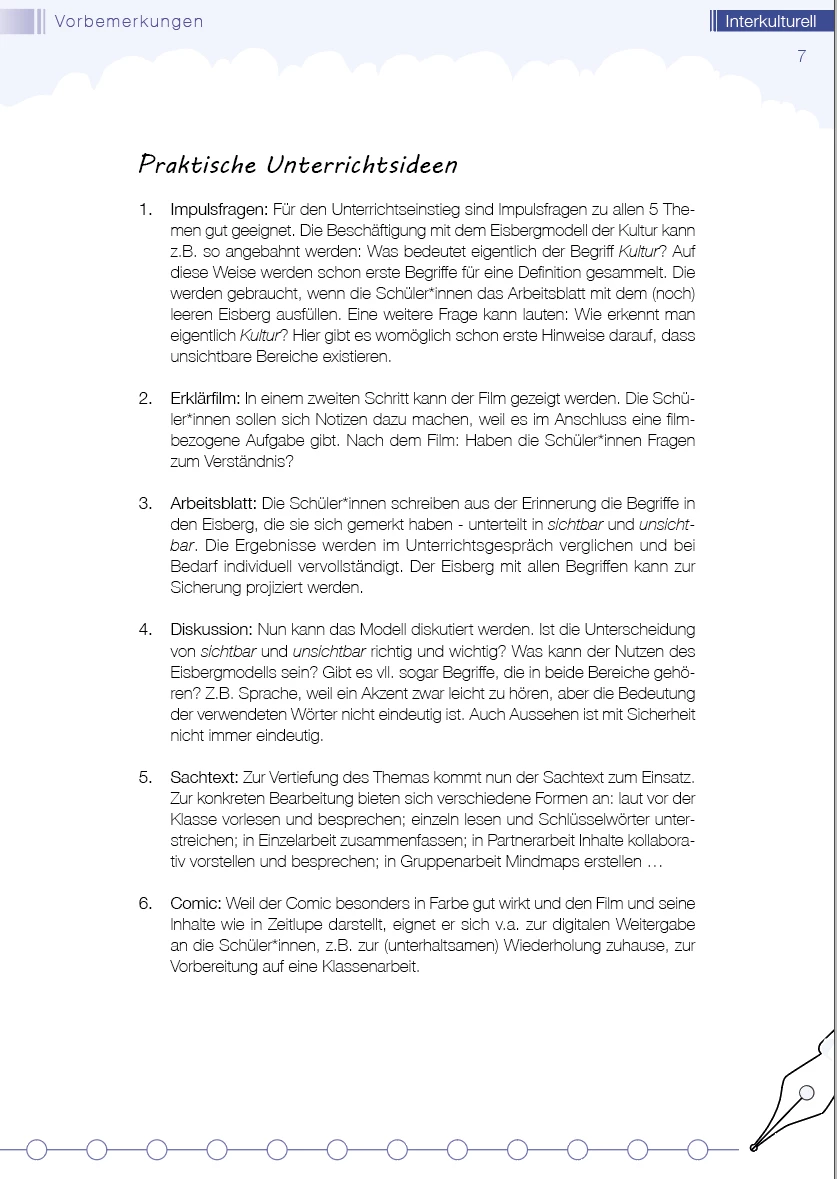
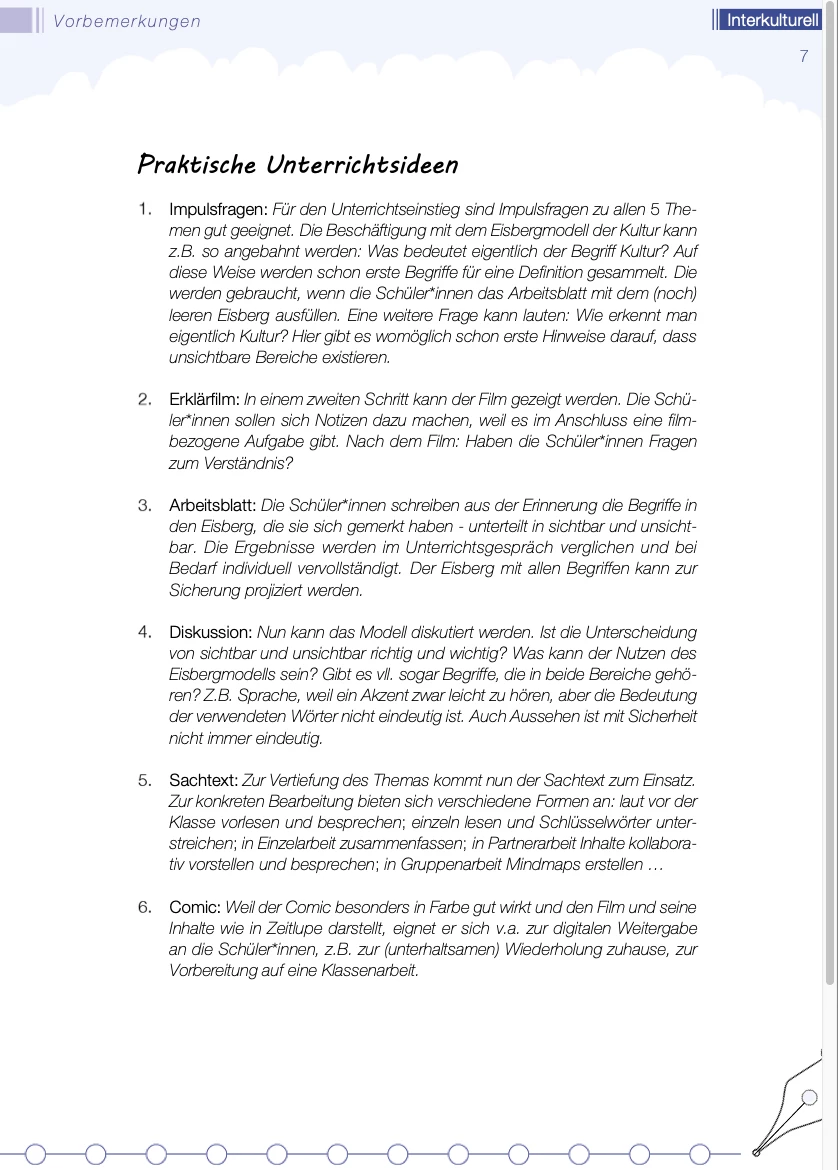
after exporting to EPUB (fixed layout) my text is displayed differently from the layout I created in inDesign. There are a few paragraph styles and character styles used in the document, which make the text a combination of different styles (Helvetica regular, thin, thin italic). Some areas of the text are displayed in thin italic style completely, although they are supposed to be thin with a few words highlighted by thin italic style.


In the screenshots below you can see the different versions of the text. The first is from inDesign, the second is from EPUB (after exporting from inDesign). The whole document has 54 Pages.


How can I fix this?

I would be very grateful for your help.


Best regards

Chris


Technical data:

I´m using inDesign 2020 on a MacBook Pro under macOS Catalina Version 10.15.3


Screenshots:

This is how it looks in inDesign


This is how it looks in EPUB (fixed Layout)
This topic has been closed for replies.
Correct answer Derek Cross

I suggest you keep it simple fontwise – no Thin fonts and use OTFs.

2 replies

Derek Cross
Community Expert
Community Expert
June 12, 2020

I'm not a FXLePub person, more Reflowable ePub but two reasons, they may not understood by  HTML5 and they may be difficult to read on a screen, especially a small screen. I suggest you test your ePub on as many devices and reader you can access. 

Participant
June 13, 2020

Thank you! That was really helful.


Best Regards

Chris

BobLevine
Community Expert
Community Expert
June 11, 2020

Did you use Opentype fonts? Are you viewing in the Books app on Mac/iOS

Participant
June 12, 2020

Thanks for the quick reply! I used TrueType fonts for the area which isn`t displayed correctly. But there are also OpenType fonts used in the document. I view the EPUB in the preinstalled Books app on my mac.


Derek Cross
Community Expert
Derek CrossCommunity ExpertCorrect answer
Community Expert
June 12, 2020

I suggest you keep it simple fontwise – no Thin fonts and use OTFs.