Participant
August 27, 2021
Answered

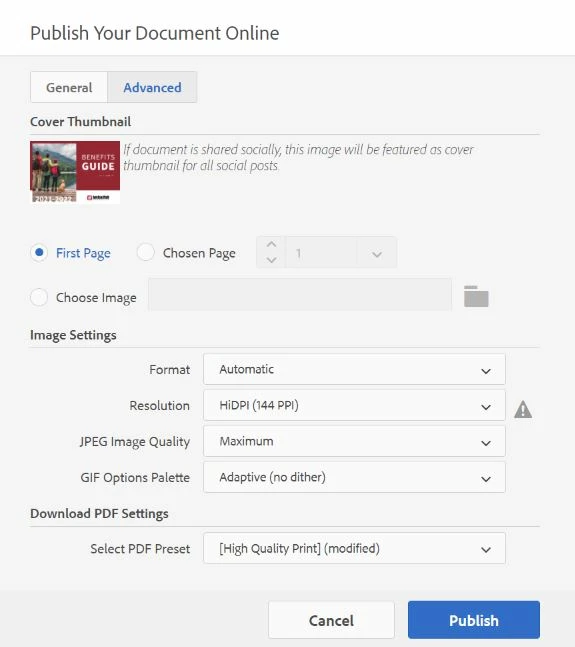
Error 13 while publishing online with HiDPI Resolution

  • August 27, 2021
  • 1 reply
  • 528 views

When publishing one specific document, I get error code 13 when I select "HiDPI" resolution. 
I tried publishing with standard resolution, but then all my images get blurry.

I publish similiar documents with HiDPI online weekly and haven't had an issue.

My links panel doesn't show any missing links.

I've updated indesign, restarted my computer, signed out of creative cloud and back in, et cetera.


This topic has been closed for replies.
Correct answer rob day

Did you try Saving As an IDML?


Also, maybe try to find the problem image or page by exporting the first half then the second half of the doc to see if the error occurs on both—then keep splitting until you find the corrupt page. 

1 reply

rob day
Community Expert
rob dayCommunity ExpertCorrect answer
Community Expert
August 27, 2021

Did you try Saving As an IDML?


Also, maybe try to find the problem image or page by exporting the first half then the second half of the doc to see if the error occurs on both—then keep splitting until you find the corrupt page. 

Participant
August 27, 2021

Thank you!! Kept splitting until I found the corrupt page, then I just replaced the image on that page and then it all worked. Thanks again.