Participating Frequently
November 23, 2017
Question

Error code 4 all docs created with CC 2018

  • November 23, 2017
  • 33 replies
  • 20848 views

Hey Guys

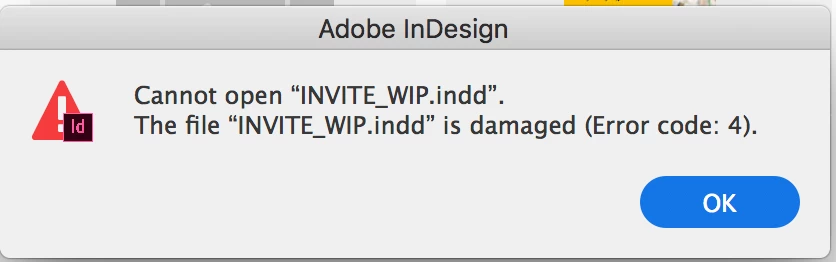
Please help me understand why I cannot open any InDesign documents I create with the new InDesign 2018. All the files I make or save with the new software give me the same error on opening: "Cannot open "INVITE_WIP.indd". The file "INVITE_WIP.indd" is damaged (Error code: 4).

Please help me! I am paying this does not mean I have lost all the work I have created with InDesign CC 2018.

- Sarah
This topic has been closed for replies.

33 replies

Participant
December 8, 2017

I too am having the same problem.

Participating Frequently
November 23, 2017

Hi there,

I'm having possibly same problem or something similar since I upgraded to the latest Indesign CC 2018.

But the files are not actually damaged or corrupt in any way, it's just saying that and won't let me open them.

When the error message comes up, I can't open any InDesign file. I haven't been able to figure out a reason why it would start happening but it does happen around 5 times a day... What I need to do is restart Indesign and then all the files work again.

This is quite frustrating because I usually have many files open at once and as soon as I get that error, I have to close and re-open them all since I can't open any new file until I restart InDesign.

I'm running the latest Indesign CC 2018 on an iMac with the latest High Sierrra OS.

Any help on this would be greatly appreciated.

Thanks!

Ken

Participant
December 5, 2017

I have this exact same issue. Thanks for the tip on closing InDeisgn!

Anyone any ideas on permanent fix?

SanyamTalwar
Participating Frequently
November 23, 2017

Can you please provide the following information to help me investigate the issue and send the files to santalwa@adobe.com

  • OS
  • System configuration
  • Reproducible Steps – What were you doing?
  • Error snapshot or video recording of the issue?
  • Is(Are) the issue related to a specific document(s)/asset(s)? If Yes, Can you please provide the document(s)/asset(s)?
  • Is the file located on network location? If Yes, Is the issue reproducible if you open the document locally?
  • Is Preference and cache present at default location or at custom location?
  • Does Trashing preference and cache, please create a backup of Preference and cache before trashing them, help to resolve the issue?
  • Please provide the log files from your machine? You can get them using log collector tool – https://helpx.adobe.com/creative-cloud/kb/cc-log-collector.html
  • Are you using any external plug-in or extensions? If Yes, Please provide the plug-in(s) or extension(s)