Participant
July 6, 2021
Question

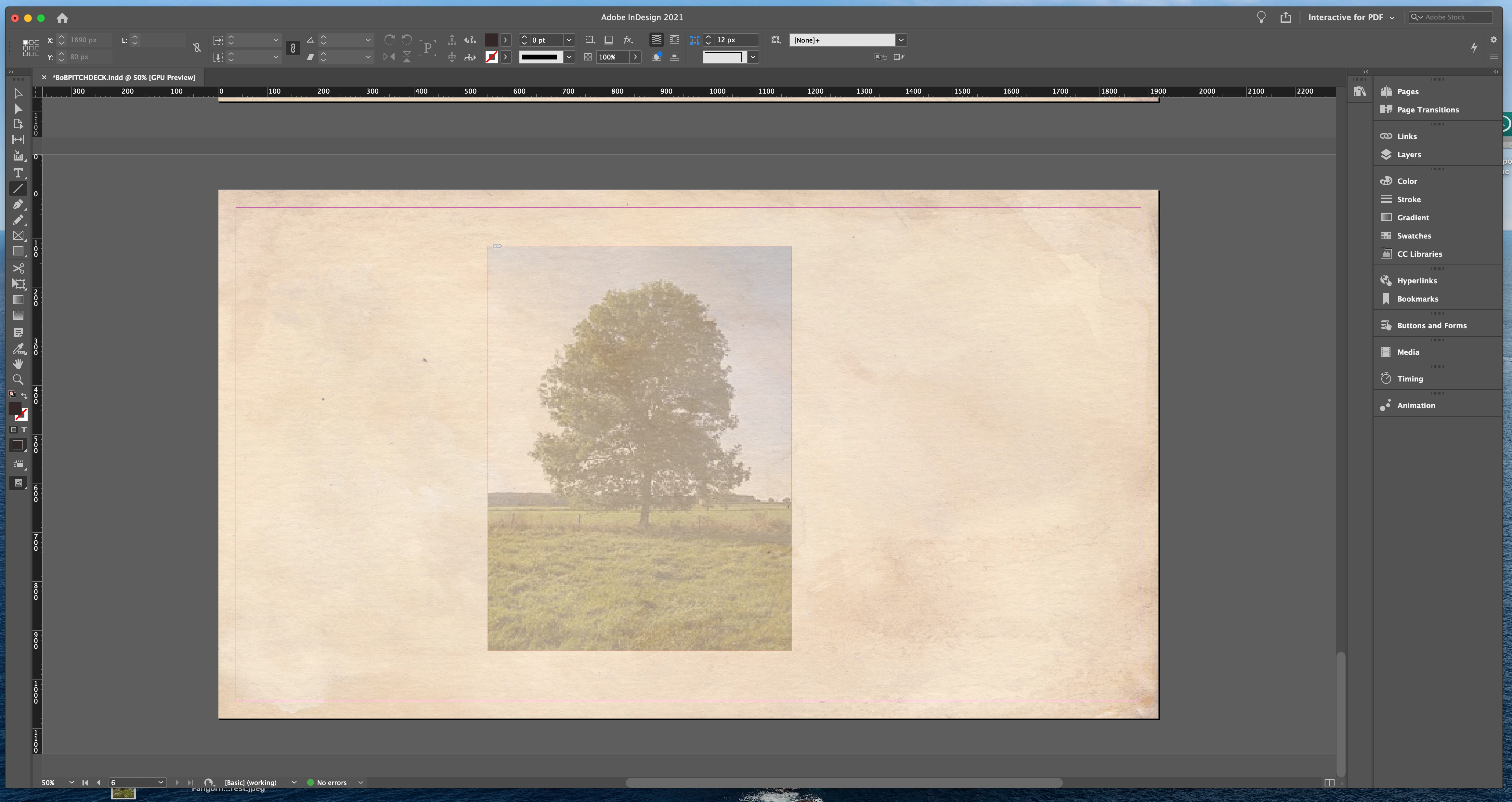
Everytime I place a photo into InDesign it's transparent.

  • July 6, 2021
  • 3 replies
  • 254 views

Hi, 

I am creating a presentation in Indesign and suddenly while I was importing photos, they starting showing up transparent. I tried different photos, dragging and dropping, placing the file, using different file types, and restarting the program and nothing fixes it. 

Any ideas how I can fix this?
This topic has been closed for replies.

3 replies

Jumpenjax
Community Expert
Community Expert
July 6, 2021

Is it by chance below your background. Or is it because you have it set to 35 percent in the top bar?

Lee- Graphic Designer, Print Specialist, Photographer
JonathanArias
Legend
July 6, 2021

do you maybe have object styles set up and its applying one  by default?

Peter Spier
Community Expert
Community Expert
July 6, 2021

In Line with both of the above, check the style definition for Basic Graphics Frame.


You'll have to edit it with no files open to make a change to affect new files, existing files will need editing individually if not correct.

Legend
July 6, 2021

It's acting as if your placed files are defaulting to Multiply.