



Jennifer, marketeer
Participant
July 31, 2024
Answered

Excel into indesign

  • July 31, 2024
  • 2 replies
  • 347 views

Hey guys, i need to make a productcatalog for my work. We have millions of products listed in an excel sheet. It looks like this:
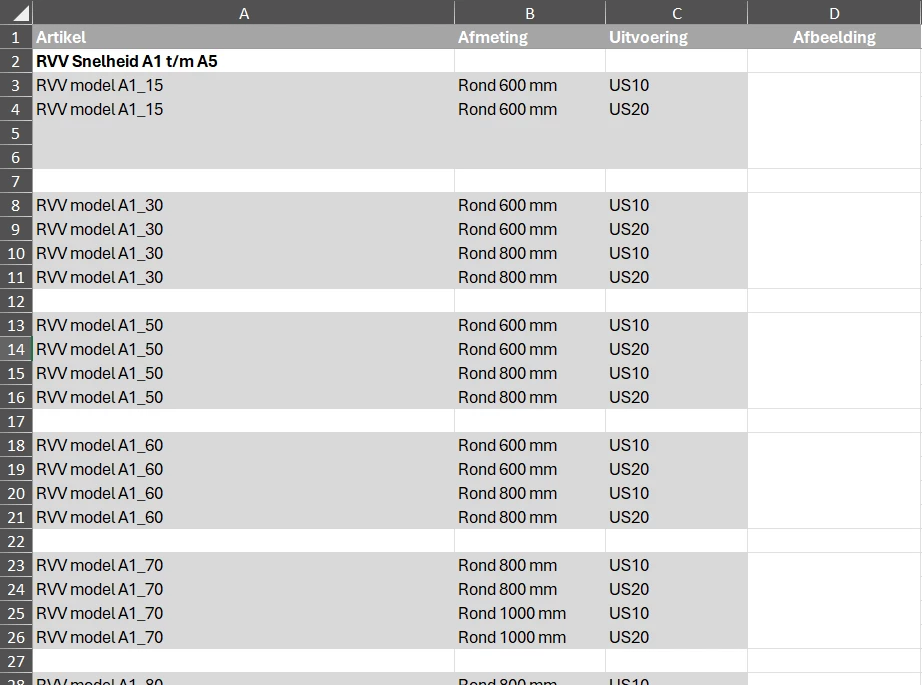
 

Now i am designing the book and need to import the sheet into my indesign file. However, even after placing/importing it in millions of ways this is the way it imports into indesign (empty): 
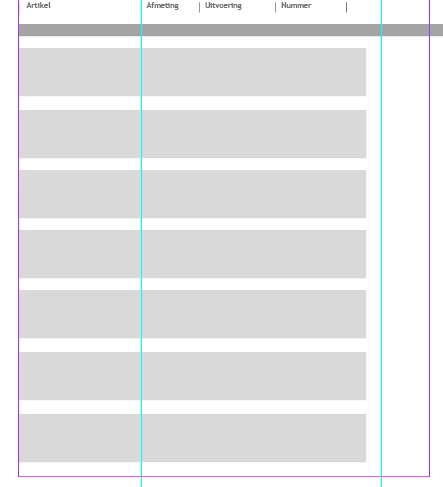


What am i doing wrong? 

This topic has been closed for replies.
Correct answer Jennifer, marketeer

Hi @Laubender, it is bigger than this, but also devided in multiple different excel folders so that cannot be the issue. I resolved it, it was a simple thing actually... the font was too big so it did not show up. I have had many issues with excel and indesign in the past but this feels like a dumb rookie mistake haha. Thankyou for the help both of you. 

2 replies

Mike Witherell
Community Expert
Community Expert
July 31, 2024

What do you discover when you change the view into Story Editor mode?

Mike Witherell
Community Expert
July 31, 2024

Hi @Jennifer, marketeer ,

how many populated rows of data has your Excel sheet exactly?

How many columns?

InDesign's tables have some restrictions on the number of columns and rows.

Out of my memory: there is a maximum of 200 columns and 20,000 rows for a single InDesign table.


Regards,
Uwe Laubender
( Adobe Community Expert )

Jennifer, marketeer
Jennifer, marketeerAuthorCorrect answer
Participant
July 31, 2024

Hi @Laubender, it is bigger than this, but also devided in multiple different excel folders so that cannot be the issue. I resolved it, it was a simple thing actually... the font was too big so it did not show up. I have had many issues with excel and indesign in the past but this feels like a dumb rookie mistake haha. Thankyou for the help both of you.