
Export booklet but wrong final format showing
Hi everyone,
I have an issue and I have no idea how to solve it! (And never had this before..)
Actual state
- I create my file in an A5 format, when it's a double page opened the size is an A4.
- I added bleed and slug for the printer
Problem
When I create the exporting file from the booklet option I can see, on the preview the future view that I want, so everything is going fine, BUT when I open it in Adobe Acrobat, I have a kinda A4 view that cropped all my content.
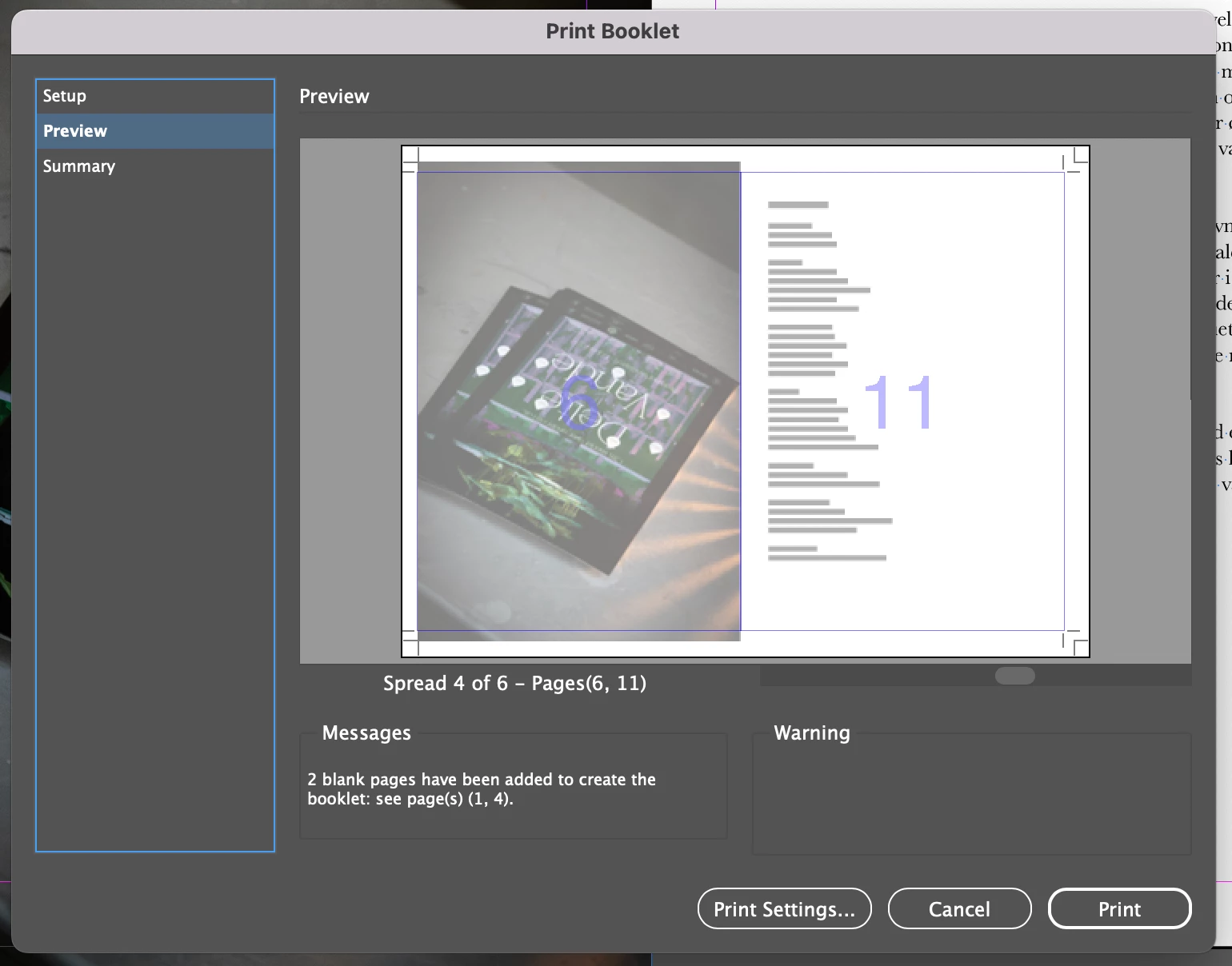 In design
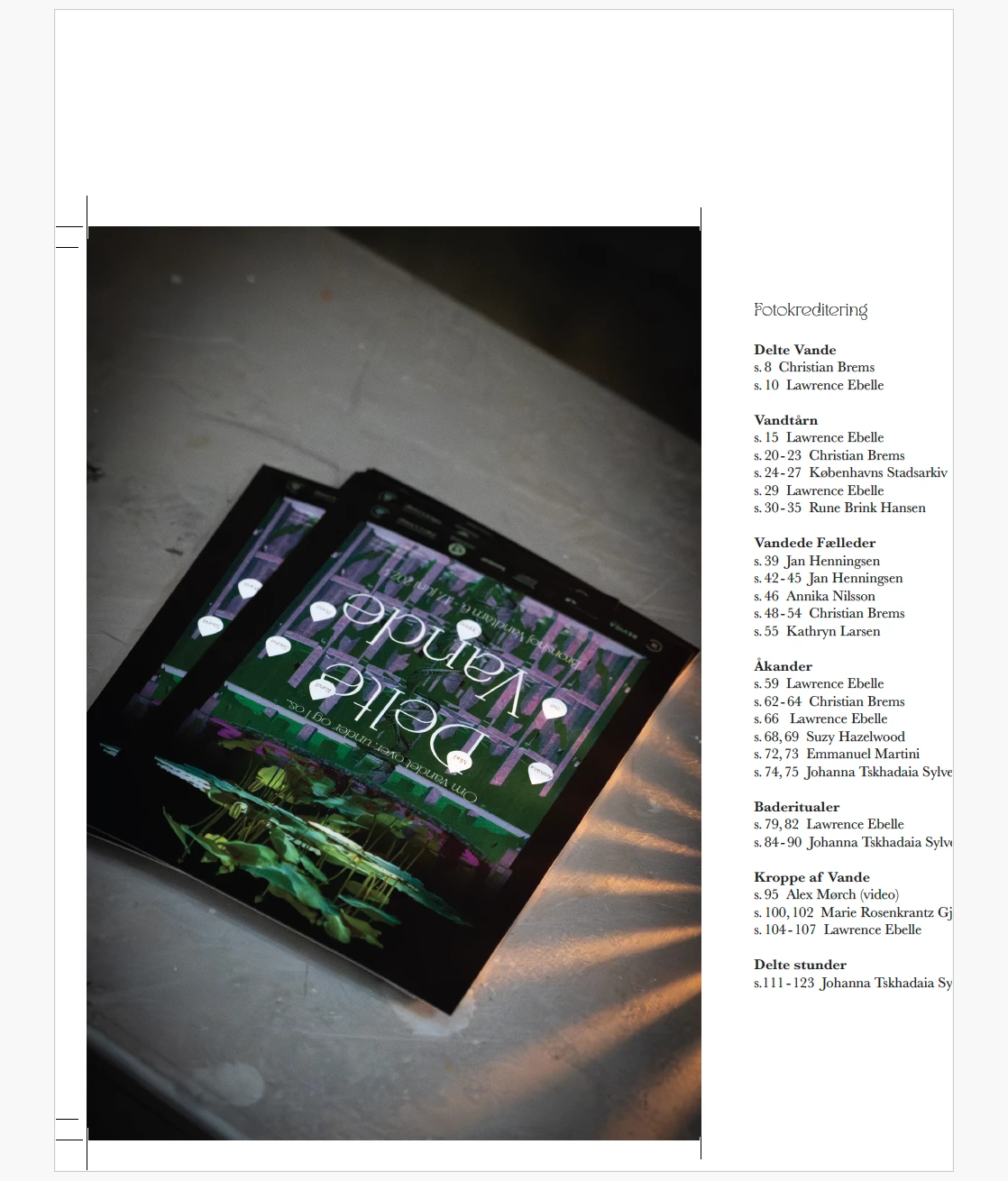
Adobe
No matter if I am trying to change the format from the print production tools, the content of my file is completely cropped.
I am wondering if I am missing a setting into the booklet exportation for a final format or anything else. But now I am completely blocked by this issue.
What I want to have:
I would like to have either:
- A file with bleed marks(but not inside, because of the binding) in the classic order
- A booklet with bleed marks and the correct format when I open the file.
If you can help me it will be a big help! Thanks in advance


 AdChoices