danielw42205661
Known Participant
November 22, 2023
Question

Export JPEG script – include suffix

  • November 22, 2023
  • 1 reply
  • 984 views

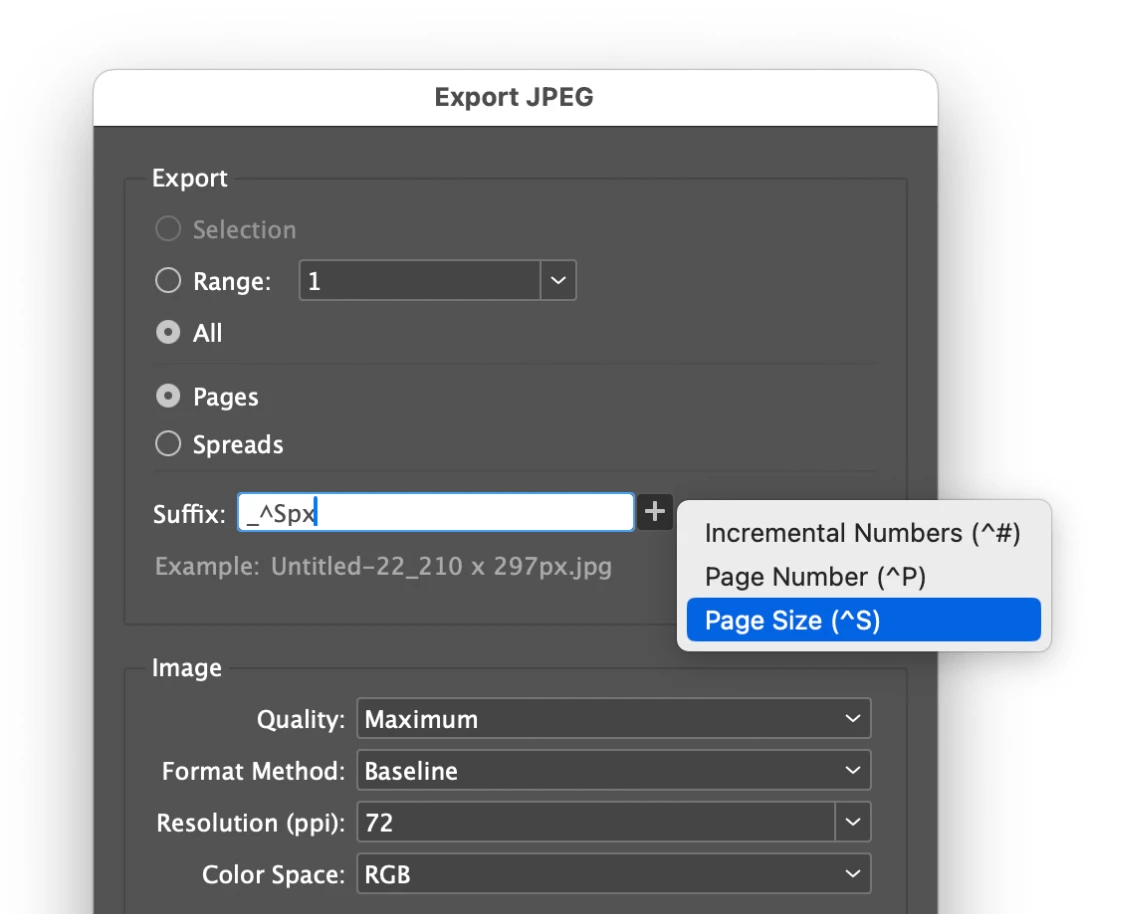
I have an existing script that exports jpegs. I am wondering if it is possible to add some lines to it so that it exports with the suffix 'Page size' and then 'px'. Any help with this would be greatly appreciated, thanks.
 

------------------------------------------

var doc = app.activeDocument;
var myFolder = doc.filePath;
var jpg_name = doc.name.replace(/.indd$/i, “”);


for(var p = 0; p < app.documents[0].pages.length; p++) {
var myPageName = doc.pages[p].name;

// Set JPEG export preferences
app.jpegExportPreferences.properties = {
antiAlias: true,
embedColorProfile: true,
exportResolution: 72,
// exportingSpread: true, // Uncomment if spreads
jpegColorSpace: JpegColorSpaceEnum.rgb,
jpegExportRange: ExportRangeOrAllPages.exportRange,
jpegQuality: JPEGOptionsQuality.maximum,
jpegRenderingStyle: JPEGOptionsFormat.baselineEncoding,
useDocumentBleeds: false,
simulateOverprint: false,
pageString: myPageName,
}

doc.exportFile(ExportFormat.jpg, File(myFolder +”/”+ jpg_name +” “+myPageName+ “.jpg”), false);
}
alert(“Done Exporting jpg’s!”);


This topic has been closed for replies.

1 reply

GNDGN
Inspiring
November 23, 2023

Replace the line beginning with

doc.exportFile(...

with these lines:

var oldUnits = [
	doc.viewPreferences.horizontalMeasurementUnits, 
	doc.viewPreferences.verticalMeasurementUnits
	];

doc.viewPreferences.horizontalMeasurementUnits = doc.viewPreferences.verticalMeasurementUnits = MeasurementUnits.PIXELS;

doc.exportFile(ExportFormat.jpg, File(
	myFolder + "/" + jpg_name + " " + myPageName + " " + 
	doc.documentPreferences.pageWidth + " x " + 
	doc.documentPreferences.pageHeight + "px.jpg"
	), false);

doc.viewPreferences.horizontalMeasurementUnits = oldUnits[0];
doc.viewPreferences.verticalMeasurementUnits = oldUnits[1];


The result of the exported file looks like this:

MyDocument PageName 1920 x 1080px.jpg


____________________Robotic Process Automation in Desktop Publishing (Book): https://doi.org/10.1007/978-3-658-39375-5
danielw42205661
Known Participant
November 23, 2023

Thanks very much for your response. It looks promising but when I tested it on a page size of 500x400px but it gave me this result. Wonder if it's an issue with how I've set up the file, but it's under web and pixels as the unit of measure so not sure.


"untitled 1 209.999999999936 x 296.999999999461px"

GNDGN
Inspiring
November 23, 2023

Replace these two lines

doc.documentPreferences.pageWidth + " x " + 
doc.documentPreferences.pageHeight + "px.jpg"

with these lines:

Math.round(doc.documentPreferences.pageWidth) + " x " + 
Math.round(doc.documentPreferences.pageHeight) + "px.jpg"


____________________Robotic Process Automation in Desktop Publishing (Book): https://doi.org/10.1007/978-3-658-39375-5