
Participant
January 25, 2018
Answered

Export PDF with Bleeds Larger than intended size

  • January 25, 2018
  • 3 replies
  • 3163 views

Hi all,

Printing a booklet for my organization using InDesign CC 13.0.1.

The intended size of the booklet is 5.5" x 8.5" with a .25" bleed, which should make the resulting document 6" x 9",

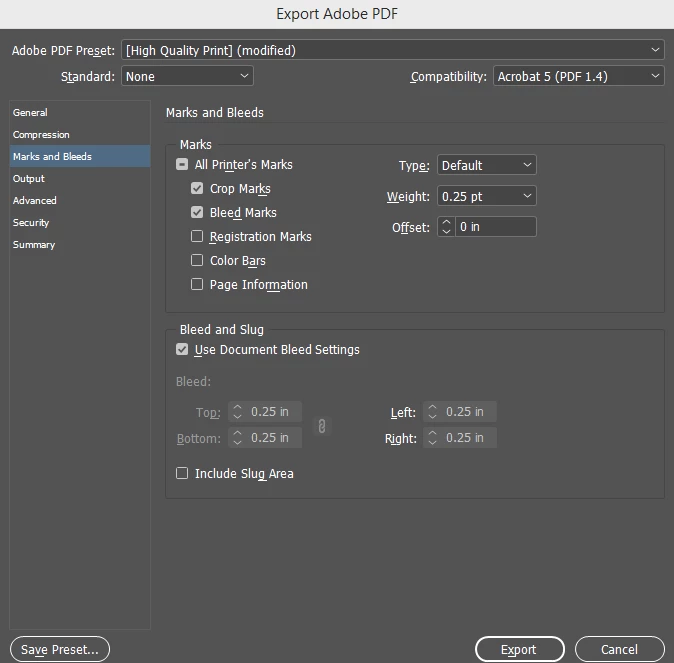
When I do export to PDF and check "Use Document Bleed Settings" and add Crop and Bleed marks, the resulting PDF comes out to 6.58" x 9.58", instead of 6" x 9". The resulting document also has a visible "bleed" border around the entire document that extends beyond the bleeds, and I'm pretty sure that's where the extra area is coming from, but I can't figure out why.

My printer responded back asking if I wanted the booklet to be a larger size because of the dimensions of the PDF.

Export settings:
PDF Properties
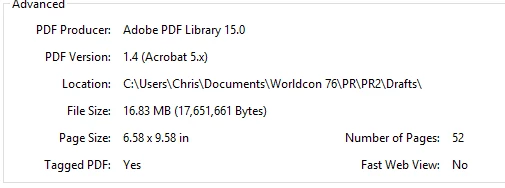
Any help would be appreciated.

    This topic has been closed for replies.
    Correct answer Scott Falkner

    You are including crop marks and bleed marks. These need space and increase the dimensions of the PDF. This should not matter. The actual trim size and blred size of the document is available for your printer. It is very unusual to get a question about this from a printer. I would be very suspicious about a printer that can’t handle a PDF with a clearly defined crop.

    3 replies

    Scott Falkner
    Community Expert
    Scott FalknerCommunity ExpertCorrect answer
    Community Expert
    January 25, 2018

    You are including crop marks and bleed marks. These need space and increase the dimensions of the PDF. This should not matter. The actual trim size and blred size of the document is available for your printer. It is very unusual to get a question about this from a printer. I would be very suspicious about a printer that can’t handle a PDF with a clearly defined crop.

    Participant
    January 25, 2018

    Thanks, Scott. I was pretty sure I was doing it right. We used this printer a few months ago for a book and the PDF had the exact same dimensions and marks, so it was definitely strange for me to hear back from them about the document size. I was wracking my brain trying to figure out what was incorrect about the bleed, but it looks like it should be fine, after all.

    I'll report back if anything else comes up.

    Community Expert
    January 25, 2018

    Hi,

    maybe the printers do not like any crop and bleed marks and prefer the PDF boxes only?
    You can make them visible in Acrobat or Acrobat Reader. It's just a preference:

    Page Display > Page Content and Information > Show art, trim & bleed boxes

    Also a note of the overall page size that will pop up at the lower left corner of the PDF when opened:

    Page Display > Page Content and Information > Always show document page size

    Regards,
    Uwe

    Community Expert
    January 25, 2018

    Off Topic:

    ascannerdarkly

    Ah, a Phil Dick fan :-)

    Regards,
    Uwe

    Participant
    January 25, 2018

    Here is what the resulting bleed/crop looks like. The document inside the bleed space is already 6" x 9".