Inspiring
July 24, 2015
Question

Export table as html with border

  • July 24, 2015
  • 1 reply
  • 825 views

Hi,

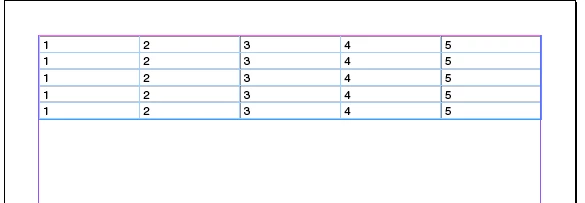
   When i am exporting table into html file  using indesign javascript, its exporting table as html without border using the below code.

   How can i export the table with border using indesign javascript without css option??

htmlPath = File(app.activeDocument.fullName.fsName.replace(".indd",".html"));  

app.activeDocument.htmlExportPreferences.viewDocumentAfterExport = true;

app.activeDocument.htmlExportPreferences.cssExportOption = StyleSheetExportOption.NONE;

app.activeDocument.exportFile(ExportFormat.HTML, htmlPath, false);
Thanks in advance,

Sudha K

This topic has been closed for replies.

1 reply

Vamitul
Legend
July 24, 2015

option a) attach a css file specifying the proper html table formatting

option b) make sure the table has borders in Indesign before exporting it. then indesign will add the proper css.

Sudha_KAuthor
Inspiring
July 24, 2015

Table has contain border but its not retain when export html.

If i enable "Embed CSS" when exporting html, file has exported to html with resource folder.

But i need to export table to html with border without resource folder.  How to insert css as inline of that html file.

- Sudha K

Vamitul
Legend
July 24, 2015

after the export is done, open up the resulting html in javascript as text and modify the table by adding inline css to it, if that is what you are looking for.