Participant
July 4, 2023
Answered

Export without Metadata in Pictures (security gap?)

  • July 4, 2023
  • 3 replies
  • 1768 views

When I export a PDF for Indesign, I can determine the metadata of the PDF by default. (File Info)

But I cannot find a solution to exported images embedded in the PDF without the picture metadata. i can read the compelte Metadata with Acrobat (right click on the object). I can also delete the metadata with Acrobat, but if this feature does not exist in Indesign Export. Or am I wrong?

I assume that many companies are not aware that they share sensitive content on their websites via the metadata, if these were uploaded directly after the InDesign PDF Export?
I found a lot PDF Online from big companies with really accurate detailed Information in the PDF like Mails/Phonenumbers/Patient informations/non public adresses/ etc  (all exported with InDesign)

Is there a solution in Indesign? The support couldn’t help me.

This topic has been closed for replies.
Correct answer rob day

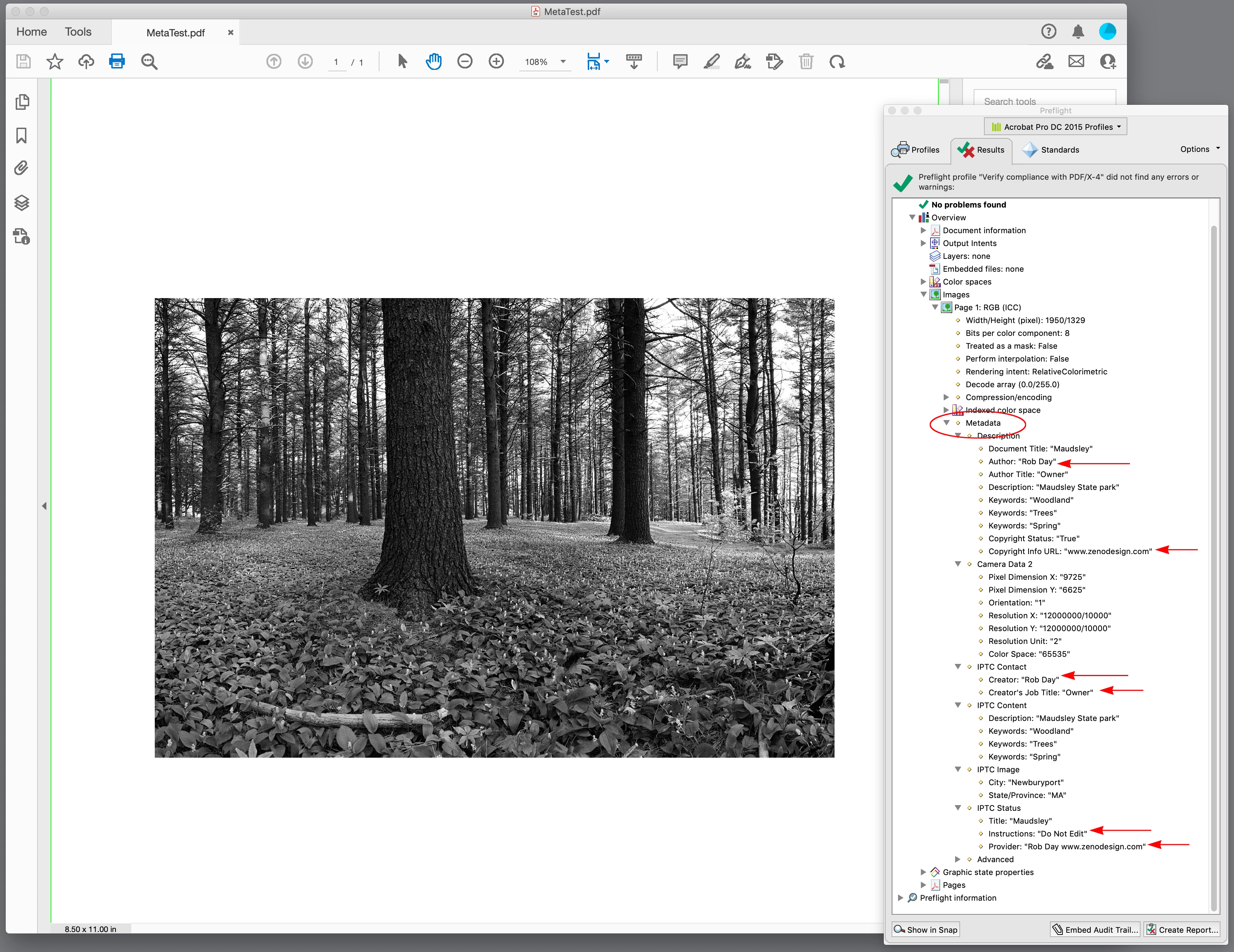
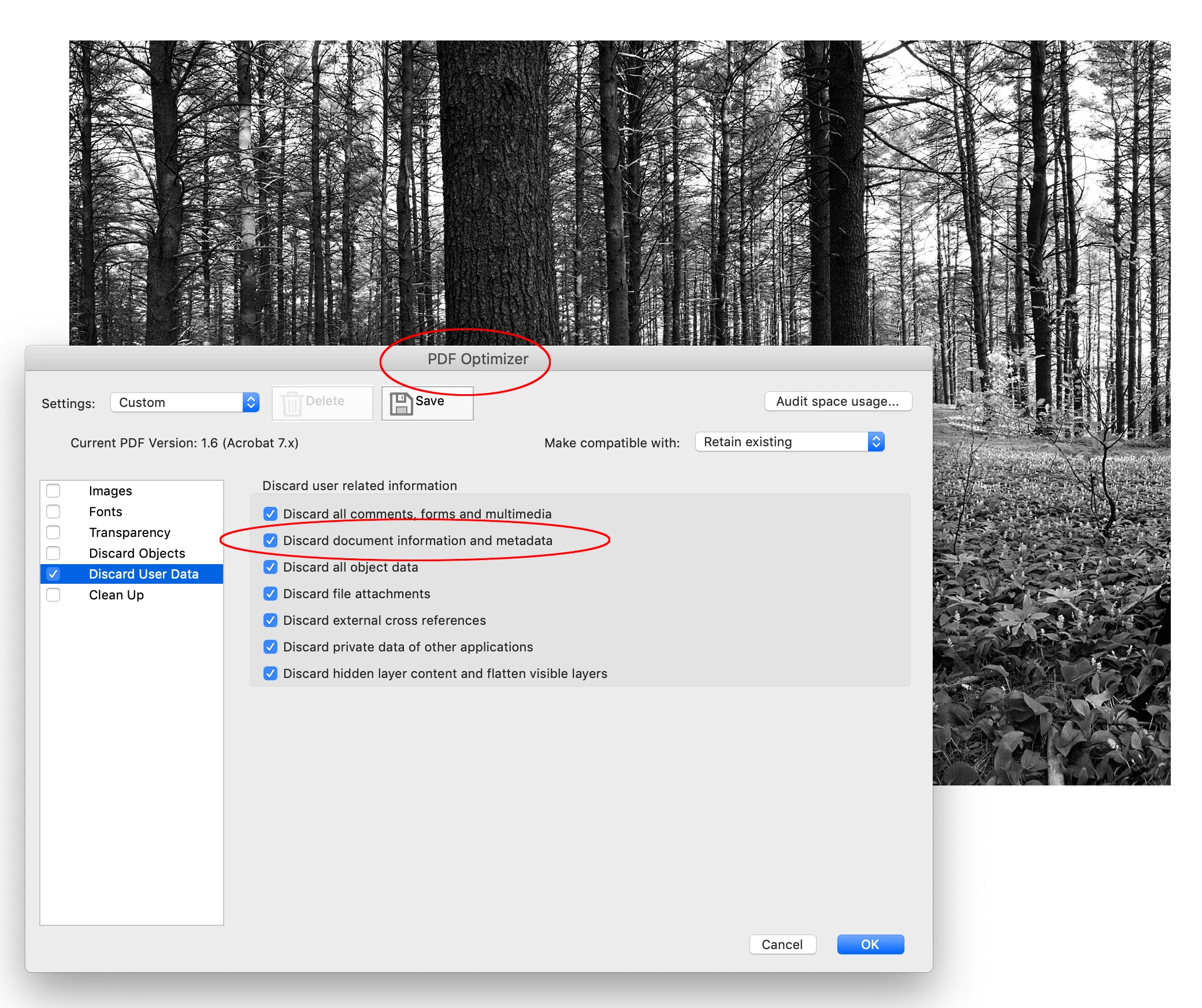
Looks to me like you can use AcrobatPro’s File>Save As Other>Optimize PDF... to remove all metadata including image metadata. If I Export a default PDF/X-4 with an image that includes its own metadata and inspect the image via Acrobat’s Preflight I get this, which includes all of the metadata I don’t want you or Adobe removing even though you can:


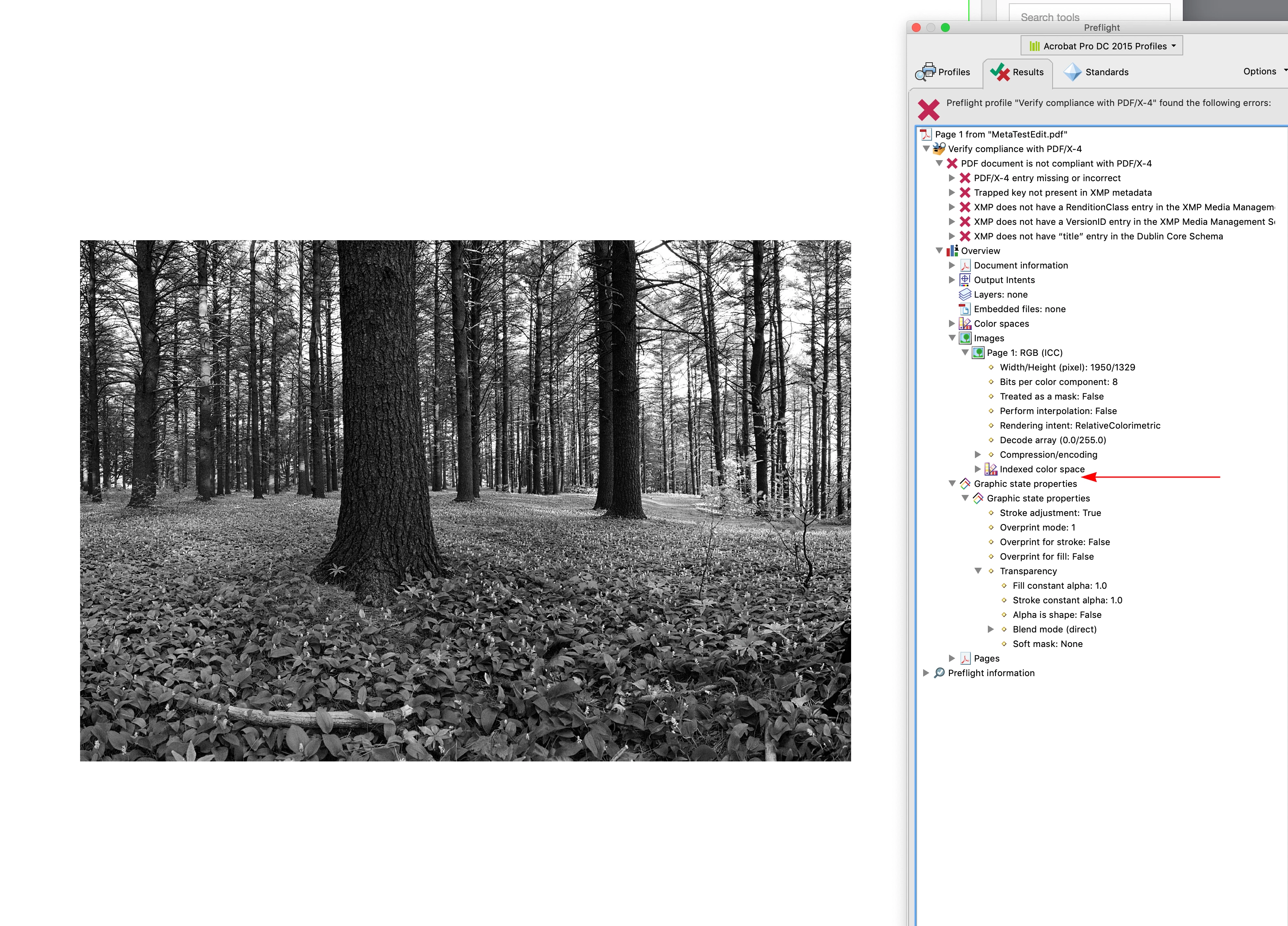
The Optimized PDF:


In the metadata I’m making it clear that I don’t want the image edited, which would include removing the metadata. Obviously there is little I can do to stop a third party from doing that to a PDF, but I certainly don’t want Adobe to collaborate in the theft, and include a button to do it in the page layout app. In the end metadata is the creator’s responsibility.

3 replies

Bevi Chagnon - PubCom.com
Legend
July 5, 2023

At this time, no.

But there are 3rd party metadata cleaners you can try. Run them after the PDF is exported and they remove all hidden metadata from a file. Not sure if they will go "deep" enough to remove photo metadata embedded inside a PDF, but worth checking them out.


|    Bevi Chagnon   |  Designer, Trainer, & Technologist for Accessible Documents ||    PubCom |    Classes & Books for Accessible InDesign, PDFs & MS Office |
rob day
Community Expert
rob dayCommunity ExpertCorrect answer
Community Expert
July 5, 2023

Looks to me like you can use AcrobatPro’s File>Save As Other>Optimize PDF... to remove all metadata including image metadata. If I Export a default PDF/X-4 with an image that includes its own metadata and inspect the image via Acrobat’s Preflight I get this, which includes all of the metadata I don’t want you or Adobe removing even though you can:


The Optimized PDF:


In the metadata I’m making it clear that I don’t want the image edited, which would include removing the metadata. Obviously there is little I can do to stop a third party from doing that to a PDF, but I certainly don’t want Adobe to collaborate in the theft, and include a button to do it in the page layout app. In the end metadata is the creator’s responsibility.

Whistle23Author
Participant
July 6, 2023

Thank you for this insightful answer

Rather tedious. But the only solution that worked.
I hope that Adobe will somehow solve this differently in the future. It would make sense to determine the metadata export when exporting the file.

James Gifford—NitroPress
Legend
July 4, 2023

This is a huge and widespread problem across the internet. Every day, people upload pictures of their private lives... that contain metadata that pinpoints their location and other personal information useful to a wide variety of malefactors.


And it's a different facet, but I just discovered this week that Word 365 sends all 'inserted' images out to a service that uses image recognition to insert draft alt-text. The security and privacy implications are staggering.


I don't think it should be up to every user to have to erase auto-generated metadata from images that are published in any way, especially as few users seem to be aware it's there. That amateurs uploading family and event photos don't know it is one thing. That publishers of medical documents, ads, reports etc. aren't aware enough to strip this information is shocking. (And my telling a colleague at a major US NGO caused him to all but hang up on me in his haste to call their cybersecurity department.)


ID, and even Word, should have an inherent feature to remove metadata from exported images. By default. Period.

rob day
Community Expert
Community Expert
July 4, 2023

ID, and even Word, should have an inherent feature to remove metadata from exported images


What about copyright metadata, wouldn’t a feature that globally strips all metadata be a potential copyright violation?


It can be scripted—this thread has a script to remove image ancestor metadata, which causes file bloat problems, but could be adapted to remove other metadata from placed images in an ID doc.


https://community.adobe.com/t5/indesign-discussions/is-there-a-script-to-clear-indesign-metadata-redundancy-or-the-clipboard-just-like-photoshop/m-p/12638735#M460299

James Gifford—NitroPress
Legend
July 4, 2023

That you can get out a toolbox and mod something is not a solution. The major point here is that few users have any idea that information is even in there. Go look for stories of people who were tracked down, to their front door, from photos posted on social media. (Usually because the camera geotagged the shot.)


It could be made selective, preserving a copyright slug or accessibility alt-text added at a certain step. But neither of those is justification for leaving this all but secret leak of personal, private and proprietary information on export to a final distribution document.

rob day
Community Expert
Community Expert
July 4, 2023

Hi @Whistle23 , An InDesign document’s metadata is scriptable, so you probably could strip metadata via a script. Editing the metadata in AcrobatPro might be the better approach because the metadata might be needed in the context of layout editing:


https://helpx.adobe.com/acrobat/using/pdf-properties-metadata.html


Whistle23Author
Participant
July 4, 2023

Thank you very much for the quick answer. How do I get a script for this problem?

rob day
Community Expert
Community Expert
July 4, 2023

Have you tried clearing the metadata via the File Info dialog? Not sure if setting the metadata to the InDesign Default or importing your own template would stop the image metadata from exporting to a PDF, but you could test: