
Participating Frequently
November 27, 2024
Question

Exported design looks different than within InDesign

  • November 27, 2024
  • 2 replies
  • 893 views

I created some artwork all within InDesign and when I export it, the output is significantly different. 

InDesign screenshot

 

Acrobat screenshot

 

This happens regardless of the export format (eg also happens in jpeg & png.) 

PNG
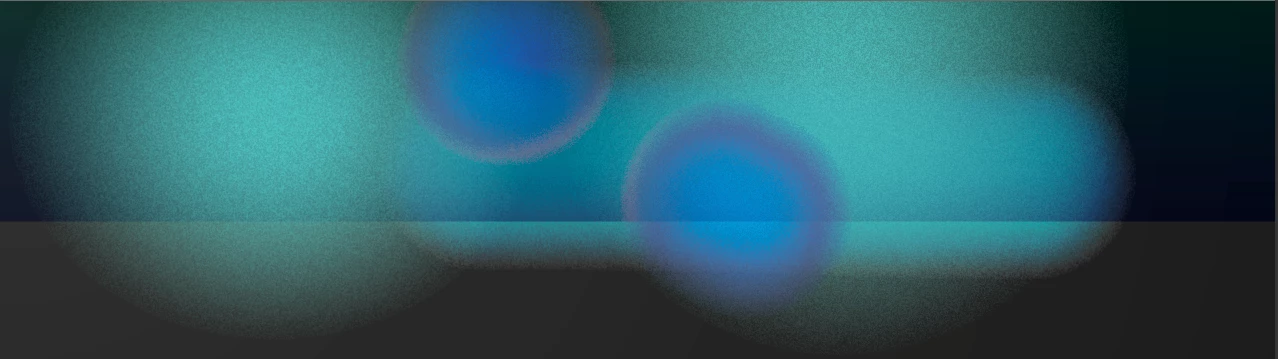
 

What is a little intriguing, is if I change the resolution of a jpeg or png export, eg to 72ppi, then there's still an issue, but it's different:

 

It seems like the effects are not scaling properly when exporting, among other issues. The issue also occurs if I copy the artwork out of InDesign and paste it into Illustrator.


The blue curve you see most pronounced in the last screenshot, conists of a single stroke, 100pt thick. I've then applied a gradient to it, set the blend mode to Hard Light and added Basic Feather to it.

This topic has been closed for replies.

2 replies

_forrest_Author
Participating Frequently
December 2, 2024

I discovered a workaround. The issue seems to be that the resizing of the effects on the stroke doesn't work properly on export to any format. I usually use effects on shapes rather than paths with a stroke, so I haven't run across this before. I also noticed that when I open up the PDF export in Illustrator, the path has been converted to a shape. The same happens when I copy the artwork out of InDesign and paste it in Illustrator.


Here's my workaround:

  • I took the path and chaged it to a solid color (it wouldn't work with a gradient, for some reason.)
  • I copied it out of InDesign and pasted it into Illustrator. That converted it to a shape.
  • I then copied that shape out of Illustrator and pasted it into InDesign.
  • At that point, I added the gradient, added the effect and adjusted the blend mode.


A screenshot of the two versions looks like this

There are slight coloring differences, but I can work through those.


The export looks like this:

There's still another broken path in there, but the blue one is fixed and you can see that in the screenshots.

Abhishek Rao
Community Manager
Community Manager
November 28, 2024

Hi @_forrest_,  


I’m sorry to hear about the frustration this issue is causing. Could you please share your InDesign version and operating system details? Is this problem happening with just this document or all files?  

If you’re comfortable, sharing the file and a screenshot of your export settings would help us understand the issue better and find a solution.  


Thank you for bringing this to our attention, we’re here to help!  


Thanks,  
Abhishek Rao  

_forrest_Author
Participating Frequently
December 1, 2024

Hi @Abhishek Rao . Admittedly, it's a bit older version as the computer (Mac) I'm using won't run the latest version. I've use this version a ton and it's the first time I've run into exporting issues like this. I'm not sure if I've applied filters to a path like this before. I've created an all new file with just this part of the artwork and the issue persists. A sample file is attached.

I've also exported two PNGs, one at 72ppi and the other at 300ppi. Examples are attached, along with the PNG export settings.

_forrest_Author
Participating Frequently
December 1, 2024
Screen_Shot_2024-12-01_at_2-27-14_PM.png