
Exporting Both Digital and Print Files from the Same Document (CMYK/RGB)
Hello,
I have a document with about 20 different product flyers/sell sheets. I built the document in CMYK, but each flyer will need to be exported in both digital format (RGB with compression and without bleeds for web viewing), and print format (CMKY with bleeds and no compression for high quality printing).
However, when I go to export my digital flyers, I get this error:
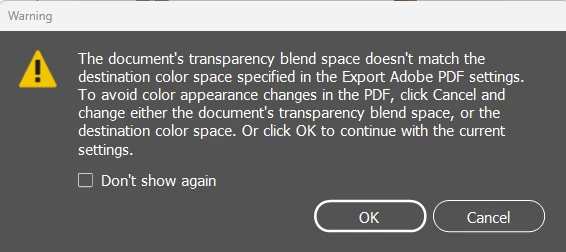
Which makes sense, I get that it's in a CMYK blend space but I'm trying to export to RGB color space. But how do I go about this? What is the best work flow for what I'm trying to do? If I have that many flyers I need both digital and print versions of, do I have to change over the transparency blend space in the document every time I export? That seems silly and a lot of extra work. Please advise.
Thanks in advance!!
 AdChoices