
Exporting jpgs into PDF for print - needed help with settings
Hi there,
As I am preparing my photos to be printed for the first time I wanted to ask for your advice. Let me explain what I did and what I am not sure of.
- at first I changed profiles from RGB to CMYK FOGRA39 ( didn't see any difference though ).
- then I double checked that all photos are at least 300dpi for the sizes I want to print which are at most 20x20cm
- at the end I exported images to jpgs
- after all that I placed them together and exported them as pdf in two different versions:
a. Pdf for monitor
b. PDF for print
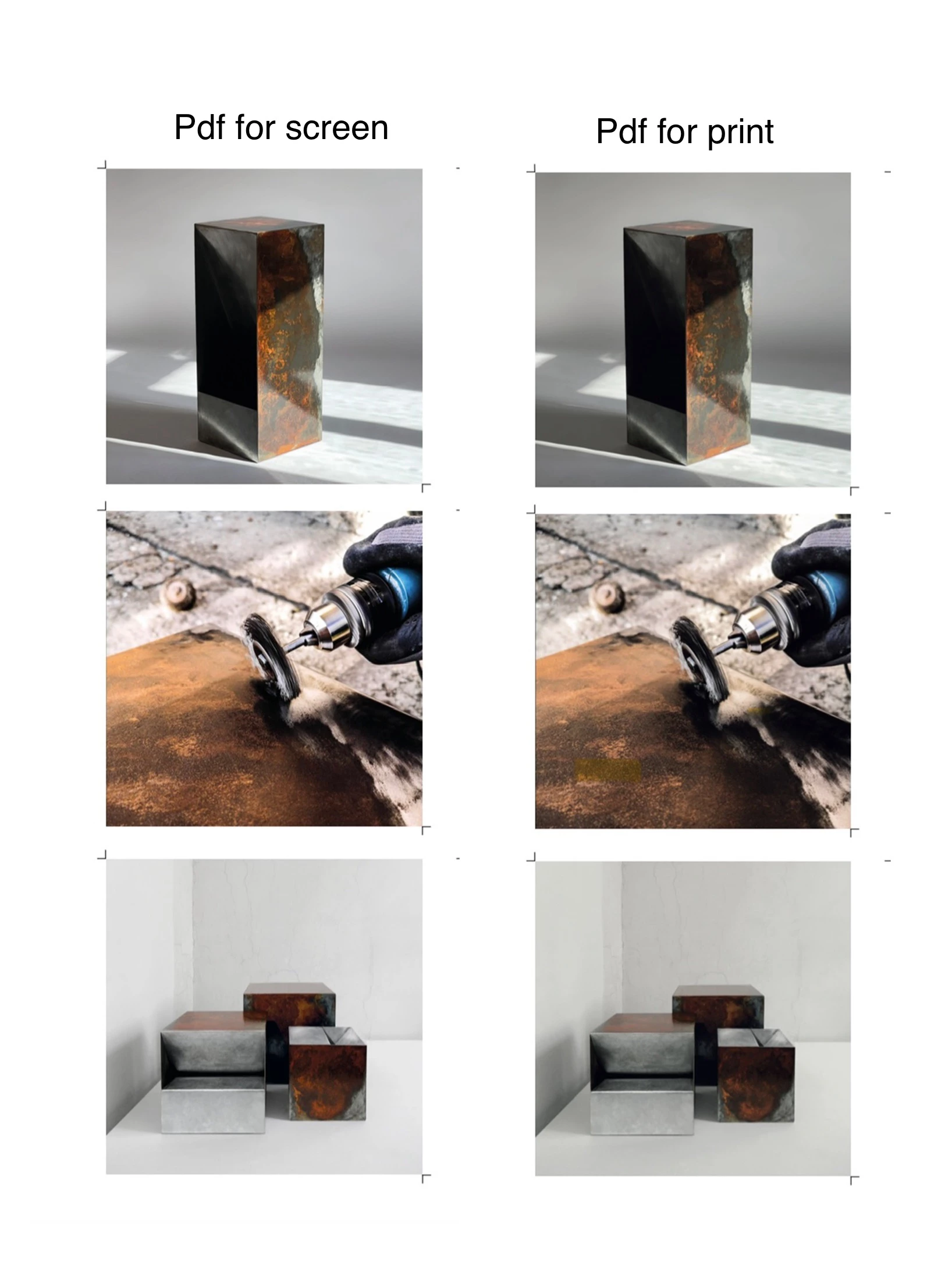
visual effects we're completely different. In option A photos where exactly the same as after exporting them to jpgs from photoshop. In option B photos are a bit darker and the lose some saturation.
my question is pretty simple. Should I still go for PDF for print and the actual print won't be as dark as I can see on the screen? Or should I oversaturate and overexpose all of the photos to balance the lose of saturation and lightness when exporting pdf for print?
I attached comparison of option A result and option B. Last photo is the best example of the difference.


 AdChoices